EasyManua.ls Logo

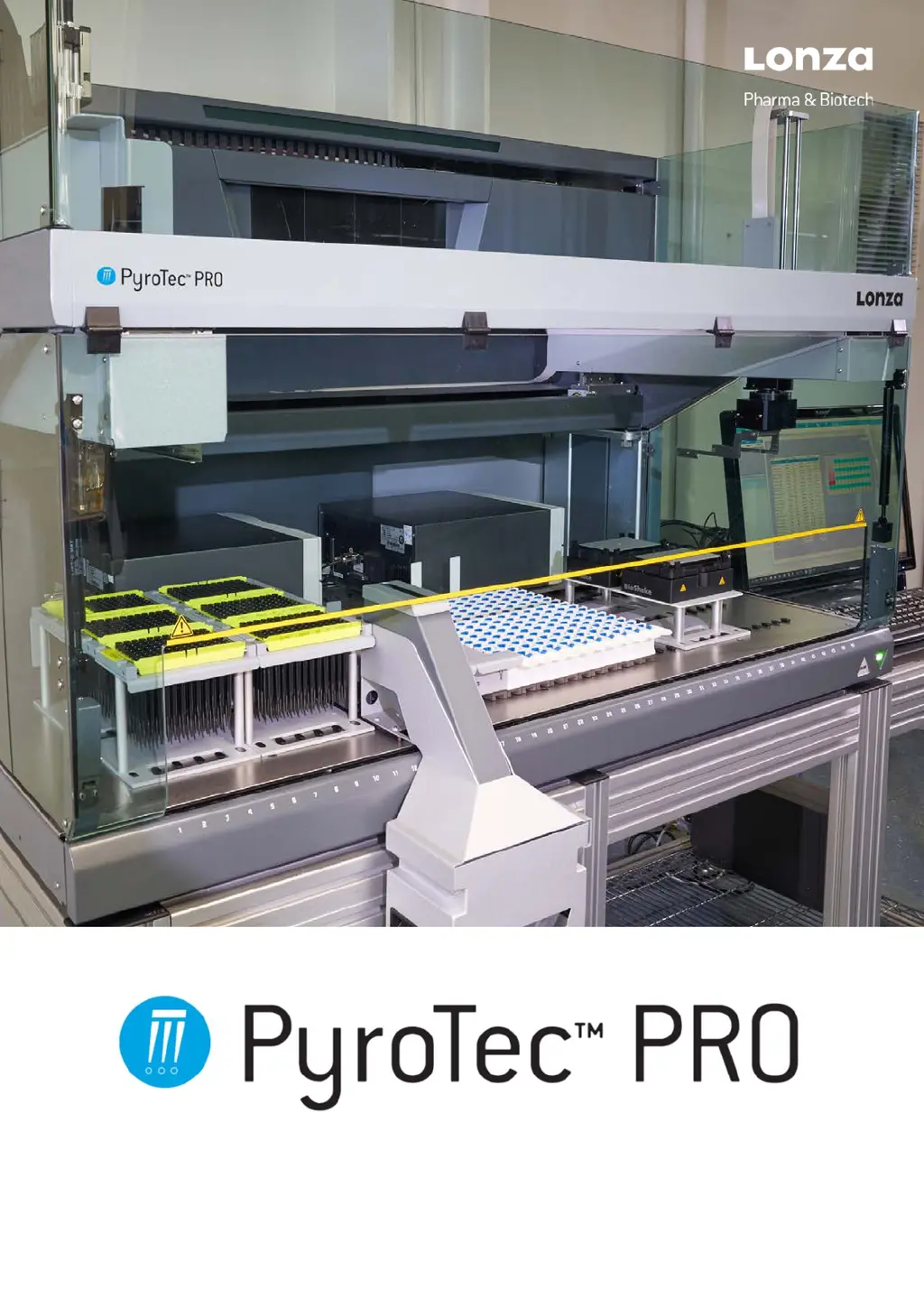
Lonza PyroTec PRO - User Manual

Default Icon
119 pages
Print Icon
To Next Page IconTo Next Page
Loading...
Return to TOC
PyroTec™ PRO Hardw are User’s Manual, V1.2 1
RT-MN024-1.2 02/21
Hardware User’s Manual

Table of Contents

Questions and Answers

  • A
    Amber ArcherAug 18, 2025
    How to fix communication error on Lonza Laboratory Equipment?
    • C
      cmooreAug 18, 2025
      If you're experiencing a communication error with your Lonza Laboratory Equipment, it may be due to several reasons. First, ensure the power is switched on. Second, check the cable and plug for any interruptions. If the issue persists, switch off the instrument and PC, wait until the status lamp is dark, then switch them back on.
  • W
    Wayne WeaverAug 20, 2025
    Why does Lonza PyroTec PRO show level sense failure?
    • T
      Troy HowardAug 20, 2025
      A level sense failure in Lonza Laboratory Equipment can occur due to several factors. Avoid using mobile phones closer than 2 meters to the instrument, even in standby mode. Low humidity in the room can also cause this issue, so try increasing ambient humidity. Ensure correct sample positioning, replace any bent tips, and use/configure the correct carrier. Rectify tip configuration.
  • P
    pearsonchristineAug 22, 2025
    What to do if Lonza PyroTec PRO shows no liquid detected?
    • B
      Barbara DavidsonAug 23, 2025
      If your Lonza Laboratory Equipment is showing 'no liquid detected', it could be due to several reasons. First, check and add liquid if necessary. Ensure the rack is correctly placed on the carrier and clean the carrier to ensure a good connection. Also, make sure there is proper contact between the container, rack, carrier, and work table. Check the parameters in the application software and clean the DiTi cone.
  • K
    Kristin HernandezAug 26, 2025
    What causes positioning error in Lonza Laboratory Equipment?
    • L
      Lisa TaylorAug 26, 2025
      A positioning error in Lonza Laboratory Equipment can be caused by a blocked X, Y, or Z-drive, or a crash. Check for any obstacles. Verify the positions of the container, rack, and carrier.
  • P
    Paul JohnsonAug 28, 2025
    Why Lonza PyroTec PRO Laboratory Equipment is detecting not enough liquid?
    • O
      olivia72Aug 28, 2025
      If your Lonza Laboratory Equipment detects 'not enough liquid', it may be due to insufficient liquid or an incorrect container/rack definition. Check and add liquid if needed. Verify the container and rack definitions.
  • A
    Ashley ButlerAug 30, 2025
    How to resolve initialization error on Lonza PyroTec PRO Laboratory Equipment?
    • B
      Bobby MorenoAug 30, 2025
      If you're getting an initialization error on your Lonza Laboratory Equipment, and it says 'Arms cannot initialize', make sure that the arms can move freely and that their movement range is not obstructed by other objects.
  • A
    Alexander FranklinSep 2, 2025
    What to do if Lonza PyroTec PRO detects a clot?
    • B
      Benjamin DavisSep 2, 2025
      If your Lonza Laboratory Equipment detects a clot, it could be due to a clot being aspirated or a wrong container diameter. Replace the DiTi and retry. Check the container data.
  • T
    Thomas ClementsSep 4, 2025
    Why did the precision test fail on Lonza PyroTec PRO?
    • V
      Virginia FreemanSep 4, 2025
      A failed Precision (Gravimetric) Test on Lonza Laboratory Equipment can occur due to a wrong liquid class being used, a dirty DiTi cone, or a defective plunger seal. Check and correct the liquid classes and clean the DiTi cones.
  • R
    rwalkerSep 7, 2025
    What to do when Lonza PyroTec PRO Laboratory Equipment says no tip available?
    • C
      Christopher EllisSep 7, 2025
      If your Lonza Laboratory Equipment indicates 'No Tip available', it could be because the disposable tip tray is empty or the wrong disposable tip tray is selected. Place a disposable tip tray on the specified position.
  • J
    Jennifer ThompsonSep 9, 2025
    Why is the tip not picked up by Lonza PyroTec PRO Laboratory Equipment?
    • K
      Kelly LarsonSep 9, 2025
      If the tip is not being picked up by your Lonza Laboratory Equipment, it could be due to wrong tip position coordinates. Define the tip position.

Summary

Preface

Manufacturer Information

Provides details about the manufacturer and their address.

Product Usage Guidelines

Defines intended and improper uses of the PyroTec™ PRO.

CE Conformity

Details the product's compliance with applicable EC Directives.

CSA Certification

States the product's certification by the Canadian Standards Association.

FCC Rules Compliance

Outlines FCC regulations applicable to the PyroTec™ PRO.

Safety Information

Warning Notices

Explains the significance of safety symbols and warning notices.

Product Safety Principles

General principles for product safety and user precautions.

Instrument Hazards and Safety Measures

Details hazards related to instrument operation and necessary safety measures.

Operating Company Responsibilities

User Qualification Requirements

Specifies the qualifications and training needed for operating personnel.

Instrument Safety Elements

Describes the safety features and elements of the instrument.

General Safety Rules

Provides overarching safety rules for instrument operation and care.

Technical Specifications

Product Identification and Labelling

Details product identification labels and their meanings.

System Modules Overview

Introduces key system modules like Air LiHa and RoMa.

Chemical Resistance Data

Details chemical resistance of materials used in the instrument.

Functional Description

Instrument Structure

Describes the overall structure and components of the instrument.

Arm Functions

Details functions of Air LiHa, MultiSense, and RoMa arms.

Reader Functions

Explains Capacitive Liquid Level Detection and Clot Detection.

Installation Procedures

Site and System Preparation

Guidance on preparing the installation site and system.

Instrument Unpacking

Instructions for safely unpacking the instrument.

Installing and Connecting Components

Steps for installing and connecting the instrument and its options.

Installing Options

Procedures for installing optional system modules and accessories.

Transport, Storage, and Packaging

Instrument Transport Guidelines

Instructions and warnings for transporting the instrument.

Instrument Packaging

Details on how to package the instrument for transport or storage.

Instrument Operation

Operating and Display Elements

Identifies and explains operating elements and display indicators.

Operating Modes

Outlines the different modes for operating the PyroTec™ PRO.

Routine Operation Mode

Provides safety instructions and procedures for routine operation.

Process Definition Mode

Guidance on operating in process definition and validation modes.

Preventive Maintenance and Repairs

Tools and Consumables

Lists necessary tools, consumables, and cleaning agents.

Maintenance Schedule

Outlines periodic maintenance tasks based on frequency.

Maintenance Tasks

Details maintenance procedures for specific components like tips and waste units.

Precision and Function Tests

Describes tests for verifying instrument performance.

Decontamination Procedures

Provides guidelines for decontaminating the instrument.

Troubleshooting Guide

Troubleshooting Table

Lists common problems, their causes, and corrective measures.

Troubleshooting Instructions

Detailed instructions for resolving specific issues like Z-brake and alignment.

Shutdown, Transport, and Storage

Instrument Shutdown Procedure

Steps for safely shutting down the instrument.

Instrument Transport

Guidelines and precautions for transporting the instrument.

Instrument Storage

Recommendations for storing the instrument.

Disposal Information

Disposal of Operating Material

Guidelines for disposing of operating materials and waste.

Disposal of the PyroTec PRO

General instructions and regulatory information for instrument disposal.

Spare Parts and Accessories

Software and Documentation

Lists available software and documentation for the instrument.

Basic Accessories Kit

Lists basic accessories included with the instrument.

Tools and Gauges

Lists necessary tools and gauges for operation and maintenance.

Optional System Modules and Accessories

Details optional system modules and accessories for LiHa and RoMa.

Carriers, Racks, and Troughs

Lists carriers for reagents, troughs, and disposable tips.

Customer Support

Contact Information

Provides contact details for technical support and service.

Lonza PyroTec PRO Specifications

General IconGeneral
Sample Capacity96-well microplates
Wavelength405 nm
Temperature ControlYes
Capacity96 wells
Power Supply100-240 V, 50/60 Hz

Related product manuals