PyroTec™ PRO Hardw are User’s Manual, V1.2 54
RT-MN024-1.2 02/21
Always make sure that the options are installed in compliance with the instructions given
by the manufacturer.
6.5.2 Mains Outlets for Options
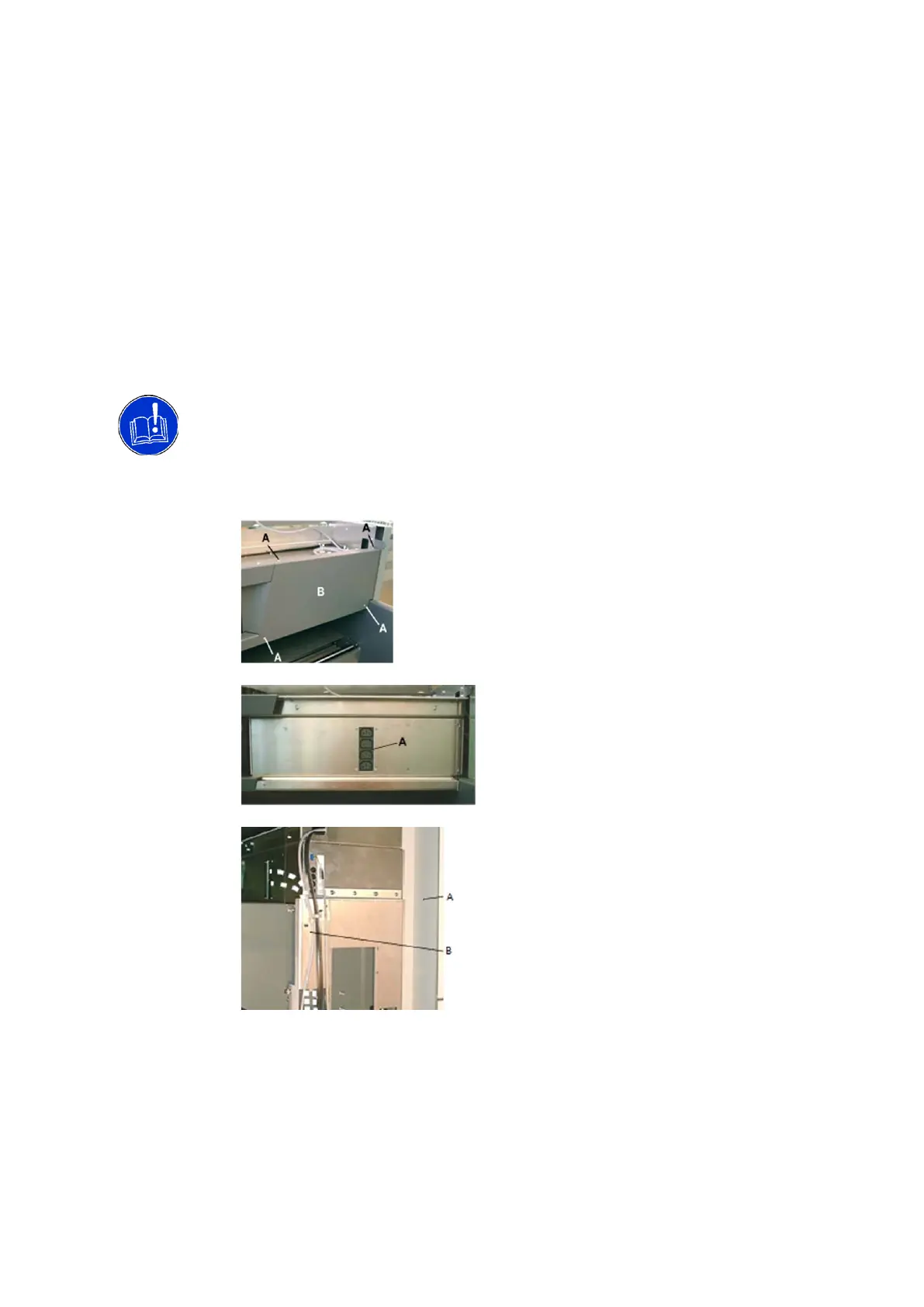
The instrument is equipped with switched mains outlets, which are located behind the
cover panel as shown below. The outlets are intended for options with low power con-
sumption, such as readers. These are only powered when the instrument is powered on.
The max current of all outlets together must not exceed 2 amps.
The mains outlets are internally fused with 2 A fuses. Do not connect options with high
power consumption.
To make the mains outlets accessible for connecting options, proceed as follows.
Options to
Mains Outlet
• Open the top cover
• Remove the four screws (A)
• Remove the right cover (B)
• Connect the options to the mains out-
lets (A)
Note: The space behind the cover is re-
stricted. Therefore, angle type mains
plugs must be used; otherwise, cover
cannot be installed.
• Open the right access door (A)
• Guide the mains cables to the right (see
dashed lines in the figure)
• Route the cables behind the carrier
plate (B) down to the options
• Remount the cover
•
6.5.3 Reader
The following readers can be used with the PyroTec™ PRO system:
• Tecan® Sunrise™
Installation
Details
The installation procedure depends on whether the Sunrise™ reader is delivered together
with a new Lonza PyroTec™ PRO instrument or whether it is added later. If it is added
later, the instrument must be upgraded before the Sunrise™ reader can be installed.



 To Next Page