PyroTec™ PRO Hardw are User’s Manual, V1.2 96
RT-MN024-1.2 02/21
To remove and clean the DiTi waste station unit, proceed as follows:
• Remove the DiTi waste bag housing
• Remove the DiTi waste slide inset.
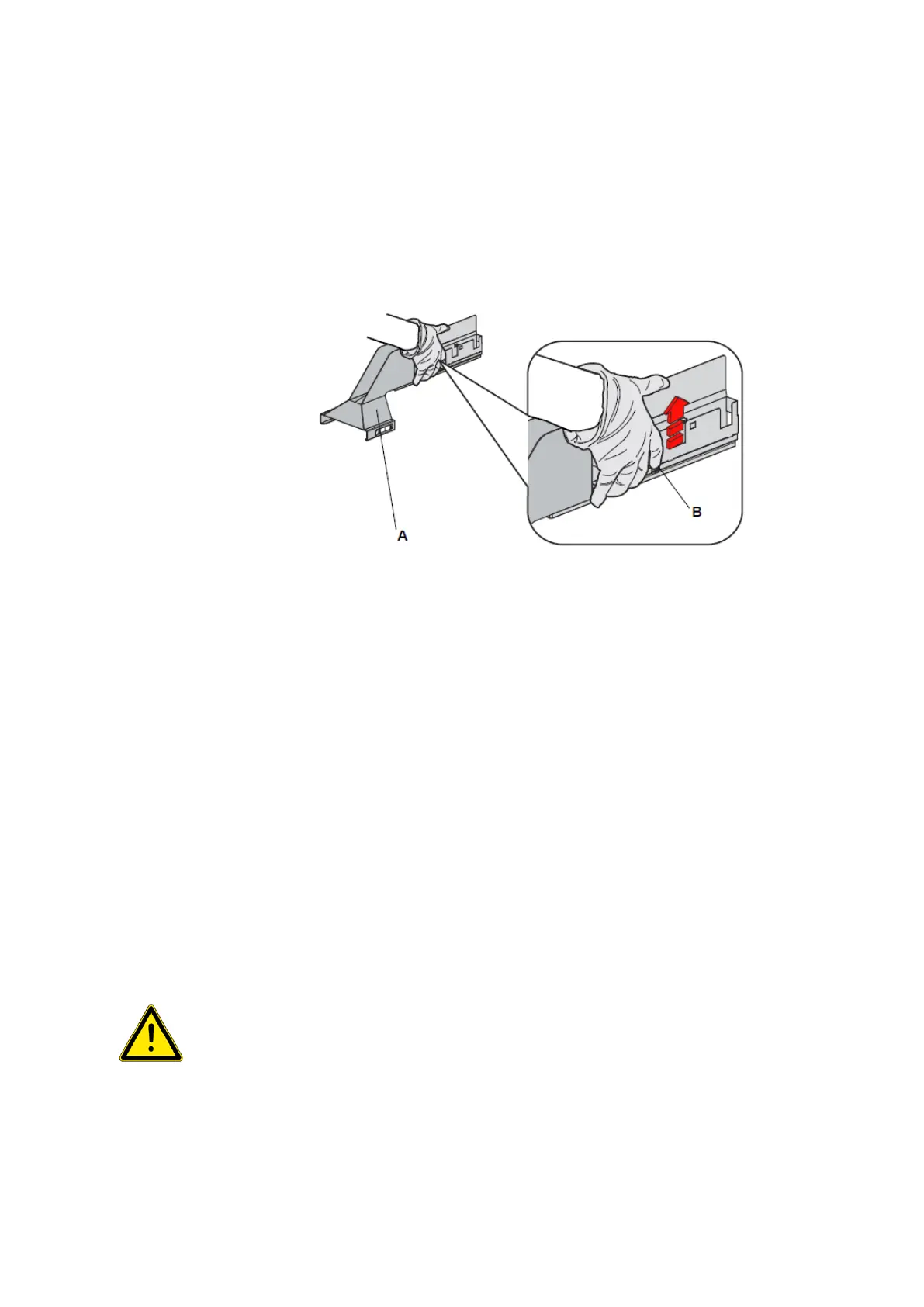
Removing the DiTi waste station unit from the worktable
• Pull and hold the quick release lever (B).
• Pull the DiTi waste station unit (A) towards yourself.
• Open the front access panel to be able to release the waste tubing.
• Remove the waste tubing.
• Close the front access panel.
• Shift the unit back to the middle position and remove (lift) it.
• To clean the unit, it is not necessary to disconnect the waste tubing.
o Wipe the surface of the DiTi waste station unit with a suitable cleaning agent
(e.g. water, alcohol, disinfectant) to remove any spilled reagent.
• You can now clean the DiTi waste station and the worktable.
• Reapply the waste tubing under the front access panel and close the panel.
• Reinstall the DiTi waste station unit on the worktable by pushing the button of the
quick release fastener again and sliding the option to its original position until it en-
gages on the positioning pins of the worktable.
9.3.4 Worktable
Possible worktable damage
• Only clean the worktable with small amounts of cleaning agent, e.g. with a damped
cloth.
• Do not spill cleaning agent on the worktable.
Worktable
Perform the following procedure to clean the pipetting instrument’s worktable.
•
Remove all racks and carriers from the worktable.



 To Next Page