J
I
K
L
M
N O
For detailed information download the manual at www.lonza.com/new-4d-nucleofector or
nd it on the USB stick provided with this device.
System settings
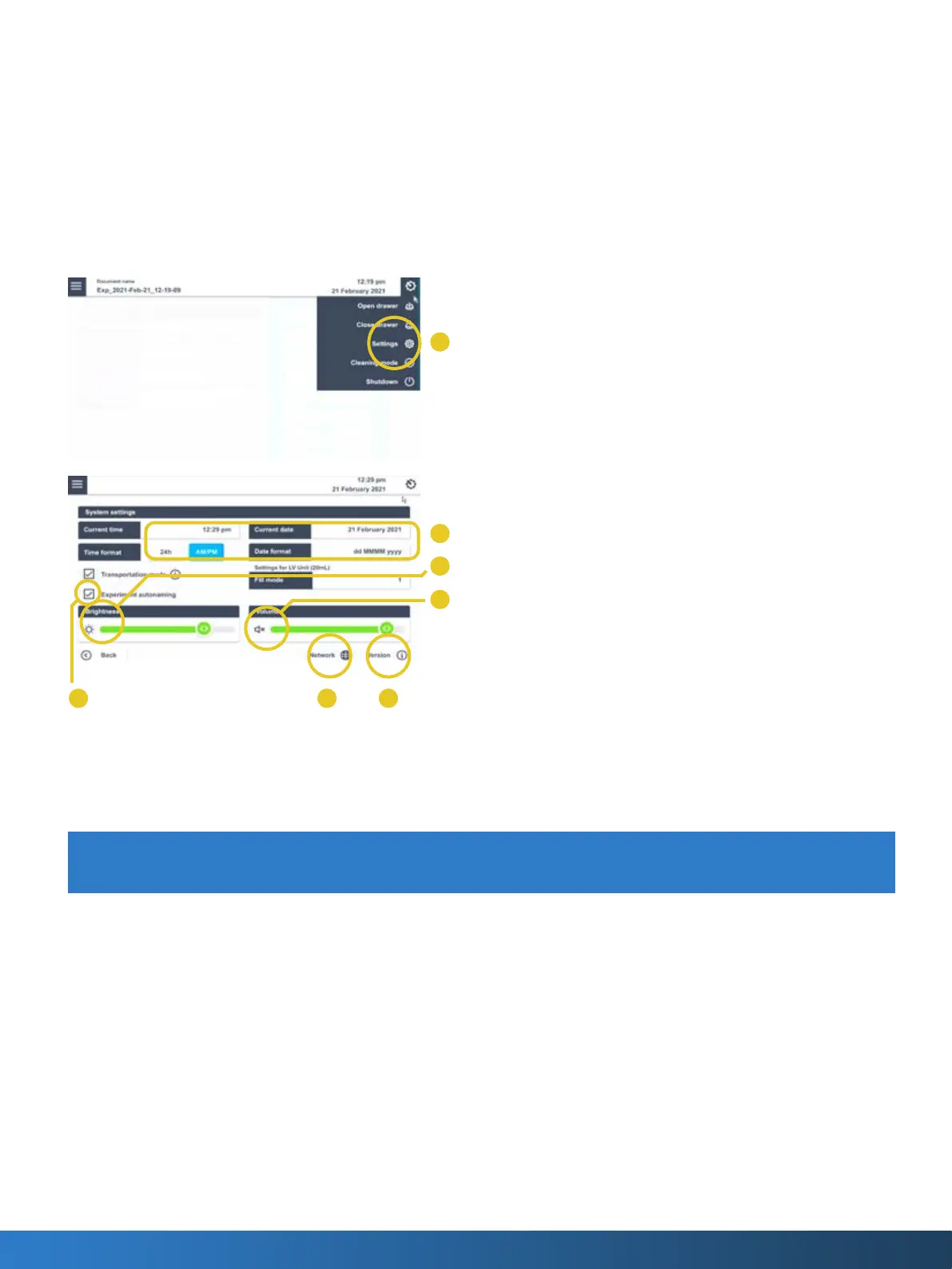
1. By tapping the gear symbol and selecting “Settings” (I), the system
settings screen is shown
• Change time and date or time and date format (J)
• Adjust display brightness (K)
• Adjust volume or mute sound (L)
• Select “Experiment autonaming” to automatically name the
experiment with date and time created (M)
• Check for Network (N)
• Receive information on Firmware version (O)
2. “Open and Close Drawer” are only visible if a vessel was selected
before tapping on the gear icon.
3. Shutdown will apply the transportation lock (only if not unselected
in settings menu) and safely shutdown the 4D-Nucleofector®
System



 To Next Page