20
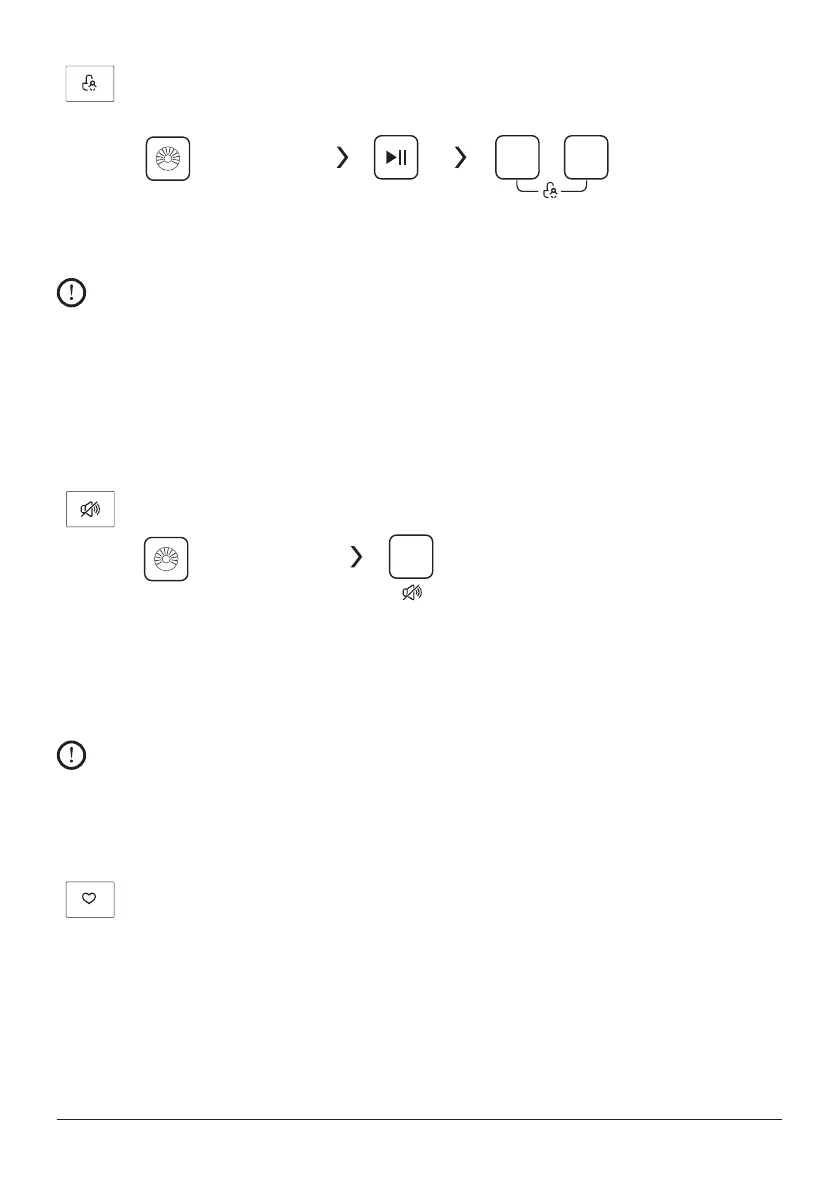
Child Lock
To avoid mis operation by children.
Spin
Delay
Choose the Programme Start Press [Spin] and [Delay]
3 sec. till buzzer beep.
Caution!
• Duringthe“ChildLock”functionisactiving,thebuzzerwillbeep3times,Whenthe
buttons are pressed.
• Pressthetwobutton3sec.alsotobereleasedthefunction.
• The“ChildLock”willlockallbuttonsexceptPowerbutton.
• Cutothepowersupply,thekid’sprotectionistobereleased.
Mute the buzzer
Spin
Choose the Programme Press the [Spin]button for 3
sec., the buzzer is mute.
To act the buzzer function, press the button again for 3 seconds. The setting will be kept
until the next reset.
Caution!
• AfterMutingthebuzzerfunction,thesoundswillnotbeactivatedanymore.
After Muting the buzzer function, the sounds will not be activated any more.
My Cycle
To memory the frequently used programme.
After choosing the programme and setting the options, press [Temp.] 3 sec.
before
start to wash. The default setting course is Cotton.


 To Next Page