LLR60132/60134_080604 Page 6 of 33
ASSEMBLY INSTRUCTIONS
Step 1
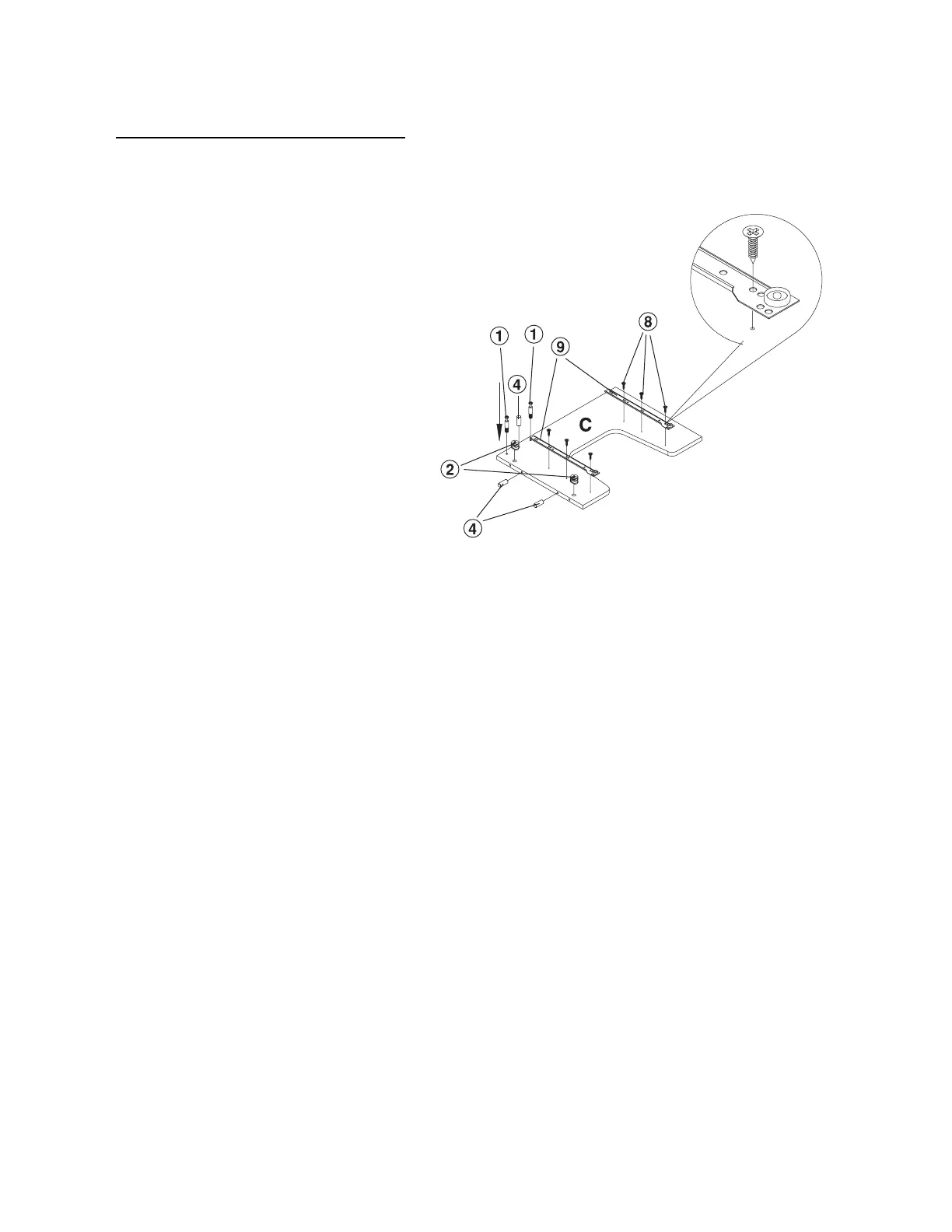
Lay the Left Side Panel (C) on a
non-abrasive surface.
Install with 6 each 4X14 Screw (8)
the 2 each left side Case Slide (9).
Please note on the drawing the
proper placement of the case slides.
With a Rubber Mallet, insert 3 each
Wooden Dowel (4) into the position
shown on the drawing.
With a Phillips Screw Driver, insert
2 each Cam Screw (1) in the
position shown on the drawing.
Insert 2 each Cam Lock (2) in the
position shown on the drawing.
When inserting the cam lock, ensure
that the arrow is facing toward the
cam screw entry.
Left side panel



 To Next Page