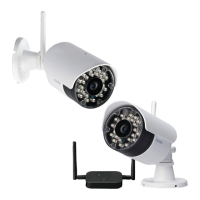
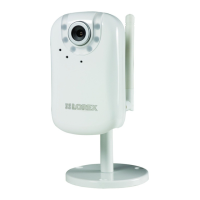
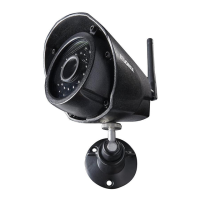
FOR SUPPORT AND INFORMATION,
VISIT WWW.LOREXTECHNOLOGY.COM
Product Information
User Manuals
Quick Start Guides
Specification Sheets
Software Upgrades
Firmware Upgrades
93mm / 3.7”
Copyright © 2013 Lorex Technologies Inc.
As our products are subject to continuous improvement, Lorex reserves the right to modify product
design, specifications and prices, without notice and without incurring any obligation. E&OE
WARNING - A REGULATED UL / CSA APPROVED 12V DC power supply is
REQUIRED for use with this camera. Use of a non-regulated, non-conforming
power supply can damage this product and voids the warranty.
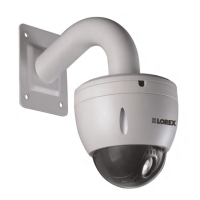
960H WEATHERPROOF
NIGHT VISION DOME CAMERA
Quick Start Guide
English Version 1.0
LDC7708 SERIES
70mm / 2.8”
Dimensions
Warning/Caution
• Read this guide carefully and keep it for future reference.
• Follow all instructions for safe use of the product and handle with care.
• Use the camera within given temperature, humidity, and voltage levels
noted in ‘Camera Specifications’.
• Do not disassemble the camera.
• Do not point the camera directly towards the sun or a source of intense
light.
• Use only the supplied regulated power supply. Use of a non-regulated, non-
conforming power supply can damage this product and voids the warranty.
• Periodic cleaning may be required. Use a damp cloth only. Do not use
harsh cleaners or aerosol cleaners.
• The supplied extension cable is rated for surface mounting only.
• Cables for in-wall / floor-to-floor installations are sold separately.
Installation Tips
• Point the camera where there is the least amount of obstructions (i.e. tree
branches).
• Install the camera in a location that is difficult for vandals to reach.
• Secure cabling so that it is not exposed or easily cut.
• Camera rated for outdoor use. Installation in a sheltered location
recommended.
Features
• 700TVL Resolution using an advanced new 960H optimized
Image Sensor.*
• Integrated automatic Infrared Cut Filter (ICR) ensures accurate
color representation in all lighting conditions.
• Day/Night mode: Picture automatically switches to B&W
delivering better clarity in low light conditions.
• 2 SuperPower IR LED’s provide longer night vision range, have a
long lifespan, and illuminate the entire viewing area evenly.
• Enhanced low light image sensor produces BrightNight viewing.
• Night vision range up to 130ft (40m) in ambient lighting & up to
90ft (28m) away in total darkness.**
• Close-up recognition at night with auto light compensation
prevents any wash-out effect.
• Split glass design minimizes IR reflection.
• Anti-glare feature ensures clear images under strong lighting
conditions.
• 3.6mm wide-angle lens captures a 80° diagonal field of view.
• Vandal resistant aluminum alloy design. Ideal for outdoor &
indoor applications (IP66 Rated).***
• Small & compact offering versatile mounting options: ceiling,
counter or wall mountable.
Disclaimers:
* When connected to a 960H capable DVR.
** Stated IR illumination range is based on ideal conditions in total darkness and in typical outdoor
night time ambient lighting. Actual range and image clarity depends on installation location,
viewing area, and light reflection/absorption level of object.
*** Not intended for submersion in water. Installation in a sheltered location recommended.
Contents
• Weatherproof IR dome camera*
• Mounting screws (x4) / allen key (x1)*
• 60ft BNC / power extension cable*
• 12V DC power adapter**
*Model LDC7708PK4 is a 4-pack that includes four of the listed items.
** A “4-in-1” Power Adapter that provides power to four cameras or individual power adapters
may be provided, depending on product configuration.
Camera Specifications
Image Sensor 1/3” 960H Advanced Image Sensor
Video Format NTSC
Effective Pixels H: 976 V: 496
Resolution 700 TV Lines
Scan System 2:1 Interlace
Sync System Internal
S / N Ratio 46dB (AGC off)
Iris
AES
AES Shutter Speed 1/60 ~ 1/100,000 sec.
Min. Illumination 0.1 Lux without IR LED
0 Lux with IR LED
Video Output Composite 1.0Vpp @ 75ohm
Lens / Lens Type 3.6mm F2.0 / Fixed
FOV (Diagonal) 80°
Termination BNC Type
IR LED Qty. / Type 2 Super LED / 850nm
Night Vision Range* 130ft (40m) / 90ft (28m)
Power Requirement 12V DC ±10%
Power Consumption Max. 380mA (w/IR)
Operating Temp. Range –4° ~ 122°F / –20° ~ 50°C
Operating Humidity Range < 80% RH
Indoor / Outdoor** Both (IP66)
Weight (including stand) 0.7lbs / 0.3kg
* Stated IR illumination range is based on ideal conditions in typical outdoor night time ambient
lighting and total darkness. Actual range and image clarity depends on installation location, viewing
area, and light reflection / absorption level of object.
** Not intended for submersion in water. Installation in a sheltered location recommended.



 To Next Page
 General