Resources
On-Screen Display (OSD) Menu
LEV2750A_QSG_EN_R4
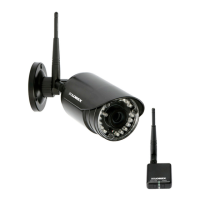
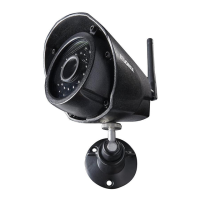
1080p HD IR Security Camera
with Audio
• 1080p HD IR Security Camera with Audio
• Mounting Kit*
• Allen Key*
• BNC / Power Extension Cable*
• Power Adapter*
• Read this guide carefully and keep it for future reference.
• Follow all instructions for safe use of the product and handle with care.
• Use the cameras within given temperature, humidity and voltage levels
noted in the camera’s specifications.
• Do not disassemble the cameras.
• Do not point the cameras directly towards the sun or a source of
intense light.
• Use only the supplied regulated power supply. Use of a non-regulated,
non-conforming power supply can damage this product and voids the
warranty.
• Periodic cleaning may be required. Use a damp cloth only. Do not use
harsh cleaners or aerosol cleaners.
• Point the camera where there is the least amount of obstructions
(i.e., tree branches).
• Install the camera where vandals cannot easily reach.
• Secure cabling so that it is not exposed or easily cut.
• This camera is rated for outdoor use. Installation in a sheltered
location is recommended.
* Per camera in multi-camera packs.
Copyright © 2018 Lorex Corporation
As our products are subject to continuous improvement, Lorex reserves the right
to modify product design, specifications and prices, without notice and without
incurring any obligation. E&OE. All rights reserved.
• Compatible with Lorex HD DVRs and standard analog DVRs. For a
complete list of compatible recorders, visit lorex.com/compatibility
• Not intended for submersion in water. Installation in a sheltered
location recommended.
• Audio and OSD menu functions are only supported on Lorex HD DVRs.
Quick Start Guide
English Version 4.0
LEV2750A SERIES
Package Contents
ATTENTION:
A REGULATED power supply is REQUIRED for use with this camera. Use of
a non-regulated, non-conforming power supply can damage this product
and voids the warranty.
Safety Precautions
Installation Tips
Dimensions
Disclaimers
Need Help?
Visit us online for up-to-date software and
complete instruction manuals
Visit lorex.com
1
www.lorex.com
2.0”
50mm
1.4”
36mm
4.0”
106mm
To use the OSD menu, access the PTZ menu of your Lorex HD DVR. See
your DVR’s instruction manual for more details.
NOTE: OSD menu is only supported through Lorex HD DVRs.
Format
Backlight Mode
BLC
WDR
OFF
Image Adjustment
Sharpness
Contrast
Saturation
Hue
2DNR
3DNR
Exposure Exposure Mode
Auto
Anti-flicker
White Balance
Auto
ATW
Day/Night
Auto
Night/Day
Day/Night
Waiting Time
Color
B/W
Language
English
French
Spanish
Advanced
Camera Title
Mirror
Horizontal Mirror
Vertical Mirror
D-Zoom
Smart IR
Audio Mode
System Information
Reset
Search for the model number
of your product
2
Click on your product in the
search results
3
Click on the Downloads tab
4

 Need help?
 General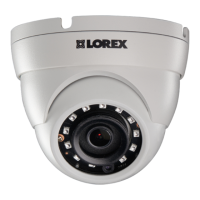



 To Next Page