HDS Gen2 Touch Chartplotter
Quick Start Guide
Overview
No. Description
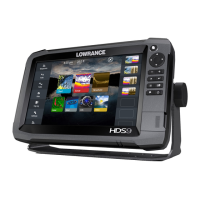
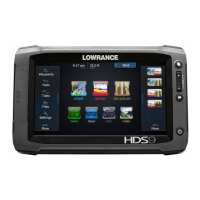
1 Touch screen
2 SD Card reader
3 Waypoint key. A short press opens the waypoint menu; long press opens Find
menu.
4 Pages key. A short press displays the home screen. Repeated short presses cycles
through favorite pages.
5 IN / OUT/MOB key. Zoom key for chart, radar and sonar pages. A simultaneous press
on both keys will position a Man Overboard waypoint at the vessel’s position
6 Power key. A short press opens the backlight/power dialog. Repeated short presses
toggles through brightness levels.
The power button
• Press and hold: Turn unit on/off
• Single press:
Display dialog for light
adjustment and standby mode
• Repeated presses: Toggle preset brightness levels
1
2
3
4
5
6

 Need help?





 To Next Page
 General