6
7
Introduction | HOOK series
Introduction | HOOK series
Getting started
Turn unit
on/off
To turn on/off the unit, press and
hold the LIGHT/POWER key for
three seconds.
Man
Overboard
waypoint
Press the ZOOM IN and ZOOM OUT
keys at the same time to set a Man
Overboard waypoint. Your system will
automatically create an active route
back to the MOB waypoint. You must
cancel navigation to terminate the
function.
Adjusting
the
backlight
This unit has
10 backlight levels.
Press the LIGHT/POWER key to
switch backlight levels.
Muting
Audio
Select Audio from the System
menu and press ENTER. Enable/
disable
Mute.
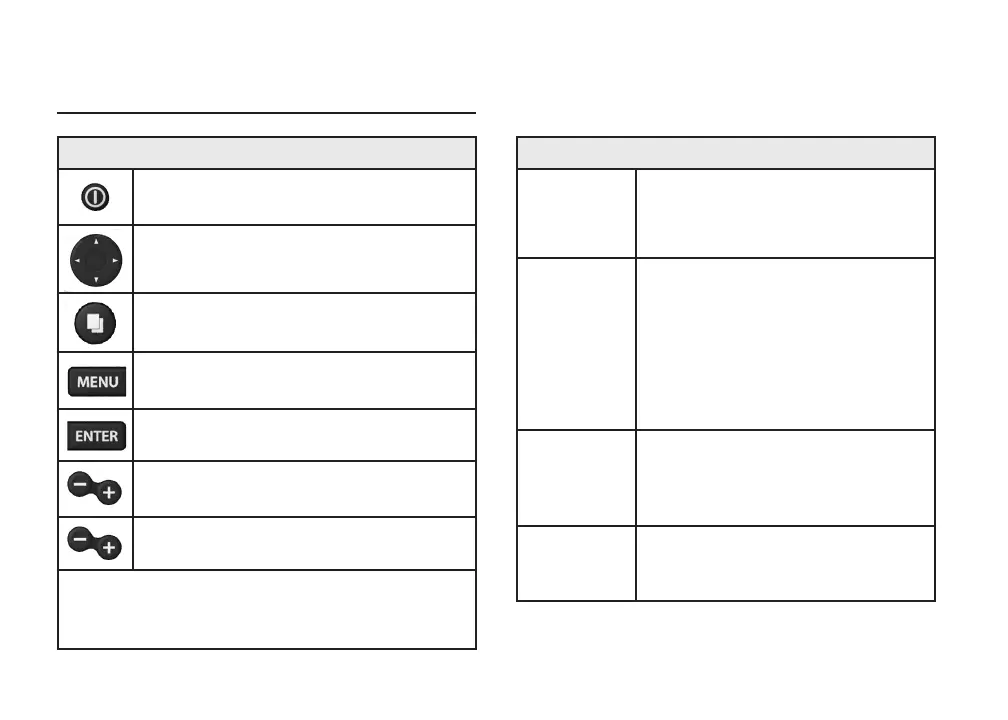
Unit controls
LIGHT/POWER: controls backlight level
and turns unit on/off
KEYPAD: controls cursor & selects
items on menus
PAGES: allows you to select a page to
view
MENU: opens settings, context and
page menus
ENTER: nalizes menu selections; save
waypoint at cursor position
MOB: press and hold both Zoom keys to
create a Man Overboard waypoint
ZOOM Keys: used to zoom in/zoom out
microSD slot: insert a blank microSD card to save
screen captures; or insert a microSD mapping card to
use mapping data
Introduction









 To Next Page