EasyManua.ls Logo

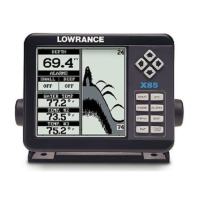
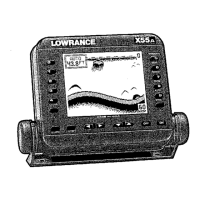
Lowrance X-45 - User Manual

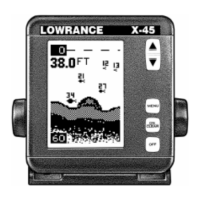
Lowrance X-45
30 pages
Print Icon
To Next Page IconTo Next Page
Loading...
1
X-45X-45
X-45X-45
X-45
INSTALLATION AND OPERATION
INSTRUCTIONS
Question and Answer IconNeed help?

Do you have a question about the Lowrance X-45 and is the answer not in the manual?

Summary

Introduction to the Lowrance X-45 Sonar

Lowrance X-45 Specifications

Installation Guide for Lowrance X-45

Installing the Gimbal Bracket

Instructions for attaching the X-45 unit to its gimbal bracket.

Power Connection for X-45 Sonar

Lowrance X-45 Keyboard Overview

Display Operation

General Display Settings

Details on how the display operates upon startup and general menu navigation.

Operating the Lowrance X-45

Automatic Feature

Explanation of the automatic feature for range and sensitivity adjustment.

Adjusting Depth Range

Setting Upper and Lower Limits

Setting custom upper and lower limits for focused depth viewing.

Using the Zoom Feature

Zoom in Automatic Mode

How to activate and adjust zoom in automatic mode.

Sensitivity Adjustment

Grayline Feature Explanation

Fish ID Feature

TargetTrack Feature

Chart Speed Adjustment

Display Modes

Chart 1 Display Mode

Default display mode with Automatic On, Fish ID Off, Digital Depth On.

Chart 2 Display Mode

Chart 3 Display Mode

Chart 4 Display Mode

Digital Display 1

Digital Display 2

Alarms Configuration

Fish Alarm Setup

Setting up an audible alert for fish symbols on the screen.

Depth Alarms Setup

Configuring shallow and deep water depth alarms.

Shallow Alarm Setting

Deep Alarm Setting

Display Backlight Control

Feet;Meter Unit Selection

Display Contrast Adjustment

Advanced Signal Processing (ASP)

Simulator Mode Operation

Understanding Fish Arches

Water Temperature and Thermoclines

Troubleshooting Guide

Unit Not Turning On

Steps to diagnose and fix the issue of the unit not powering on.

Troubleshooting Unit Freezing or Erratic Operation

Troubleshooting Weak Echoes or Bad Readings

Troubleshooting Echo Loss While Moving

Troubleshooting Missing Fish Arches

Electrical Noise Interference

One-Year Limited Warranty

Obtaining Service and Support

Canadian Customer Service

Specific service instructions for customers in Canada.

International Customer Service

Specific service instructions for customers outside the US and Canada.

Shipping Unit for Repair

Guidelines for safely shipping the unit for repair.

Ordering Accessories

How to order additional accessories for the sonar unit.

Summary

Introduction to the Lowrance X-45 Sonar

Lowrance X-45 Specifications

Installation Guide for Lowrance X-45

Installing the Gimbal Bracket

Instructions for attaching the X-45 unit to its gimbal bracket.

Power Connection for X-45 Sonar

Lowrance X-45 Keyboard Overview

Display Operation

General Display Settings

Details on how the display operates upon startup and general menu navigation.

Operating the Lowrance X-45

Automatic Feature

Explanation of the automatic feature for range and sensitivity adjustment.

Adjusting Depth Range

Setting Upper and Lower Limits

Setting custom upper and lower limits for focused depth viewing.

Using the Zoom Feature

Zoom in Automatic Mode

How to activate and adjust zoom in automatic mode.

Sensitivity Adjustment

Grayline Feature Explanation

Fish ID Feature

TargetTrack Feature

Chart Speed Adjustment

Display Modes

Chart 1 Display Mode

Default display mode with Automatic On, Fish ID Off, Digital Depth On.

Chart 2 Display Mode

Chart 3 Display Mode

Chart 4 Display Mode

Digital Display 1

Digital Display 2

Alarms Configuration

Fish Alarm Setup

Setting up an audible alert for fish symbols on the screen.

Depth Alarms Setup

Configuring shallow and deep water depth alarms.

Shallow Alarm Setting

Deep Alarm Setting

Display Backlight Control

Feet;Meter Unit Selection

Display Contrast Adjustment

Advanced Signal Processing (ASP)

Simulator Mode Operation

Understanding Fish Arches

Water Temperature and Thermoclines

Troubleshooting Guide

Unit Not Turning On

Steps to diagnose and fix the issue of the unit not powering on.

Troubleshooting Unit Freezing or Erratic Operation

Troubleshooting Weak Echoes or Bad Readings

Troubleshooting Echo Loss While Moving

Troubleshooting Missing Fish Arches

Electrical Noise Interference

One-Year Limited Warranty

Obtaining Service and Support

Canadian Customer Service

Specific service instructions for customers in Canada.

International Customer Service

Specific service instructions for customers outside the US and Canada.

Shipping Unit for Repair

Guidelines for safely shipping the unit for repair.

Ordering Accessories

How to order additional accessories for the sonar unit.

Lowrance X-45 Specifications

General IconGeneral
Display Size4 inches
Display TypeLCD
Resolution240 x 160 pixels
Sonar Frequency200 kHz
Beam Angle60 degrees
Depth Capability800 feet (244 meters)

Related product manuals