Message Mode
Normal Mode
This is the default setting.
Message Only Mode
This feature allows the user to set a pre-canned or custom message as a default message when paging al-
phanumeric pagers.
To Turn Message Only Mode On:
1. Press SETUP.
2. Press F1 (MORE) until asked for the authorization code.
3. Type 5-6-7-8-9.
4. Press F1 (MORE) until the display shows 2: Norm/MSG Only
5. Press 2 (2: Norm/MSG Only)
6. Select 2 (2: Message Only)
7. At Enter Pager num ID = set to 911 or a specific
pager number, press ENTER or F1 (Save).
Note: User must enter a value
8. At “Enter msg num” MSG# = enter the desired
pre-canned or custom message number
(see preset msg table)
9. Press ENTER or F1 (Save).
Note: User must enter a value
10. Press F4 to exit
To Use Message Only Mode:
At main screen display
• Enter any message number and press ENTER (default message will be sent to alphanumeric
pagers).
If sending a message with a numeric value
• Enter the numeric value and press ENTER (default message will be sent along with the numeric
value to alphanumeric pagers).
Example - To send a message to call ext 123:
• Set default message number – 0-0-6 (using preset msg table pg. 9).
• At main screen display enter Msg: 1-2-3.
• Press ENTER to send page to “Call EXT 123”.
To Turn Message Only Mode OFF:
1. Press SETUP
2. Press F1 (MORE) until asked for the authorization code
3. Type 5-6-7-8-9
4. Press F1 (MORE) until the display shows 2: Staff MSG Only
5. Select 2 (2: Staff MSG only)
6. Select 1 (1: Normal)
7. Press F4 to Exit
Long Range Systems 22 T7400A User Manual
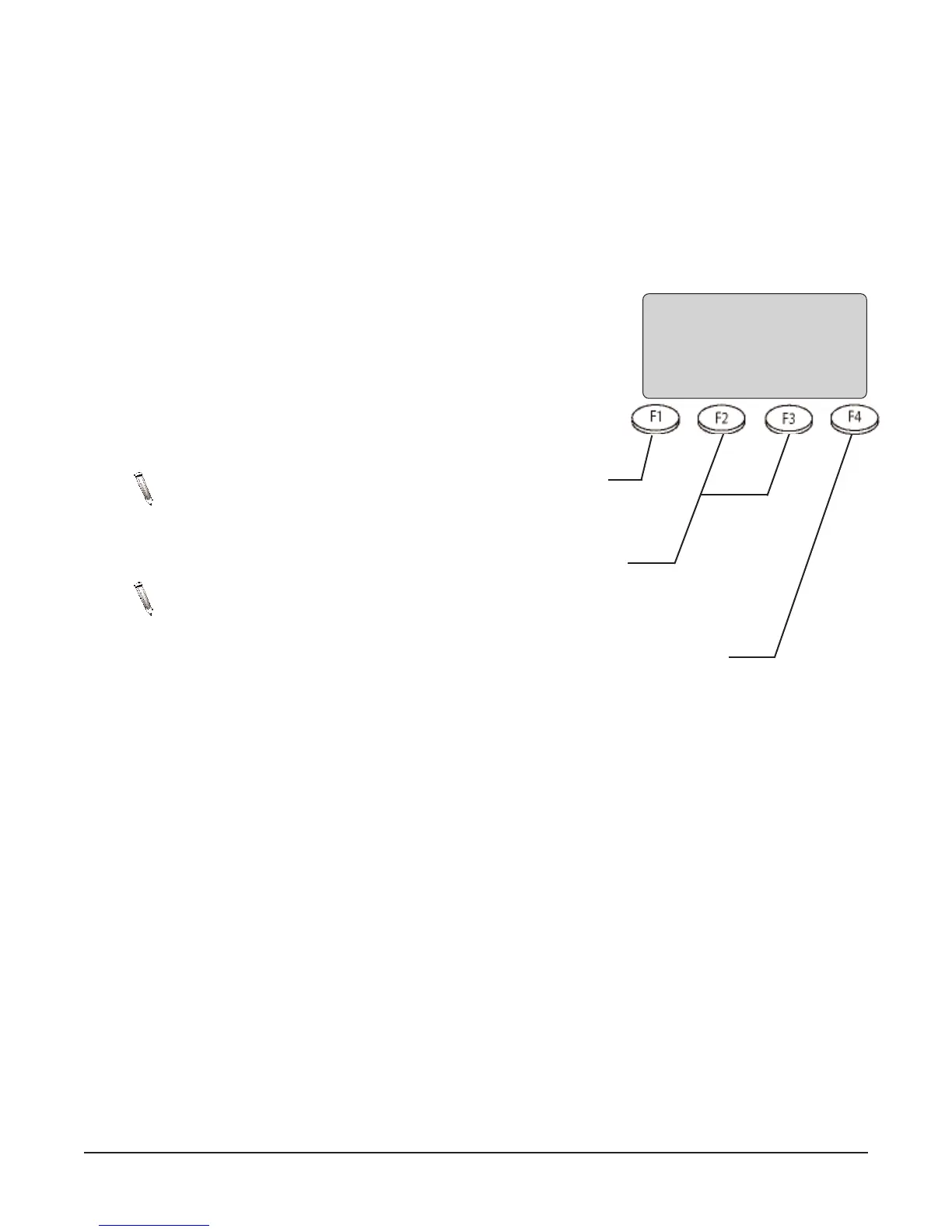
PRESS TO
BACKSPACE
PRESS FOR
HELP
MESSAGE
CLEARS SCREEN
DISPLAY
1
1
2
2
:
:
3
3
4
4
:
:
5
5
6
6
p
p
m
m
M
M
s
s
g
g
#
:
:
-
-
-
-
-
-
-
-
-
-
-
-
-
-
B
B
K
K
S
S
P
P
H
H
E
E
L
L
P
P
E
E
X
X
I
I
T
T



 To Next Page