5 -29
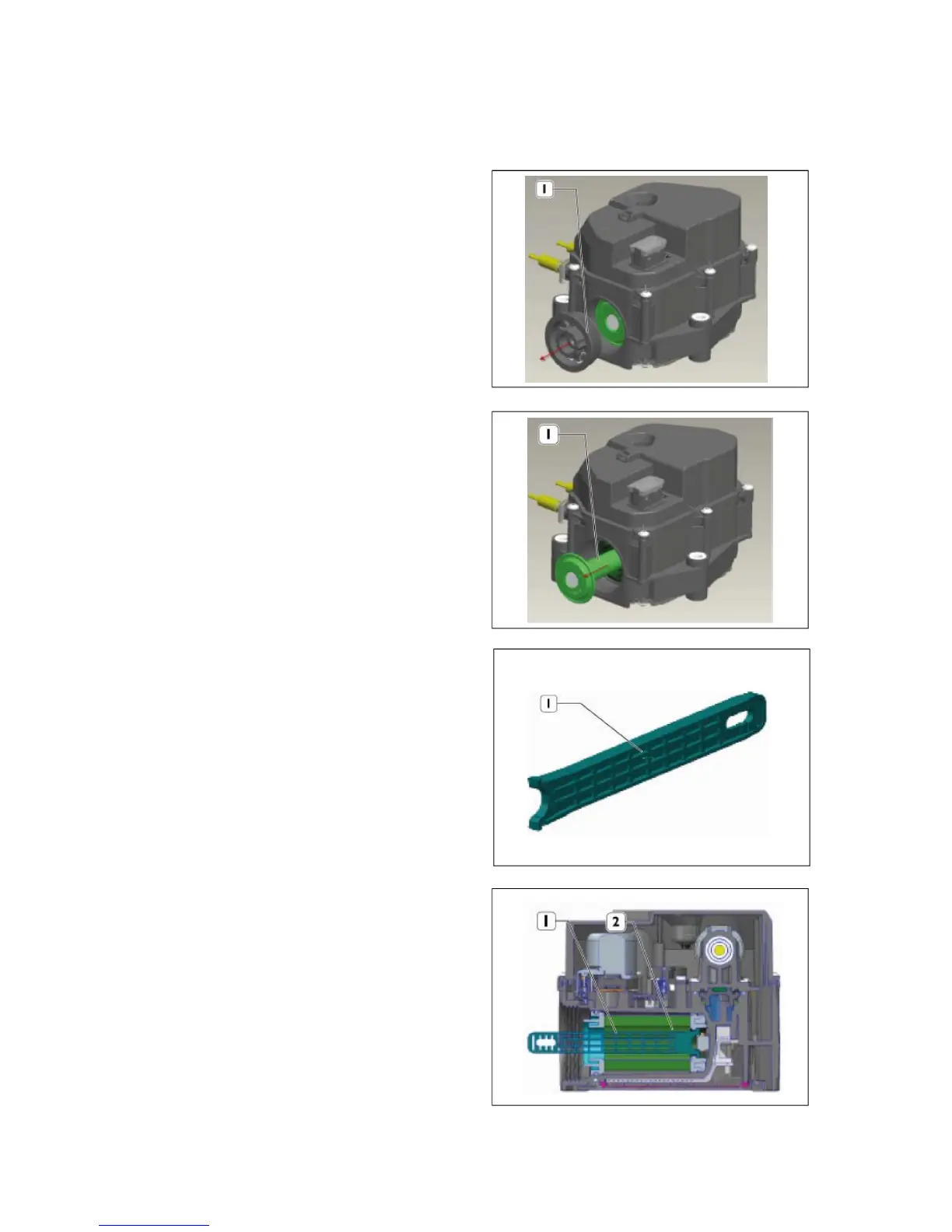
(3) Replacing DEF filter element
z When replacing the DEF filter, comply with the
instruction as below
1) Remove filter cover.
2) Pull out the element support.
3) Insert the tool in the right direction to
disassemble the filter element.
4) Push into the tool straight until a “click” indicates
it is properly engaged.



 To Next Page