10
as shown in picture A.
4. C: Lock the tension controller (33) to the handlebar post (32) with screw (35) and arc washer (34).
5. D: Insert the handlebar post (32) to the post of front main frame (1), secure in place with screw (20)
and arc washer (13) which are pre-attached to the Main Section.
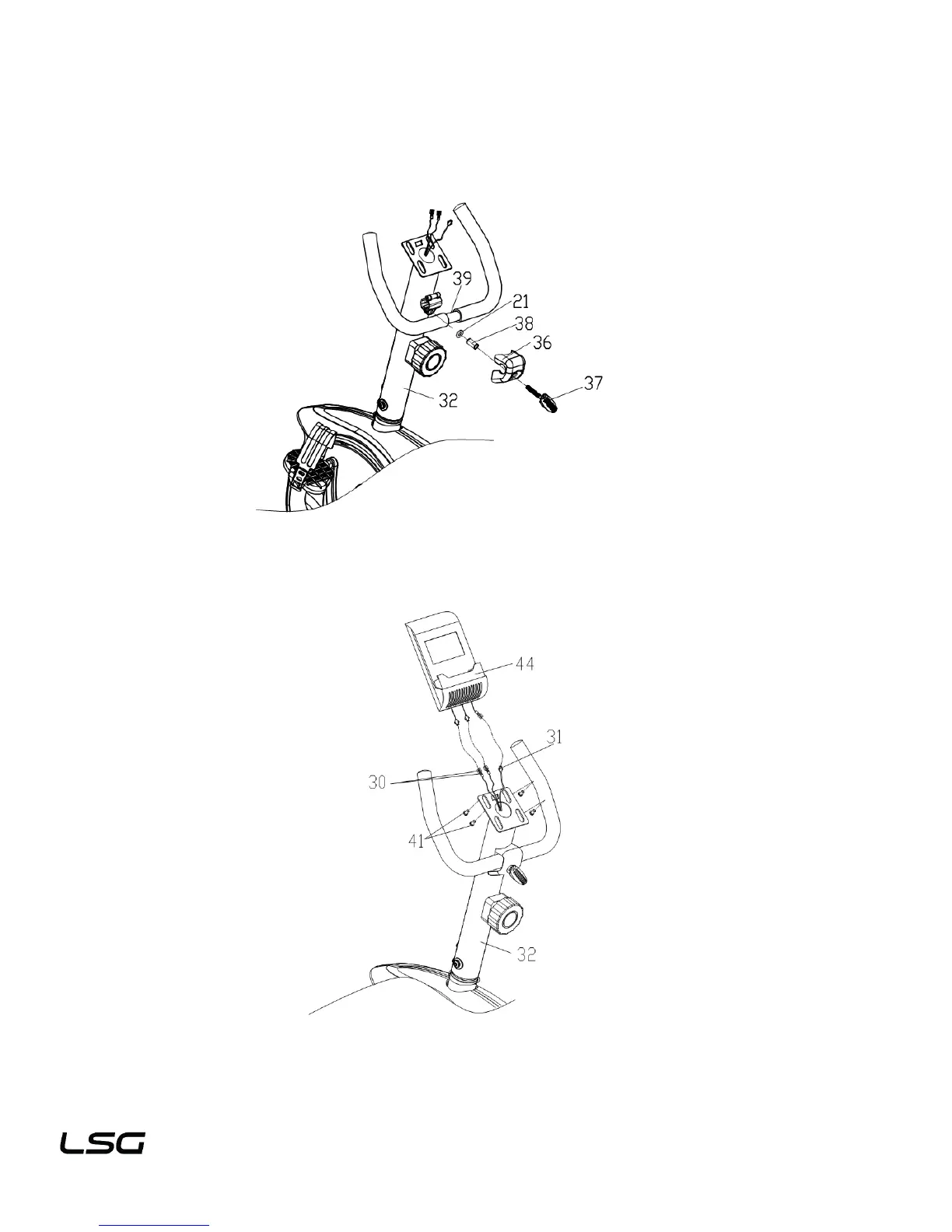
STEP 8:
1. Lock the fixed handlebar (39) on the handlebar post (32) with the plastic handlebar screw (37),
handlebar cover (36), flat washer (21) and spacer (38).
STEP 9:
1. Connect the extension pulse wire 3 (30) and sensor wire (31) with the relevant cables of the computer
(44),then lock the computer (44) on the bracket of the handlebar post (32) with screws (41).


 To Next Page