Chapter 6 CPU Functions
6- 23
Clear All PLC function clears parameter, program, data, password saved on PLC
(1) How to clear all PLC
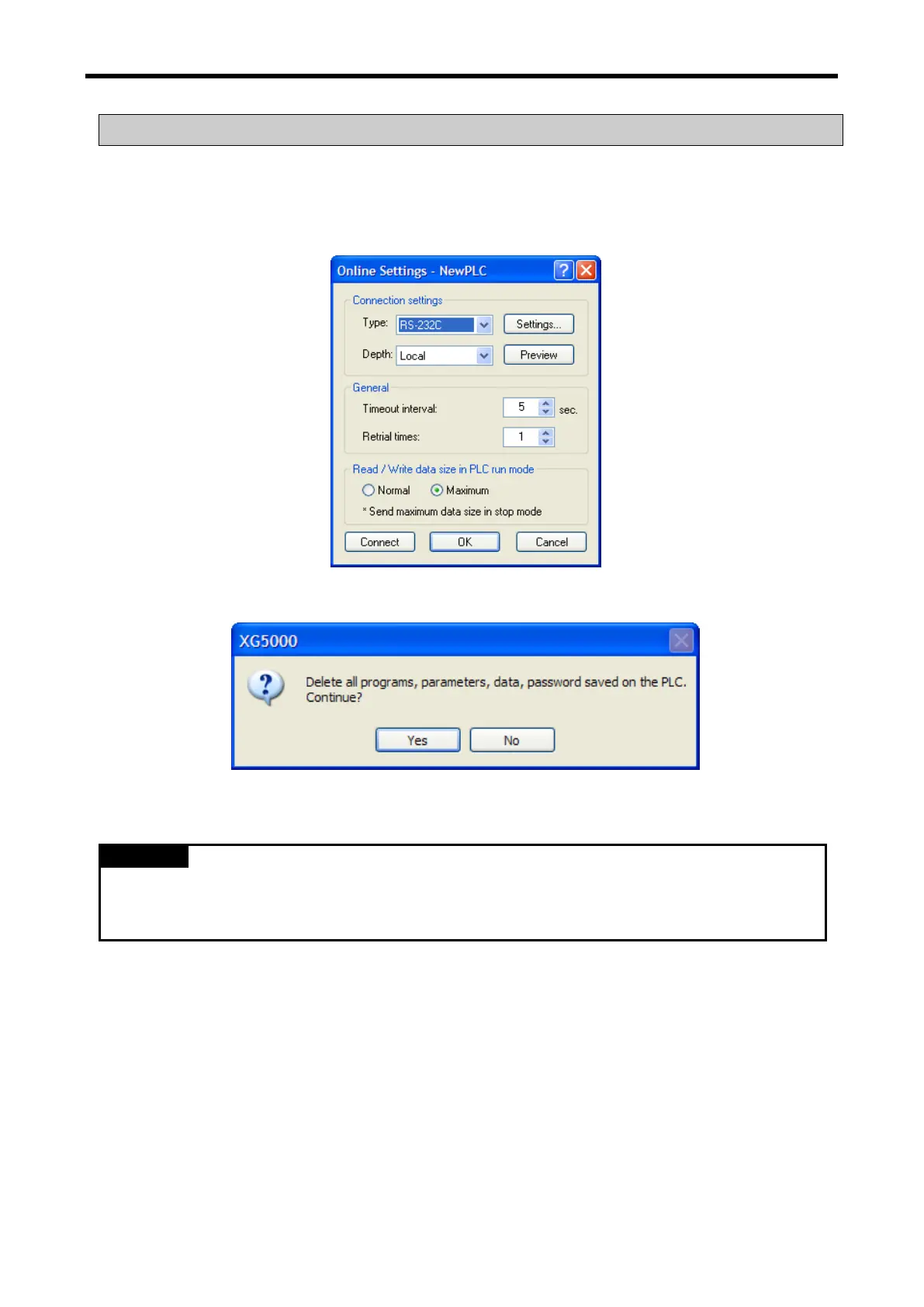
(a) Click 『Online』-『Clear All PLC』.
(b) After selection connection method, click 『Connect』 or 『OK』.
(c) If you select 『Yes』 on the dialog box, PLC program, parameter, data, password will be deleted.
•Clear All PLC function can be executed though not connected.
•If you use Clear All PLC function, password will be deleted. So be careful.
•In case you lose password, use this function to clear password.



 To Next Page