OSD Menu
13
Satellite System
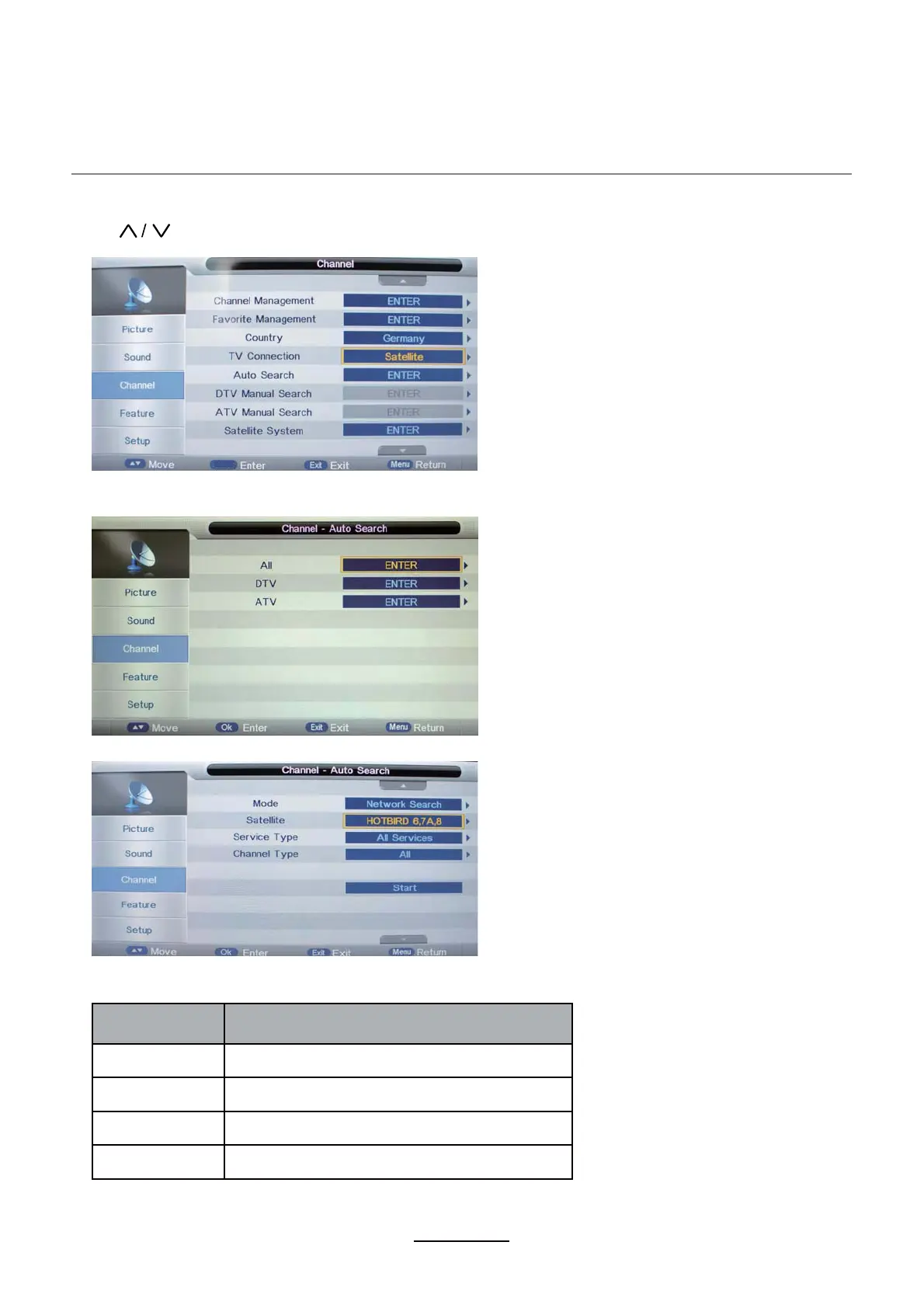
Press button to select the “TV Conection” , and set it on “Satellite”.
Select “Auto Search” as follow:
Operations in satellite Auto Search menu are shown in the following table
Option
Value
Mode Default,Network Search,Full Search
Satellite 65 satellite for searching(3 user edit satellite)
Service Type All Services,Free Service
Channel Type All, TV Only
OK



 To Next Page