EasyManua.ls Logo

LUCCI 210019 - User Manual

LUCCI 210019
8 pages
Print Icon
To Next Page IconTo Next Page
Loading...
Installation Instructions
1 | Page
Lucci Remote Fan Control Non Dimming
SKU# 210019
Rated Voltage 240V~ 50Hz
Thank you for purchasing this quality Lucci product. To ensure correct function and safety, please read and follow all
instructions carefully before using the product. Please keep instructions for future reference.
Warranty
This fan remote controller is covered by a 12 month warranty. Please retain proof of purchase.
Warranty will be void if there is any damage due to improper usage or modification to the fan remote control.
Installation requirements
Must be installed by a licensed electrician.
All wiring and installation must adhere to local and national wiring rules.
eg. AS/NZS 3000:2007/Amendment 2:2012 Electrical installations.
Do not exceed rated power input specification.
Select a suitable location for installation;
- This product is suitable for indoor use only.
This ceiling fan remote controller is only suitable for controlling the fan motor and the light kit associated with the
ceiling fan only. Any other use would consider as misuse and warranty is void.
Do not install fan remote controller with existing fan wall controller. Remove existing wall controller and replace with
a double pole wall switch, to power the fan remote controller.
Do not use a solid state dimmer with this ceiling fan remote controller.
Check whether the product has been damaged during transport. Do not operate/install any product which appears
damaged in any way. Return the complete product to the place of purchase for inspection, repair or replacement.
Receiver (controller) Transmitter (remote)
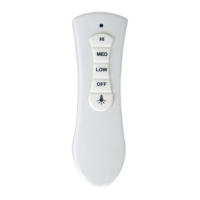
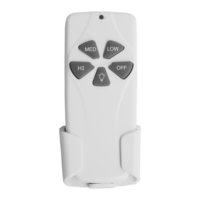
This remote controller is designed to control your ceiling fan speed, and lamp. There are 4 buttons (HI, MED, LOW,
OFF) to control the fan speed and on/off, And one button to control light on/off.

Questions and Answers

  • J
    Jason WintersAug 2, 2025
    What to do if LUCCI Remote Control no functions operate?
    • T
      Terry GallagherAug 2, 2025
      If your LUCCI Remote Control isn't working, several things could be the cause. First, ensure the main power is restored by checking the fuse, circuit breaker, and wall switch. If you have a wall controller, remove it and replace it with an ON/OFF switch. Make sure the wall switch powering the remote is ON. Verify the receiver wiring connections are correct according to the label and wiring diagram. Also, ensure the transmitter and receiver DIP switches match. Finally, try moving closer to the receiver.
  • T
    Tracy PittmanAug 9, 2025
    What to do if LUCCI 210019 operates only at close range?
    • V
      vfosterAug 9, 2025
      If your LUCCI Remote Control only works when you're close to the fan, the signal might be blocked. Try extending the antenna out from the canopy or repositioning it for better reception. Also, ensure that the batteries aren't weak by replacing them with all new batteries, avoiding mixing old and new ones.
  • K
    Kelly FrederickAug 17, 2025
    Why LUCCI 210019 Remote Control LED/LCD no display?
    • M
      Mark BrownAug 17, 2025
      If the LED/LCD on your LUCCI Remote Control isn't displaying, it could be due to several reasons related to the battery. First, try replacing the batteries with all new ones, making sure not to mix old and new batteries. Check that the battery polarity is correct. Also, inspect the contacts in the battery compartment for corrosion or bending; clean corroded contacts and bend them back into place if necessary. Poor battery contact can also be a cause, so try rolling the batteries to ensure they sit well in the compartment or try a different brand of batteries.
  • J
    Jill PorterAug 23, 2025
    What to do if more than one LUCCI fan operates with interference at the same area?
    • M
      mendozamadelineAug 23, 2025
      If you're experiencing interference with multiple LUCCI fans operating in the same area, it's likely due to RF interference. To resolve this, change the DIP switch settings to a different code. Each transmitter and receiver pair must have a unique DIP switch code.

Summary

Warranty

Installation requirements

Installation preperation

Installing the receiver

Operating the remote

ICONS ON THE REMOTE LCD PANEL

Overview of remote control icons and functions for user familiarity.

BUTTONS ON THE REMOTE

Details the functions and operations of each button on the remote control.

Troubleshooting

Specifications

LUCCI 210019 Specifications

General IconGeneral
TypeRemote Control
Model Number210019
BrandLUCCI
Power SourceBattery
Battery TypeAAA
Number of Batteries2
RangeUp to 10 meters
FunctionsFan speed control, light dimming, on/off

Related product manuals