Installation Instructions
5 | Page
Operating the remote
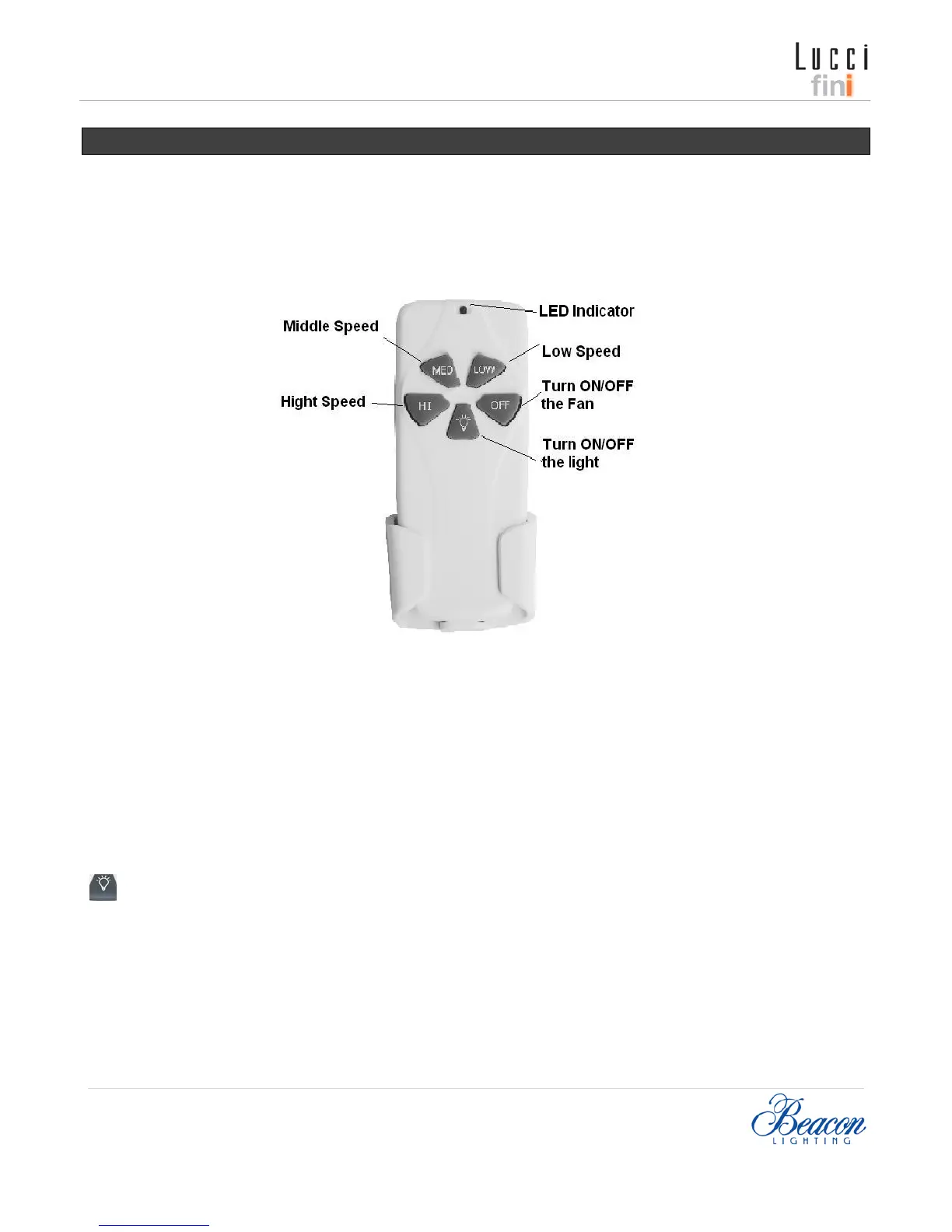
ICONS ON THE REMOTE LCD PANEL
Before you start using the remote, take the time to read through this section and get familiar with the button and function
of each button.
Fig. 5
LED Indicator
The red LED indicator on the top of transmitter will flash when the buttons are active.
BUTTONS ON THE REMOTE
HI: Press the button to set fan running at High speed.
MED: Press the button to set fan running at Middle speed.
LOW: Press the button to set fan running at Low speed.
OFF: Press the button to turn ON/OFF the fan.
: Press the button to turn ON/ OFF the light.
The remote has memory function, if turn off the fan or light by wall switch, it will memorize and recover to last status
when turn on the fan or light next time.


 To Next Page