Viceroy Installation Instructions
8 | Page
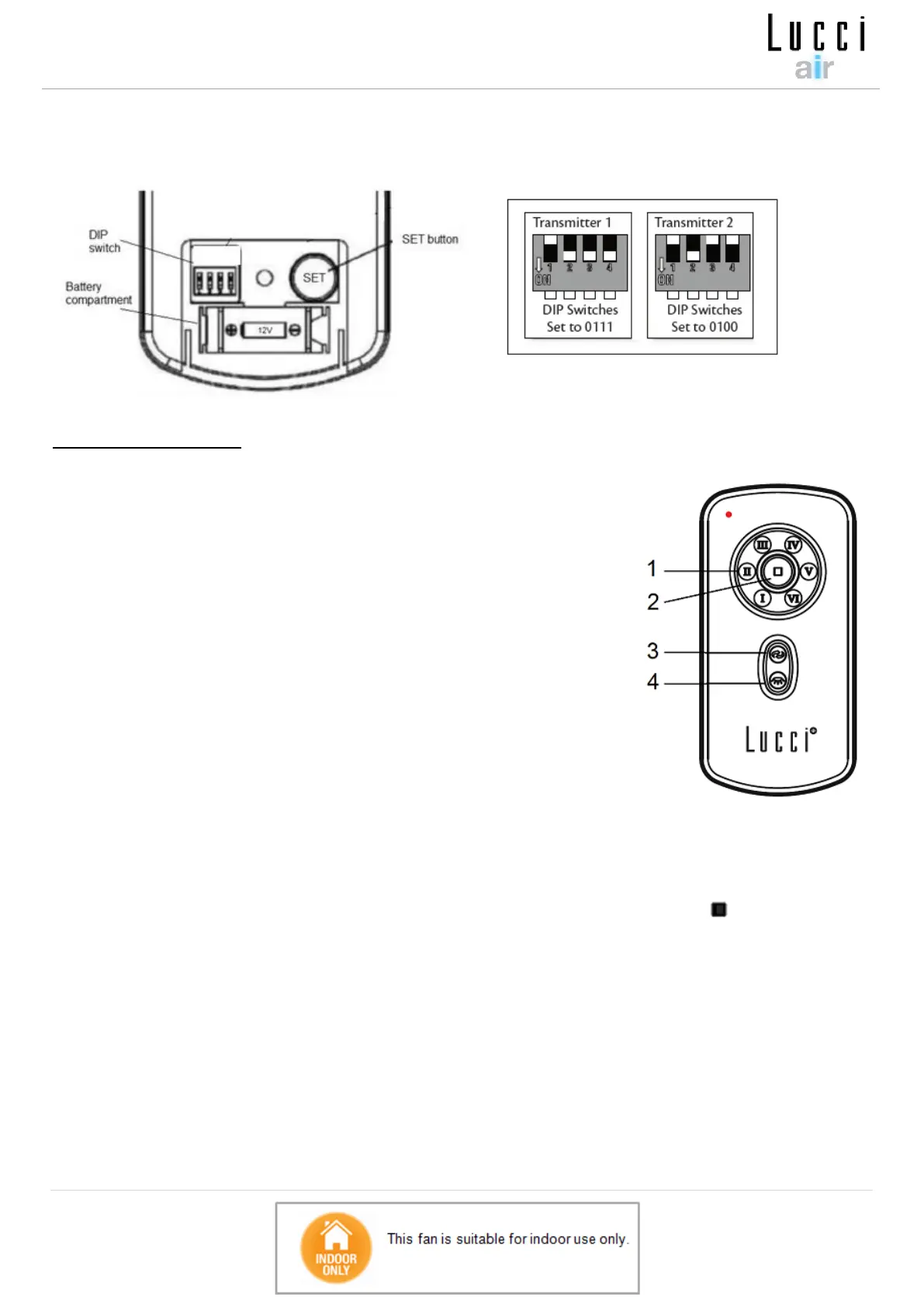
Note: The pairing of the transmitter and receiver is required if only one ceiling fan is installed.
When more than two ceiling fans are installed near each other, please refer to the instruction
above.
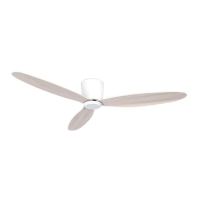
Remote Control Buttons
1 - FAN SPEED CONTROL BUTTON:
There are 6 available speeds. “I” button is for the lowest speed, and “VI” button is for
the fastest speed.
NOTE: when you turn on the fan for the first time or switch the main power to the
controller, you need to start the fan on hight “VI” speed first and then choose a lower
speed. A 5-10 seconds is required to allow the DC fan to respond to the remote
each speed or fan direction seletions.
2 - FAN OFF BUTTON:
Press the button to turn the fan OFF.
3 - REVERSE FUNCTION BUTTON:
Press the button to activate the reverse running function. The fan must be operating
to activate the reverse function.
4 - LIGHT CONTROL BUTTON:
Press the button to turn the light ON/OFF.
NOTE: When the fan can NOT detect the rotary redirection it will stop, just press the “ ” fan off button to
activate the fan again.
THE RECEIVER PROVIDES THE FOLLOWING LEVEL OF PROTECTION:
Lock position: the receiver has a built in safety feature to protect against obstruction during operation. The motor
will be locked from operation and will disconnect from power after 30 seconds of interruption. Please remove
obstacles before re-starting. To reset, simply turn off the power supply to the fan motor and re-start.
Over 80W protection: when the receiver detects power consumption which is greater than 80W, the receiver power
will be stopped and operation will immediately discontinue. Turn the receiver power on after 5 seconds to restart the
fan.
Fig. 9


 To Next Page