En
[R]
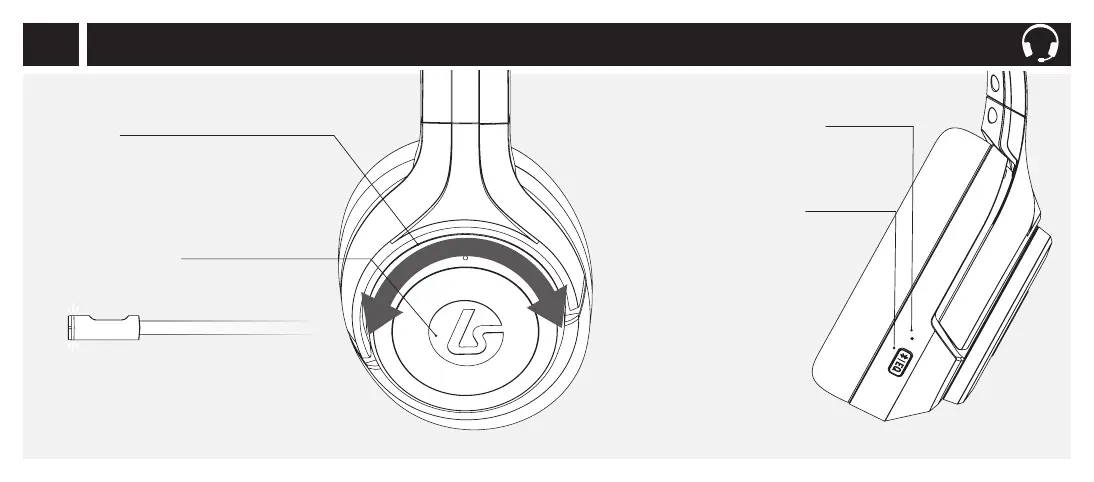
Wheel
Gaming Mode: Game/Chat Balance
Rotate to adjust the game/chat balance.
Beeps at minimum and maximum values and
double beeps at 50% game/chat balance.
Bluetooth Mode: Rotate to track forward/back.
Bluetooth LED Indicator
Solid: On/Connected
Slow Blink: Not connected
Fast Blink: Pairing mode
EQ/Bluetooth Button
One Tap: Cycle through EQ modes:
Signature Sound, Bass Boost,
and FPS
Long Hold (3 seconds):
Activates Bluetooth pairing
BLUETOOTH MODE
Hold (1 second): Activate
Siri/Google on
iOS/Android
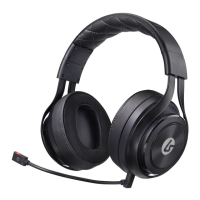
Headset: Right Side
Center Button
One Tap: Mic mute/unmute
LED on Boom Mic illuminates when muted.
Long Hold: Mic Monitor On/O.
Voice prompt will indicate change.
6


 To Next Page