EasyManua.ls Logo

LUKO OL-R180P - User Manual

LUKO OL-R180P
15 pages
Print Icon
To Next Page IconTo Next Page
Loading...
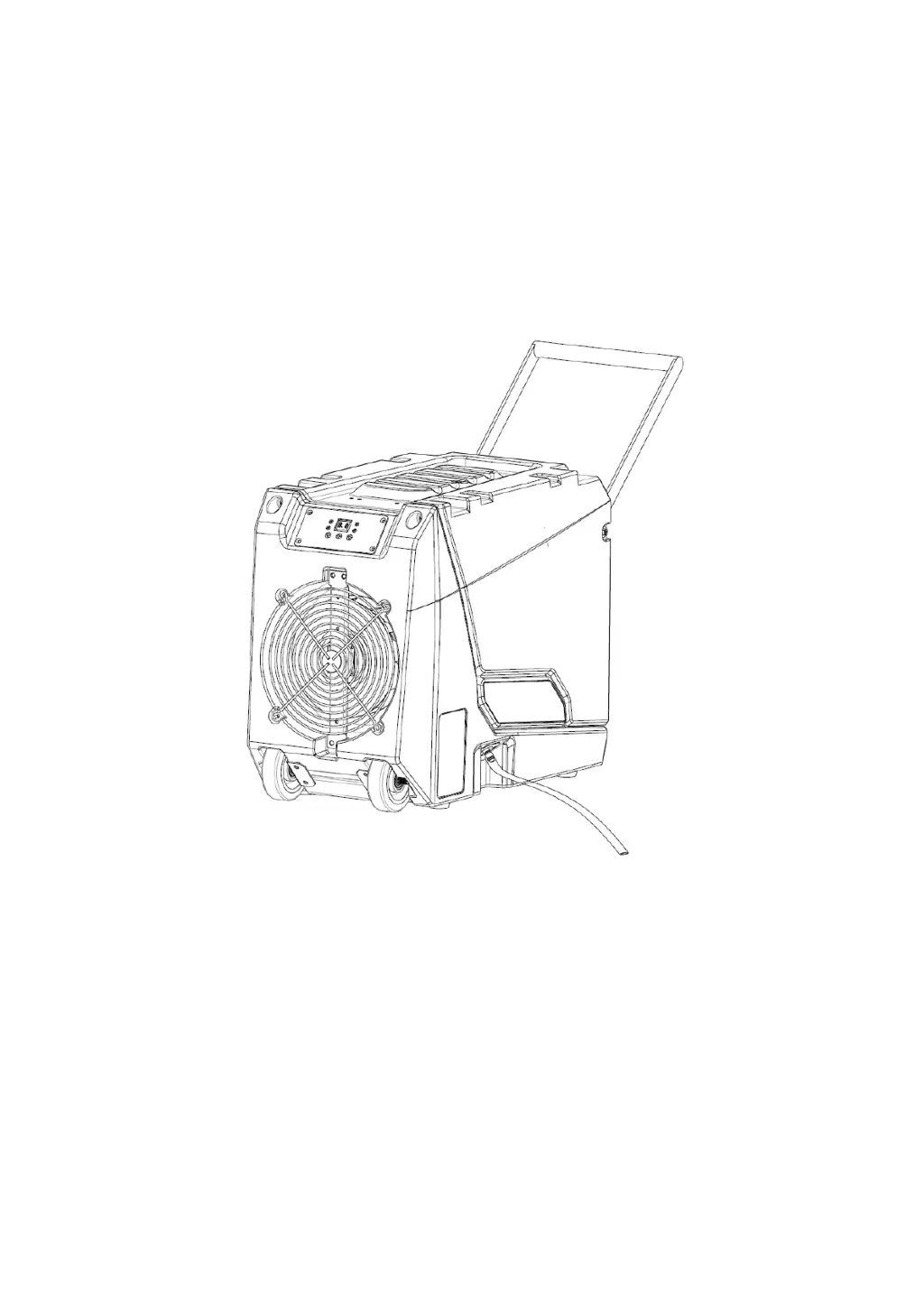
LUKO Dehumidifier
User Manual
Model No.: OL-R180P
Please read this user manual before operating and save for future
reference.
You've been covered with a 1-year free warranty offered by LUKO which is
automatically valid from the date of purchase. To extended the warranty to 2 years or
for any questions or concerns, please email LUKO at support@oulungroup.com

Questions and Answers

  • J
    Jeff KramerAug 5, 2025
    What to do if my LUKO OL-R180P does not operate?
    • S
      stewartdanielAug 5, 2025
      If your LUKO Dehumidifier isn't operating, first, ensure the dehumidifier is properly connected to a power socket. Next, check that the power switch is turned on. Finally, if an E4 error is displayed, verify the drainage flow.
  • C
    Christian AbbottAug 10, 2025
    Why is my LUKO Dehumidifier operating, but the room is not dry?
    • R
      Ryan BrownAug 10, 2025
      If your LUKO Dehumidifier is running but the room isn't drying, it could be due to open doors and windows. Seal the room to prevent air exchange with external areas.
  • D
    Daniel SnowAug 14, 2025
    What to do if my LUKO Dehumidifier collects little water?
    • J
      Jessica ManningAug 14, 2025
      If your LUKO Dehumidifier isn't collecting much water, consider these possibilities: * Allow the unit more time to operate. * Clean the filter if it's blocked. * Increase the room temperature if it's too low. * Check the condensate hose for any blockages.
  • M
    Michael MooreAug 20, 2025
    What does E4 mean on LUKO OL-R180P Dehumidifier and how to fix it?
    • E
      ericawrightAug 20, 2025
      If your LUKO Dehumidifier displays an E4 error, it indicates that the pump reservoir is full due to drainage failure or the water pump has failed. To resolve this, find the gravity drain outlet at the bottom of the unit and connect the emergency hose to drain. After emptying the reservoir, close the gravity drain hose and start the unit to check the pump function. If the issue persists, the water pump may need to be replaced.
  • C
    Christopher JohnsonAug 25, 2025
    What does E1 mean on LUKO Dehumidifier?
    • S
      Shawn PonceAug 26, 2025
      If your LUKO Dehumidifier shows an E1 error, this indicates a copper head sensor failure, and the sensor should be replaced.
  • N
    nperezAug 30, 2025
    What does E2 mean on LUKO OL-R180P?
    • Q
      qgarciaAug 30, 2025
      An E2 error on your LUKO Dehumidifier indicates a failure of the air inlet temperature and humidity sensor. You will need to replace the inlet temperature and humidity sensor.

Summary

Safety Information

General Safety Precautions

Essential safety guidelines for operating the dehumidifier, covering electrical, handling, and usage.

Product Specifications

Key Technical Specifications

Details on power, moisture removal capacity, components, and certifications of the dehumidifier.

Features

Dehumidifier Capabilities

Highlights of the dehumidifier's design, efficiency, convenience, and operational features.

Parts Identification

Component Overview

Diagram and notes identifying the main parts and connectors of the dehumidifier.

Operation Instructions

Positioning Your Dehumidifier

Guidance on correctly placing the dehumidifier for optimal performance and preventing damage.

Setting Up the Drainage

Instructions for connecting the drain hose and setting up water drainage systems.

Plugging in the Electrical Cord

Steps for connecting the dehumidifier to a power source and initial power-on status.

Control Panel Overview

Explanation of the dehumidifier's control panel buttons, indicators, and display functions.

Smart Functions

Automatic Operations

Details on auto drainage, delayed operation, auto defrost, and auto-restart features.

Maintenance

Cleaning Procedures

Instructions for cleaning the dehumidifier housing and its air filter.

Dehumidifier Storage

Steps for preparing the dehumidifier for transportation or long-term storage.

Troubleshooting Guide

Common Problems and Solutions

A guide to diagnosing and resolving issues like non-operation, poor water collection, and error codes.

Warranty Information

Warranty Terms and Conditions

Details on the product warranty, coverage, exclusions, and customer support contact.

LUKO OL-R180P Specifications

General IconGeneral
BrandLUKO
ModelOL-R180P
CategoryDehumidifier
LanguageEnglish

Related product manuals