English - 29
7.2.3 Account management screen
1. Enter new username and password
2. Set the permissions: Description for permissions is listed in the following table
3 Apply
4. List of accounts:
Edit: Change password and permission of new account
Delete: Delete new account
<Remark> Reference for User Permissions
User Type
Admin Operator Viewer
View images
Y Y Y
Settings
Y Y
N
User accounts
management
Y
N N
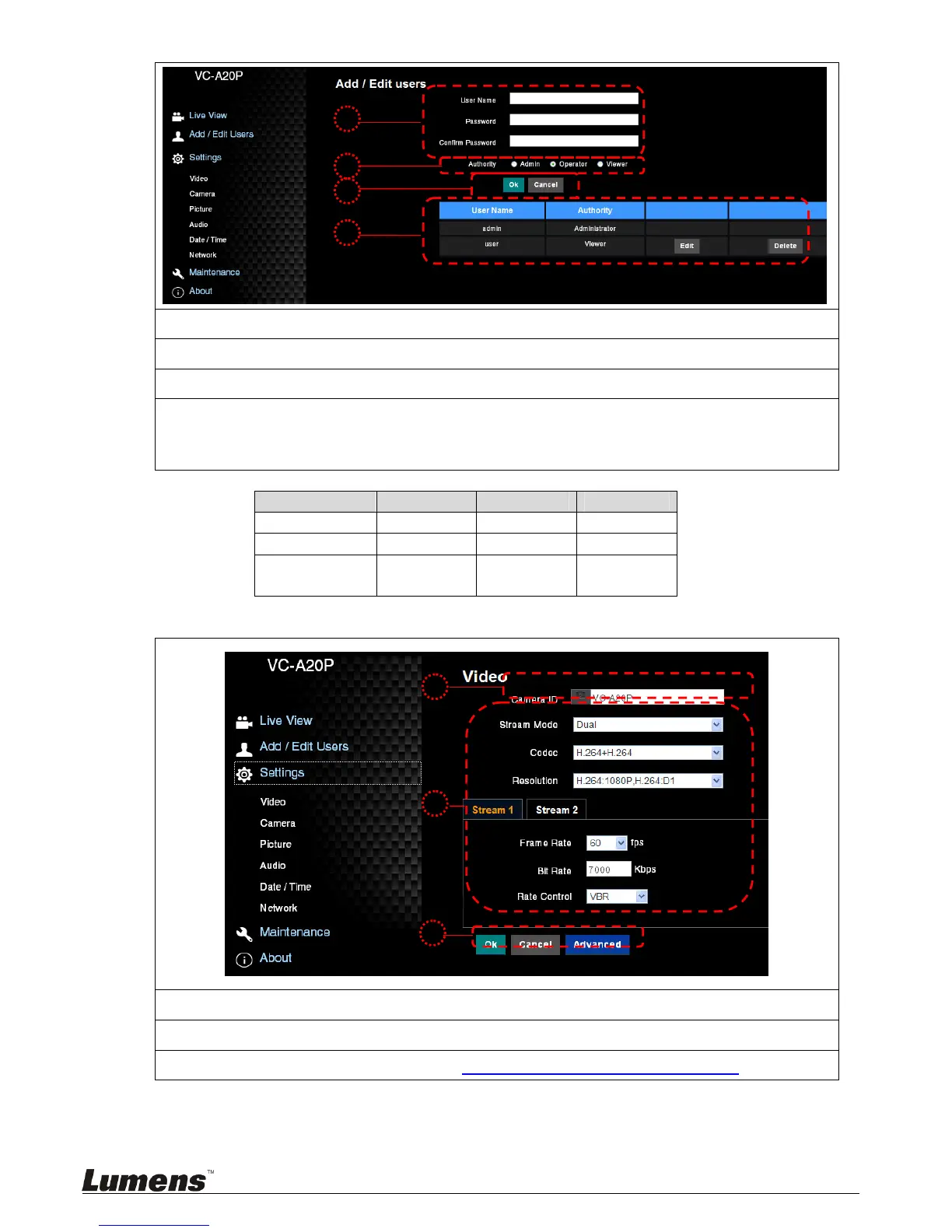
7.2.4 Settings – Video Setting
1. Camera name: Change camera name on this page
2. Select rate and encoding
3. Storage setting; for advanced settings, see 7.2.5 Settings –Advanced Video Setting


 To Next Page
 Loading...