English-15
5.3 Web Page Menu Function Description
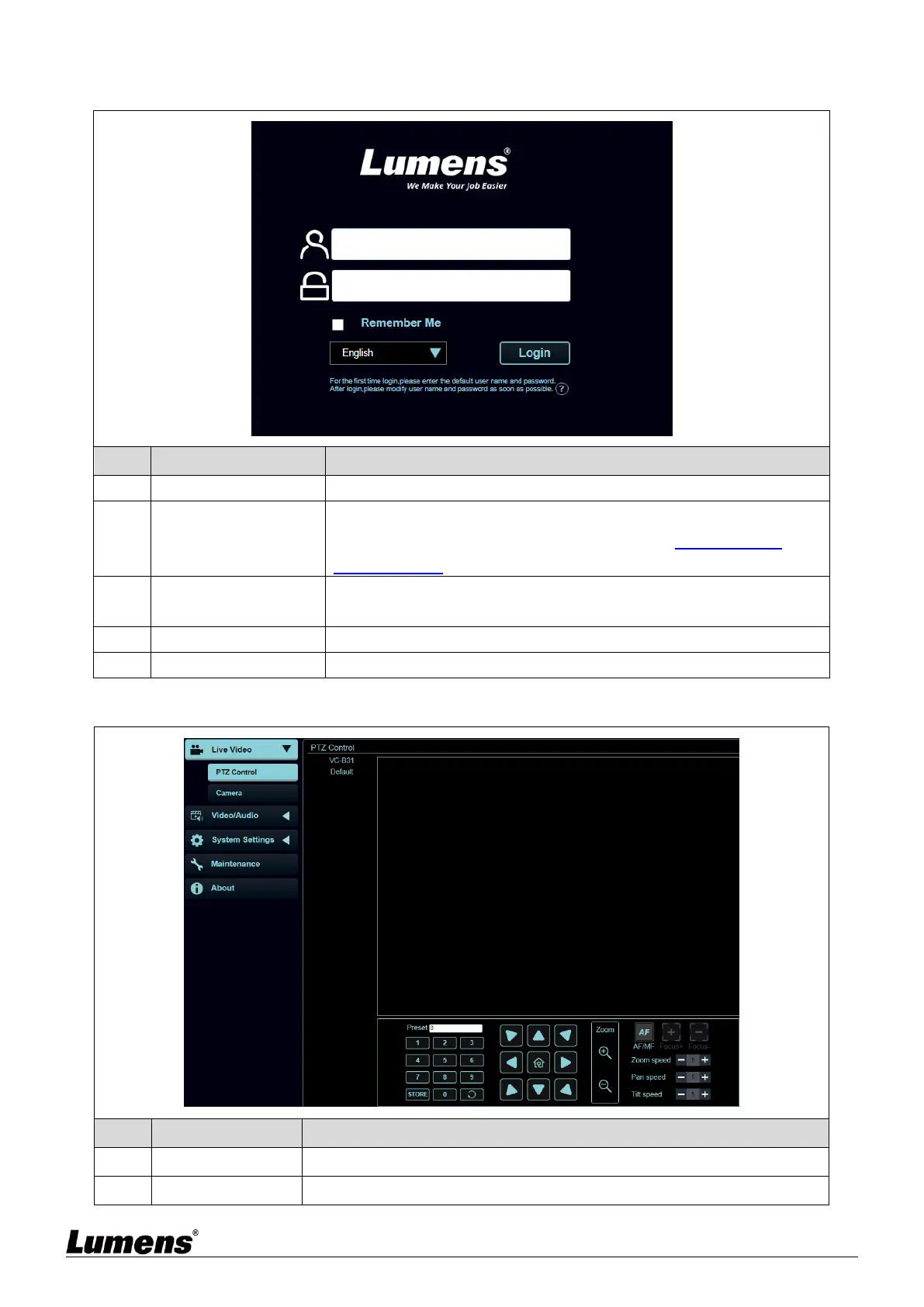
5.3.1 Login Screen
Enter user login account (default: admin)
Enter user password (default: 9999)
<Remark> For the first-time login, please refer to 5.3.10 System
Settings - User to change the default password
Remember user
account and password
Save user login account and password to the browser. When you log in
next time, there is no need to re-enter them
Supporting English/Traditional Chinese/Simplified Chinese
Log into the administrator screen on the website
5.3.2 Live Video – PTZ Control
Display the screen currently captured by the camera
Select the number first and then select SAVE or LOAD



 To Next Page
 Loading...