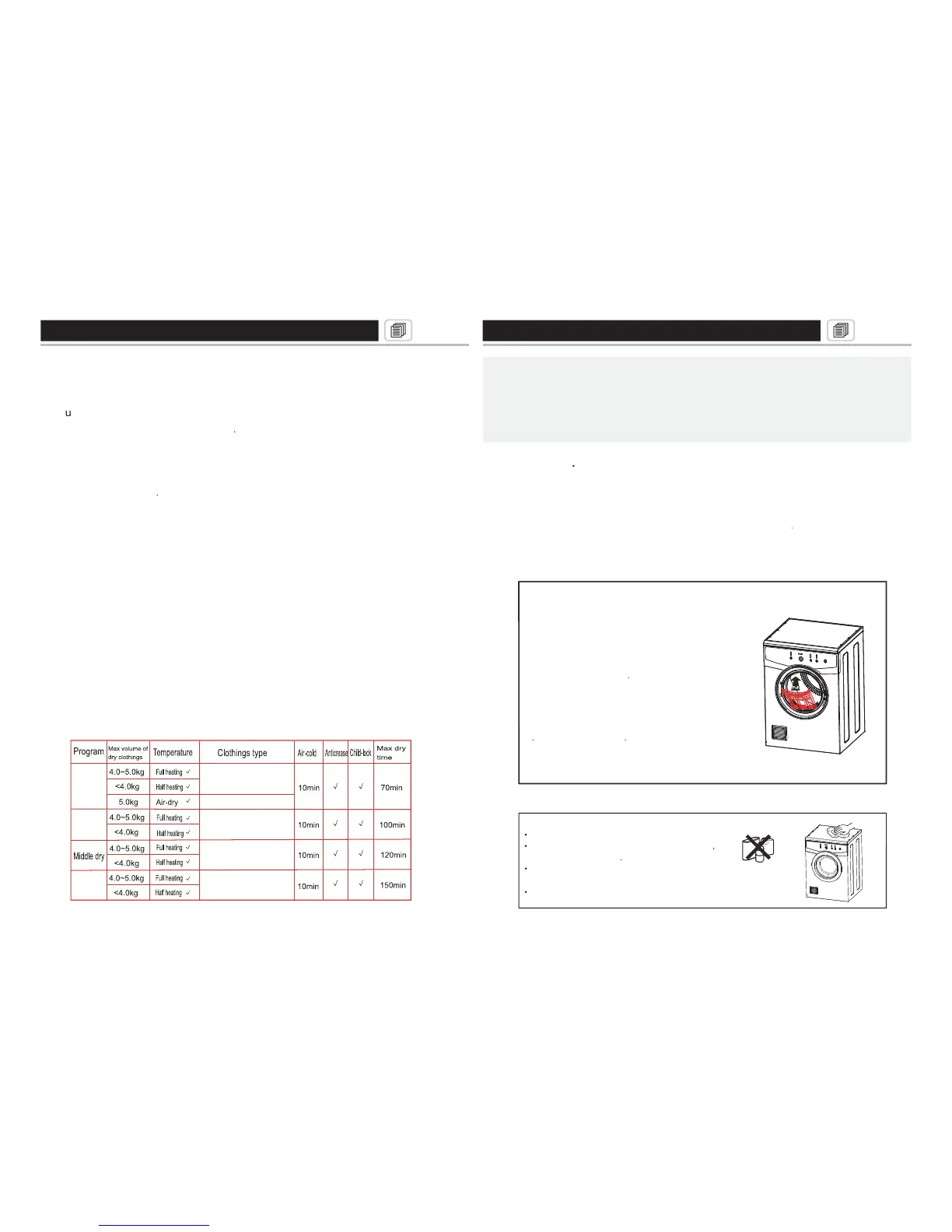
When you press HEAT setting, the indicator light will lit up to indicate the
heat setting continue to press until it stops on the program which
guard setting is best to be use on delicate fabric such as silk.
When you select CREASE guard, the indicator light will lit up to indicate
button to start the cycle. Push once to start.
To pause press START/PAUSE button again and wait for 3 seconds for
pause function to take effect.
To Lock or unlock control panel of unit, press and hold PROGRAM and
HEAT button simultaneously.
Note: Pushing any button on LOCK mode will cause a short buzzer with
blinking light. To unlock press and hold PROGRAM and HEAT button
Cold wind function means there is only cold air for circulat
nishing the cycle in 10 mins.
Crease guard means after the program you
ave selected, there is an additional 30 secon
f the inner tube and humidity will not affe
Check the label attached to
to defi ne and select the correct settings / heat for best resu
cle the buzzer will ring to indicate that the cy
completed and you can take out
the clothes from the dryer.
, cabinet and inner tub after each cycle.
inside the fi lter will affect the air circulation inside the inner
inside the fi lter will affect the air circulation inside the inner tubinside the fi lter will affect the air circulation inside the inner
clean the fi lter after each use.
When cleaning the inner tube or fi l When cleaning the inner
Use damp cloth to clean the fi lter.
Once the fi lter is cleaned and dry
CLEANING THE CABINET AND INNER
directly to clean the inner tub
Do not use scour wipe to clean the inner tub to as this
asoline or alcohol to clean the inner tub.



 To Next Page
 Loading...