Copyright © 2015-19 Clive Dyson Version 4.5 18
Note (1): On the Q.MENU, ASPECT RATIO and PICTURE SIZE are combined in PICTURE SETTING.
Note (2): PHOTO STYLE, FOCUS MODE, METERING MODE, I.DYNAMIC and DIGITAL ZOOM are common to
the REC and MOTION PICTURE menus. Changes can be made on either menu.
Through the lens metered or manual control (only if wireless off).
Synchro uses a long exposure for any background. Both with and
without red eye reduction. Just close the flash for OFF!
Flash fires at start or end of exposure (only if wireless off).
Additional adjustment of flash (only in TTL mode and if wireless off).
On: flash output linked to exposure compensation.
Sets flash output to fraction of full output (only in flash manual mode).
Disables / enables wireless IR flash control.
Set camera and flash to same channel (only if wireless on).
Disables / enables using FP flash on gun (only if wireless on).
Set output power of IR communication light (only if wireless on).
Sets operation of flash and wireless flash groups (only if wireless on).
Table 9: The Flash sub-menu – recommended settings in BOLD
Note (1): WIRELESS SETUP allows you to set FIRING MODE and FLASH ADJUST (or MANUAL FLASH ADJUST)
for the built-in flash and for each of three wireless groups (A, B and C). See your flash gun manual for
more details.
2. Configure the Function Buttons
The G7 has seven fixed function buttons (video, AF/AE LOCK, PLAYBACK, DISP, ISO, AF MODE and
WHITE BALANCE), an AF/MF switch, six programmable function buttons, three fixed screen function
icons and five programmable screen function icons. To program a function button or function icon:
• Choose FN BUTTON SET from the CUSTOM menu and then ‘Setting in REC mode’. (or press Fn on
the ‘control screen’).
• Select the function button or function icon you wish to program via the touch screen, or by using the
cursor keys and pressing SET.
• Choose the function you wish to allocate to the button or icon and press SET.
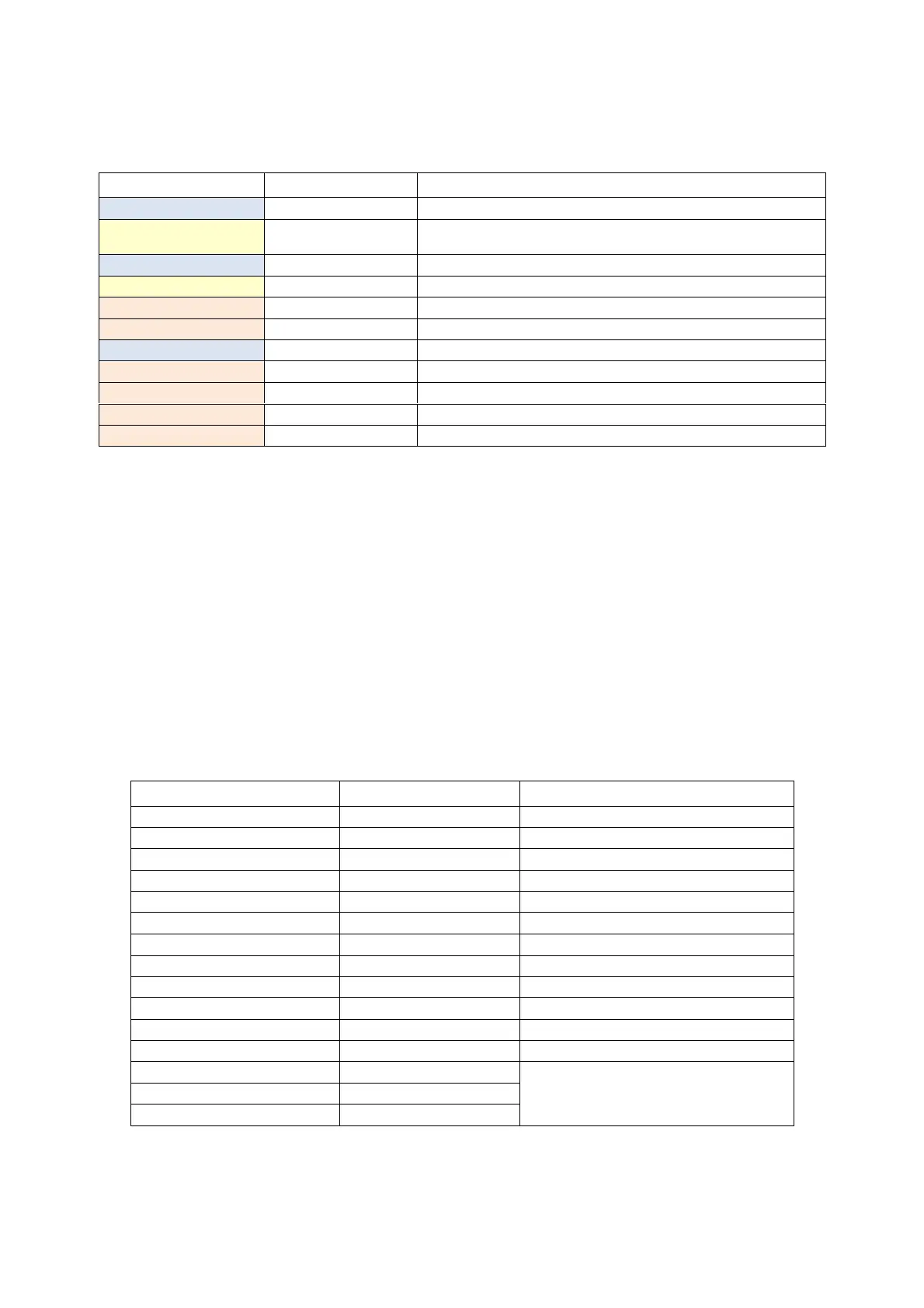
Program the function buttons and icons as follows:
Fixed on AE/AF LOCK button
AF ON for moving subjects – mode C
3
Fn2 button (marked Q.MENU)
Fn3 button (cursor down button)
Screen and cursor keys move AF area.
Fn11 button (centre of rear dial)
Table 10: Setup for function buttons and icons
Set the AF/AE LOCK button to AF LOCK for custom modes C
1
and C
2
and to AF ON for custom mode
C
3
(see below and the section on custom modes).


 To Next Page