Base
Washer
Table lock
knob
Index pin
Table support
1/16 inch maximum
Sanding surface
Table
WARNING: To avoid trapping the work or fingers between the
table and sanding surface, the table edge should be a maximum of
1/16 inch from sanding surface.
7. Loosen the (3) hex head screws and adjust table.
8. Use your owner’s manual as a spacer. Place ten pages of the
owner’s manual between the disc and the front edge of the table.
Hold the table against the manual and tighten the three (3) hex
washer head screws.
33
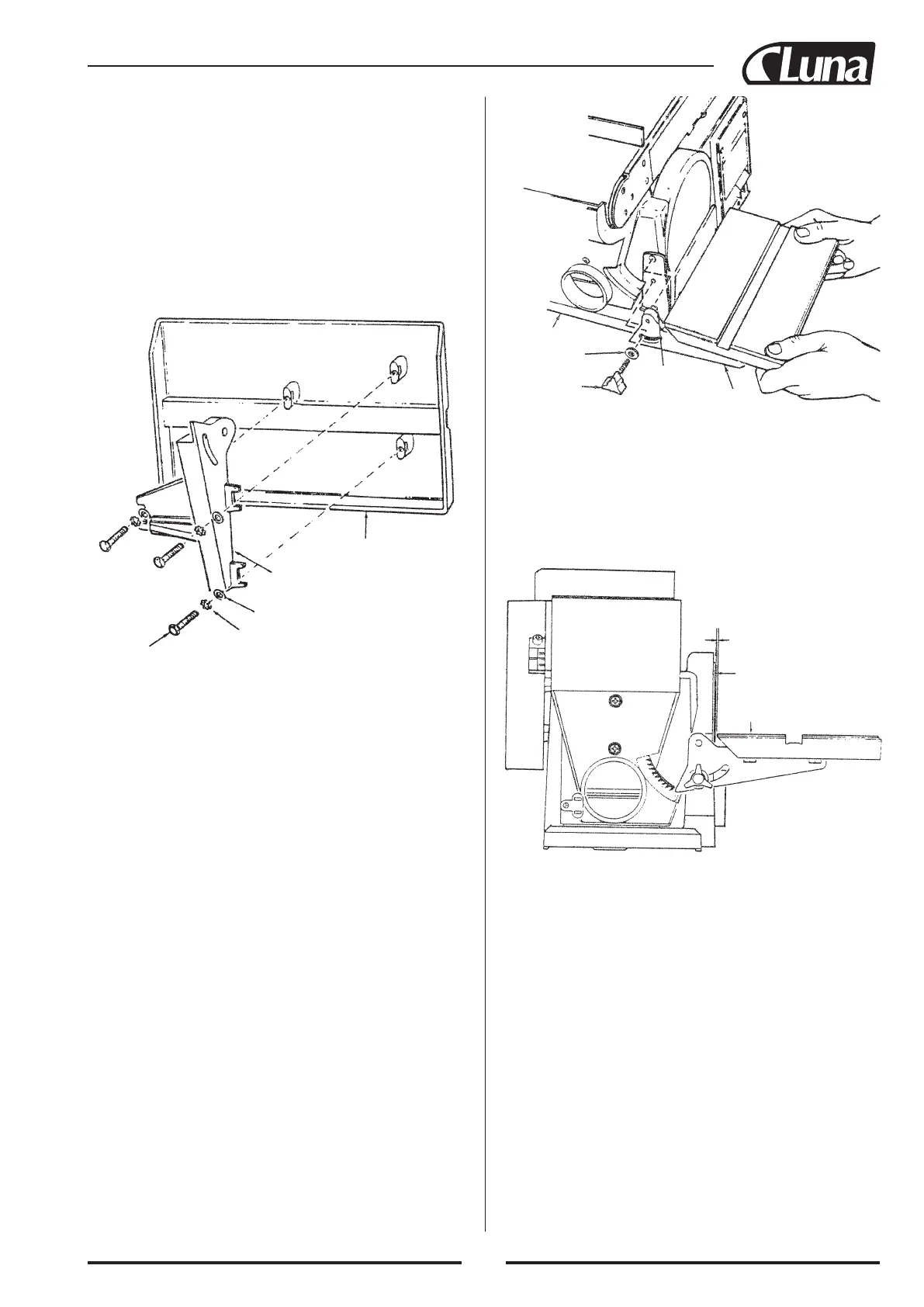
Table
Table support
Washer (3)
Lockwasher (3)
Hex head screw (3)
Installing work support
1. Locate work support and hex screw M6x1.0-14, washer and
lockwasher.
2. Hold work support into position and fasten as shown. Do not ov
ertighten.
Installing table assembly
1. Locate table support and (3) hex head screws, M6x1.0-14, was-
her and lockwashers among loose parts.
2. Position table support against table, aligning holes as shown.
3. Faste table support to table as shown.
4. Locate washer 6.5x17.8x1.6 and knob among loose parts.
5. Position table support in corresponding holes on side of base as
shown. Make sure the 9.5 mm diameter index pin aligns with
upper hole.
6. Place washer on threaded shaft of knob and insert through slot
into threaded holes of base.


 To Next Page