AA
EE
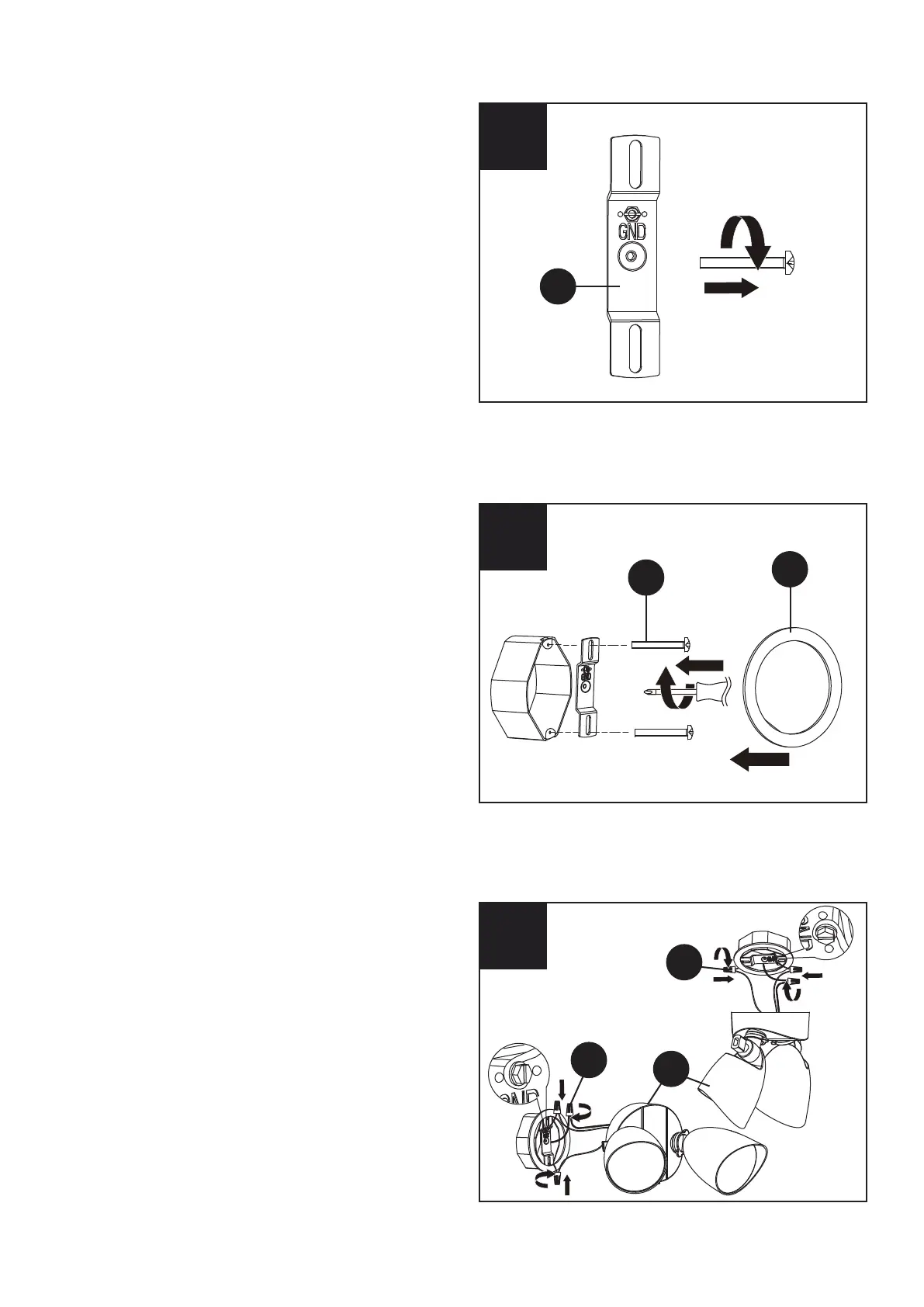
3. Attach the mounting plate to the junction
box (not included) using the two screws (AA).
Then attach the foam pad (EE) to the mounting
plate.
This fixture can also be installed on the ceiling.
3
4
4. Connect the ground wire from the junction box
to the ground screw on the mounting plate.
Then connect the ground wire from the junction
box to the ground wire from the fixture (A) by
twisting a wire nut (BB) onto the bare ends of
the wires.
Connect the white wire from the junction box to
the white wire from the light fixture by twisting
a wire nut (BB) onto the bare ends of the wires.
Connect the black wire from the junction box to
the black wire from the light fixture by twisting a
wire nut (BB) onto the bare ends of the wires.
Position all the wires inside the fixture junction
box.
4
2. Remove the screw pre-assembled in the
mounting plate (CC). Put the screw a side
as they will be used later.
2
BB
A
CC
BB



 To Next Page