EasyManua.ls Logo

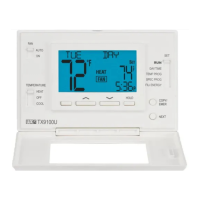
LUX SMART TEMP TX9100U - User Manual

LUX SMART TEMP TX9100U
34 pages
Print Icon
To Next Page IconTo Next Page
Loading...
SYSTEM COMPATIBILITY . . . . . . . . . 2
FEATURES . . . . . . . . . . . . . . . . . . . 3
TOOLS YOU MAY NEED. . . . . . . . . . . 3
MOUNTING LOCATION . . . . . . . . . . . 4
REMOVE OLD THERMOSTAT . . . . . . . 4
INSTALL THERMOSTAT BASE . . . . . . . 5
WIRING INFORMATION . . . . . . . . . . . 5
WIRING DIAGRAMS . . . . . . . . . . . . . 7
HARDWARE SETUP OPTIONS . . . . . . 16
COMPLETE THE INSTALL . . . . . . . . . 18
FRONT PANEL ITEMS . . . . . . . . . . . 18
OPERATING INSTRUCTIONS . . . . . . . 20
TEMPERATURE PROGRAMS . . . . . . . 22
ADVANCED FEATURES . . . . . . . . . . 23
BATTERY REPLACEMENT . . . . . . . . . 32
TECHNICAL ASSISTANCE . . . . . . . . . 32
LIMITED WARRANTY . . . . . . . . . . . 33
MERCURY NOTICE . . . . . . . . . . . . . 33
WARNING: Use Energizer
®
or DURACELL
®
Alkaline Batteries Only.
Energizer
®
is a registered trademark of Eveready Battery Company, Inc.
DURACELL
®
is a registered trademark of The Gillette Company, Inc.
© 2011 LUX PRODUCTS CORPORATION. ALL RIGHTS RESERVED
TX9100U
SMART TEMP
®
UNIVERSAL
7-DAY PROGRAMMABLE THERMOSTAT
(FOR BOTH CONVENTIONAL AND HEAT PUMP SYSTEMS)
INSTALLATION AND OPERATING INSTRUCTIONS
IMPORTANT!
Please read all of these instructions carefully before beginning
installation.
Label every wire terminal designation on your existing thermostat
wiring before removing your old thermostat.
Ignore the color of the wires since they may not comply with any
standard. Please connect wires using the terminal letter
designations.
Thank you for your confidence in our product. To obtain the best results
from your investment, please read and follow the installation procedures
carefully, and one step at a time. This will save you time and minimize the
chance of damaging either the thermostat or possibly your heating and
cooling system. These instructions may contain information beyond that
which may be required for your particular installation.
52103
Question and Answer IconNeed help?

Do you have a question about the LUX SMART TEMP TX9100U and is the answer not in the manual?

LUX SMART TEMP TX9100U Specifications

General IconGeneral
TypeProgrammable Thermostat
Schedule7-day programmable
Wi-Fi ConnectivityNo
Hold FunctionYes
Filter Change AlertYes
Weight0.5 lbs
Temperature Range40°F to 99°F
Power SourceBattery or Hardwired
DisplayLCD
CompatibilityMost HVAC systems
Smart FeaturesNo
Dimensions5.5 x 3.5 x 1 inches

Summary

System Compatibility

Features

Mounting Location

Remove Old Thermostat

Install Thermostat Base

Wiring Information

Wiring Diagram Notes

Wiring Diagrams

Hardware Setup Options

System Switch Settings

Configures the thermostat for FURN (default) or HP (Heat Pump) system types.

Operating Mode Selection

Selects between PROG (programmable) and MAN (manual) operation modes.

Programming Periods Configuration

Temperature Scale Setting

Time Format Selection

Minimum Cycle Delay

Early Recovery Feature

Battery Monitor Setting

Fan Control Setting

Complete the Installation

Front Panel Items

Multi-Function Set Slide Switch

Setback Button Functionality

Up;Down Button Usage

Hold Button Functionality

Copy;Emergency Heat Button

Next Button Usage

Operating Instructions

Setting Day and Time

Guides users through setting the current day and time using the Set Slide Switch.

Basic Heating and Cooling Operation

Explains basic operation using Mode switch and UP/DOWN buttons for temperature adjustment.

Emergency Heat Mode

Activates Emergency Heat mode using the COPY/EMER button for heat pump systems.

LCD Display Backlight

Temperature Override

Minimum System Run Time

Temperature Hold Feature

Static Discharge Precautions

Temperature Programs

Programming Temperature Schedules

Step-by-step guide to setting daily temperature schedules for MORN, DAY, EVE, NITE periods.

Program Copy Functionality

Allows copying daily program settings to other days of the week.

Advanced Features

Swing and Offset Adjustment

Adjusts system cycling frequency (swing) and second stage activation temperature (offset).

Temperature Calibration

Setback Feature Operation

Special Program Feature

Temperature Limit Stops Setup

Keypad Lockout Feature

Air Filter Monitor

Air Filter Monitor Duration

Sets the desired filter replacement interval (30-365 days) or disables the monitor.

Reset Air Filter Counter

Resets the air filter usage counter to its starting value.

Energy Usage Monitor

View Heat Usage Timers

Displays today's, yesterday's, and cumulative heat system run time.

Reset Heat Energy Usage

Resets the heat system run time counter to 00:00.

View Cool Usage Timers

Displays today's, yesterday's, and cumulative cool system run time.

Reset Cool Energy Usage

Hardware Reset Procedure

Software Reset Procedure

Compressor Protection Bypass

Battery Replacement

Technical Assistance

Limited Warranty

Mercury Warning and Recycling Notice

Related product manuals