EasyManua.ls Logo

LUX TX100Ea - Operation, Wiring Notes, and Assistance; Basic Heating and Cooling Operation; Wiring Diagram Notes and Interpretation; Technical Assistance Information

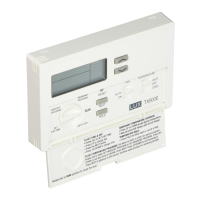
LUX TX100Ea
8 pages
Print Icon
To Next Page IconTo Next Page
To Previous Page IconTo Previous Page
Loading...
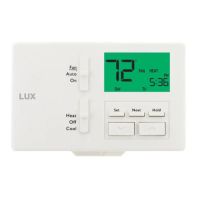
BASIC
HEATING
AND
COOLING
OPERATION:
Basic
operation
of
your
heating
or
cooling
system
can
be
obtained
by
selecting
HEAT
or
COOL
on
the
System
Mode
switch,
and
using
UP
or
DOWN
to
adjust
the
temperature.
To
maintain
a
single
fixed
temperature,
you
can
use
the
HOLD
button.
If
there
Is
a
padlock
present
on
the
display
screen,
the
keypad
lockout
feature
is
enabled
(both
of
the
mode
slide
switches
are
still
functional).
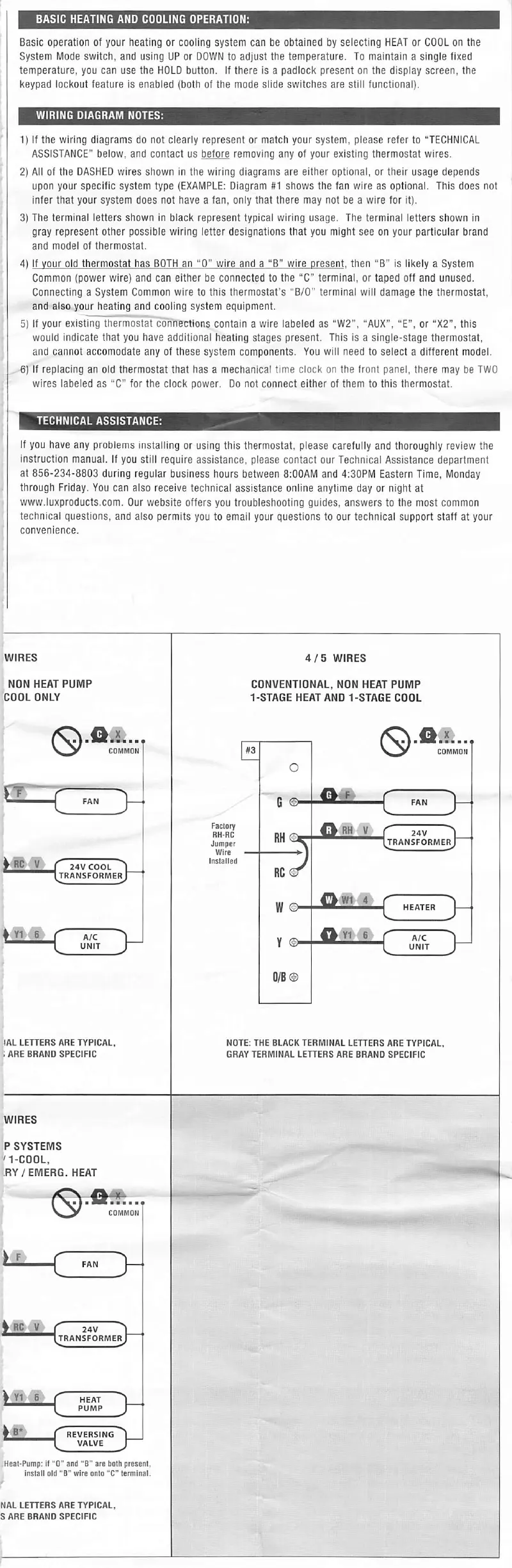
WIRING
DIAGRAM
NOTES:
1)
If
the
wiring
diagrams
do
not
clearly
represent
or
match
your
system,
please
refer
to
"TECHNICAL
ASSISTANCE"
below,
and
contact
us
before
removing
any
of
your
existing
thermostat
wires.
2)
All
of
the
DASHED
wires
shown
in
the
wiring
diagrams
are
either
optional,
or
their
usage
depends
upon
your
specific
system
type
(EXAMPLE:
Diagram
#1
shows
the
fan
wire
as
optional.
This
does
not
infer
that
your
system
does
not
have
a
fan,
only
that
there
may
not
be
a
wire
for
it).
3)
The
terminal
letters
shown
in
black
represent
typical
wiring
usage.
The
terminal
letters
shown
in
gray
represent
other
possible
wiring
letter
designations
that
you
might
see
on
your
particular
brand
and
mode!
of
thermostat.
4)
If
your
old
thermostat
has
BOTH
an
“0"
wire
and
a
“B”
wire
present,
then
“B"
is
likely
a
System
Common
(power
wire)
and
can
either
be
connected
to
the
“C"
terminal,
or
taped
off
and
unused.
Connecting
a
System
Common
wire
to
this
thermostat’s
"B/0"
terminal
will
damage
the
thermostat,
and
also
your
heating
and
cooling
system
equipment.
5)
If
your
existing
thermostat
connections
contain
a
wire
labeled
as
‘‘W2",
"AUX",
“E",
or
“X2”,
this
would
indicate
that
you
have
additional
heating
stages
present.
This
is
a
single-stage
thermostat,
and
cannot
accomodate
any
of
these
system
components.
You
will
need
to
select
a
different
model.
6)
If
replacing
an
old
thermostat
that
has
a
mechanical
time
clock
on
the
front
panel,
there
may
be
TWO
wires
labeled
as
"C”
for
the
clock
power.
Do
not
connect
either
of
them
to
this
thermostat.
TECHNICAL
ASSISTANCE:
If
you
have
any
problems
installing
or
using
this
thermostat,
please
carefully
and
thoroughly
review
the
instruction
manual.
If
you
still
require
assistance,
please
contact
our
Technical
Assistance
department
at
856-234-8803
during
regular
business
hours
between
8:00AM
and
4:30PM
Eastern
Time,
Monday
through
Friday.
You
can
also
receive
technical
assistance
online
anytime
day
or
night
at
www.luxproducts.com.
Our
website
offers
you
troubleshooting
guides,
answers
to
the
most
common
technical
questions,
and
also
permits
you
to
email
your
questions
to
our
technical
support
staff
at
your
convenience.
WIRES
4/5
WIRES
NON
HEAT
PUMP
COOL
ONLY
CONVENTIONAL,
NON
HEAT
PUMP
1-STAGE
HEAT
AND
1-STAGE
COOL
#3
COMMON
COMMON
o
rr~
c
FAN
FAN
Q""
''
Factory
RH-RC
Jumper
Wire
Installed
Transformer
24V
^
HC
V
(
24V
COOL
^
Ttransformer
RC©
HjiL-L-r
N.*
W
HEATER
Y1
6
A/C
A/C
Y
UNIT
UNIT
V..
!AL
LEHERS
ARE
TYPICAL,
.ARE
BRAND
SPECIFIC
NOTE:
THE
BLACK
TERMINAL
LEHERS
ARE
TYPICAL
GRAY
TERMINAL
LETTERS
ARE
BRAND
SPECIFIC
WIRES
P
SYSTEMS
>
1-COOL.
RY/EMERG.
HEAT
COMMON
Ll
(
FAN
^
ac
V
Transformer
24V
^
Y1
6
HEAT
PUMP
Ls:
REVERSING^
VALVE
S.
Keal-Pump;
II
"O"
and
"B"
are
both
present,
install
old
"B"
wire
onto
"C
terminal.
NAL
LETTERS
ARE
TYPICAL,
S
ARE
BRAND
SPECIFIC

Related product manuals