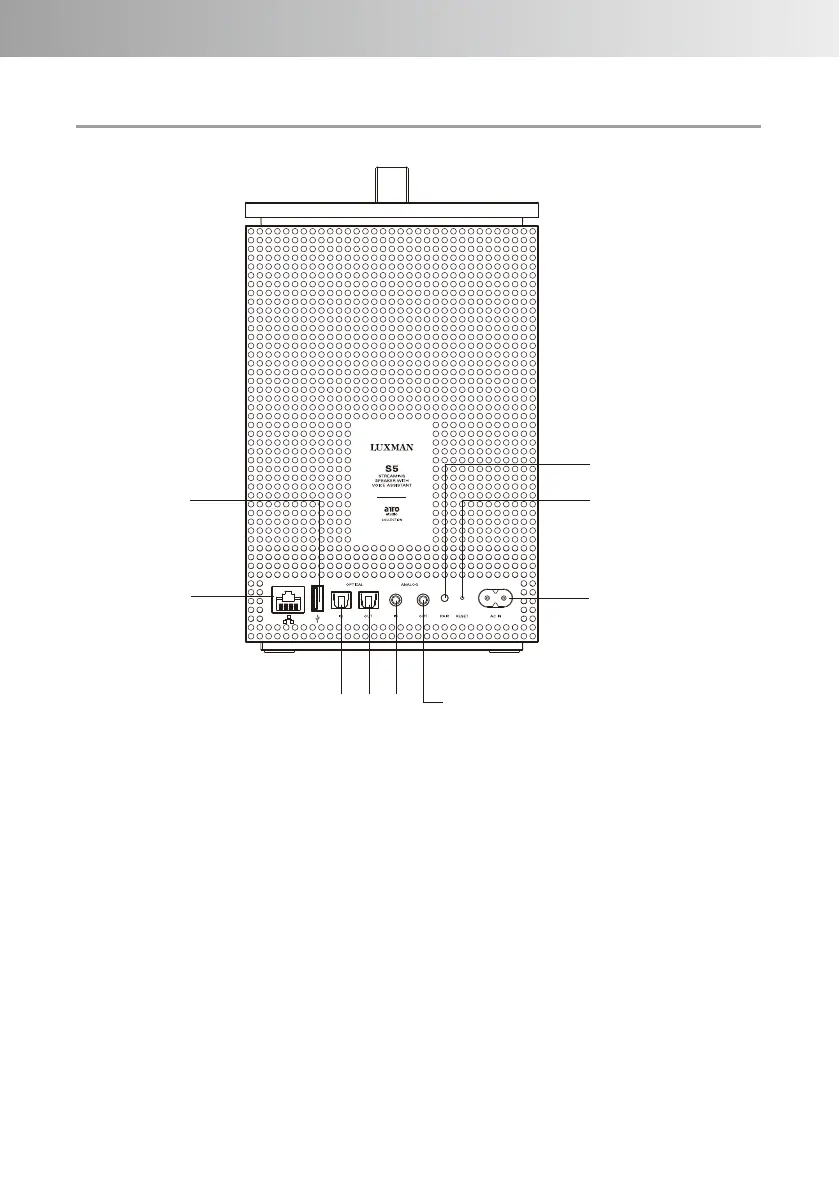
④ OPTICAL IN terminal
Digitally connect an audio device
with an OPTICAL output with an
optical cable.
①
②
③
④ ⑤
⑥
⑦
⑧ ⑨
Rear panel
② Wired LAN terminal
Connect to your home router or
network hub using a LAN cable.
*When connecting this unit via
Wi-Fi (wireless LAN), do not
connect a LAN cable to this
terminal.
③ USB terminal
Insert a USB flash drive with
saved music data.
* You can play music by
connecting a USB device
compatible with the USB Mass
Storage
standard to this terminal.
① AC IN terminal
Connect the supplied power cable.
-9-



 To Next Page