MODI
16
To use Plug & Play, the following conditions need to be met.
You can enjoy MODI without coding through Plug & Play by combining MODI modules.
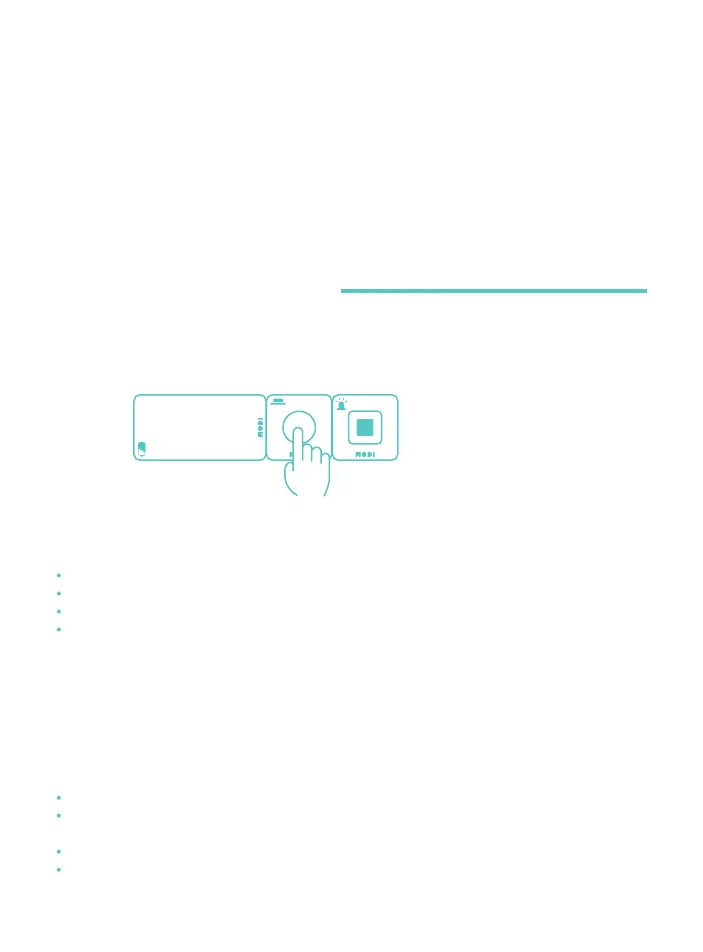
* Connection example:
Connect the Battery, Button ,
and LED modules together.
By pressing the button,
you turn on the LED light.
If all of the above conditions are met, you can use Plug & Play with MODI.
Since all of the modules have different features, their matching values for Plug & Play vary as well.
Check the features of each module before use.
At least one Input module and one Output module should be connected.
Power should be provided to all the modules.
All the modules should be reset to the Plug & Play mode by MODI Studio.
To use wireless communication between modules using a pair of Network modules,
the Network modules need to be paired with each other.
How to Use
MODI
MODI Unplugged Activity
Ⅱ & Play Starting Conditions
ⅠWhat is Plug & Play?
ⅢPlug & Play Precautions
Plug & Play is available only for directly connected modules.
If one Output module is connected to multiple Input modules,
the average value of the Input modules is displayed.
Plug & Play is not available for modules which have not been reset.
Some modules have a side with no connection pins.



 To Next Page