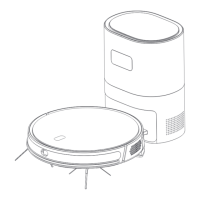
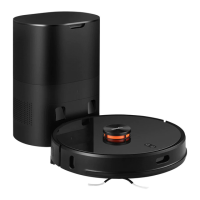
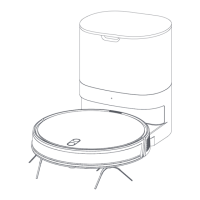
The Lydsto Sweeping and Mopping Robot R5 is a versatile cleaning device designed for home environments, offering both sweeping and mopping functionalities. It is equipped with advanced navigation and sensing capabilities to ensure efficient and thorough cleaning.
Function Description:
The robot is primarily designed for sweeping and mopping floors. It features an "On/Off" button for starting/pausing cleaning and powering the device on/off, and a "Recharge" button for initiating the charging process. The device uses a laser head impact sensor and a laser ranging sensor for navigation and obstacle detection. An indicator light provides visual feedback on the robot's status: blue for normal operation, red for abnormal states or low battery, and yellow breathing for charging. The accompanying dust collector bin serves as a charging station and also collects dust from the robot. Its power indicator light shows white for normal working and full charge, red for abnormality, and extinguishes when there is no power. The robot can be controlled via a mobile application (Lydsto APP or MIJIA APP) which allows for setting cleaning schedules, adjusting suction levels (Quiet, Standard, Strong, MAX), and water levels (High, Medium, Low gear). The app also supports setting restricted areas to prevent the robot from entering specific zones.
Important Technical Specifications:
- Product Model: YM-R5-B03, YM-R5-W03, YM-R5-B01, YM-R5-W01
- Robot Shape Size: 320mm x 320mm x 93mm
- Battery: 4S1P 2600mAh lithium battery
- Rated Voltage: 14.4V
- Rated Power (Robot): 45W
- Charging Time: 5 hours
- Dust Bag Capacity (Dust Collector Bin): 3L
- Dust Collector Bin Shape Size: 336mm x 227mm x 165mm
- Rated Input (Dust Collector Bin): 110-120V~/220-240V~
- Rated Output (Dust Collector Bin): 19V 0.6A
- Power (Dust Collector Bin): 900W
- WIFI Support: 2.4GHz band only (5G not supported)
Usage Features:
Before initial use, it is crucial to prepare the environment by clearing scattered wires, hard objects, sharp objects, and fragile items to prevent entanglement, jamming, or damage. For use in hanging environments, guardrails should be set up. The robot should be placed on the dust collector bin for a full charge before its first use. Side brushes (L and R) must be installed correctly by aligning them with the corresponding letters on the bottom shell until a "click" is heard. The robot starts cleaning by a short press of the power button or via the mobile app. It automatically returns to the dust collector for charging after cleaning or when the battery level drops below 15%. Manual recharging can also be initiated. The device supports automatic cleaning, where it plans a path and cleans the entire house, and scheduled cleaning via the APP. Suction and water levels are adjustable through the APP.
Maintenance Features:
Regular maintenance is essential for optimal performance:
- Main Brush: Recommended cleaning once a week. Involves removing the main brush cover, taking out the main brush, and using a cleaning brush to remove dust and tangled hair from both the brush and its cavity.
- Side Brush: Recommended cleaning once a week. Involves pulling out the edge brush vertically, removing tangled hair and dirt, and reinstalling it. It is recommended to replace the side brush every 3 months.
- Dust Box and Filter Screen: Recommended cleaning after each cleaning session. Press the button at the back of the machine to take out the dust box, then open it to dump garbage. The filter mesh and HEPA filter should be removed and washed under the faucet (HEPA filter cannot be washed). After cleaning, dry the water, air filter, and dust box thoroughly. The HEPA filter should be replaced every 3 months. Do not use detergent, brush, or fingers to clean the strainer.
- Water Tank: After mopping, empty the water tank and remove the rag promptly. Do not use the mop function on carpets.
- Sensors and Contacts:
- Laser detection sensor: Recommended cleaning once a month.
- Charging contact of the host: Recommended cleaning once a month.
- Cliff sensor: Recommended cleaning once a month.
- Dust collector signal transmitting area and charging contact: Recommended cleaning once a month.
- Dust Bag Replacement: Replace the dust bag when the device indicates it is full. This involves opening the top cover of the dust collector, lifting the old dust bag, disposing of it, and installing a new one, then covering the bucket.
- Dust Collector Dust Path and Filter Port: If dust collection is poor after replacing the dust bag, unplug the power plug, reverse the device, and check for blockages in the dust channel. Use a screwdriver to remove the transparent cover of the dust passage and clean out foreign bodies. Also, check and clean the filter port.
- Battery Maintenance: The device has a built-in rechargeable lithium battery. Keep the host in the charging state during daily use to maintain battery performance. If not used for a long time, fully charge the machine, turn it off, and store it in a cool, dry place. Charge the battery at least once every 3 months to prevent over-discharge damage. Only the provided power adapter should be used for charging.
- Firmware Updates: Firmware updates can be performed via the mobile APP. Ensure the device has at least 20% power and is on the dust collector during the upgrade.

 Need help?
 General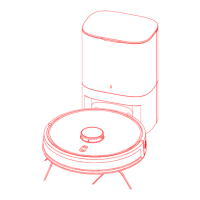

 To Next Page