In case when the lid opening is detected or when the
emergency button is pressed, manual mode operation stops
and a relevant warning message appears on the screen.
In case when a serious error in controller operation is
detected (controller error, fitting error, inverter error),
manual mode operation stops and an error report shall
appear on the screen.
When 30 seconds of idle state is detected, the controller will
activate the screensaver function automatically. Screen-
saving function shall display the slides presenting Łysoń
company. The extractor manufactures has an option to
deactivate the screen-saving function (see: manufacturer-
entering the access code)
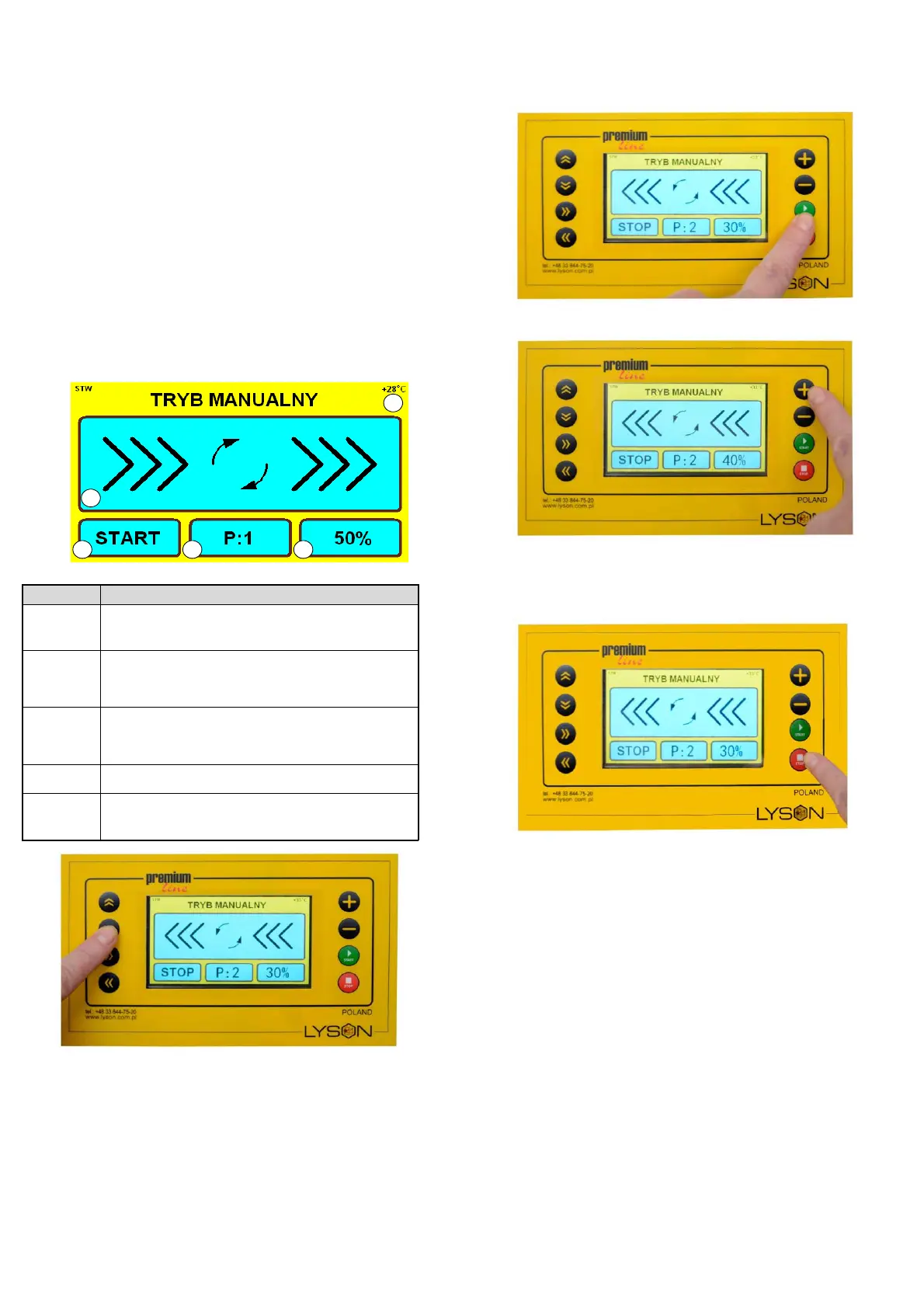
Indication START / STOP – indicates the
current operating state of the controller.
Programme indication – displays the
number of the currently selected
programme.
Speed indication – scaled as the
percentage of the maximum spinning
speed.
Indication of the spinning direction.
Indication of the temperature measured
inside the controller casing.
Photo 1 by means of the button: „ARROW UP” or „ARROW
DOWN” we select PROGRAM P:1 or P:2 (basket rotation
direction)afterwards, we press the START button, as in
Photo 2
Photo 2 Activation of the honey extractor
Photo 3 „PLUS” or „MINUS” increasing or decreasing the
basket rotations.
Photo 4 The „STOP” button – stopping the basket
rotations.
2. Automatic mode operation
Automatic mode operation is work when the controller
carries out one out of 8 programmed spinning sequences.
Each sequence consists of seven steps. Each step is
specified by the activation time, setup spinning speed and
direction. The last, seventh, step is defined by a single
parameter – cycle stopping time. .
In order to start automatic mode operation, by means of the
buttons:
• ARROW UP
• ARROW DOWN
• ARROWN LEFT
• ARROW RIGHT


 To Next Page