18
Connecting (Cont.)
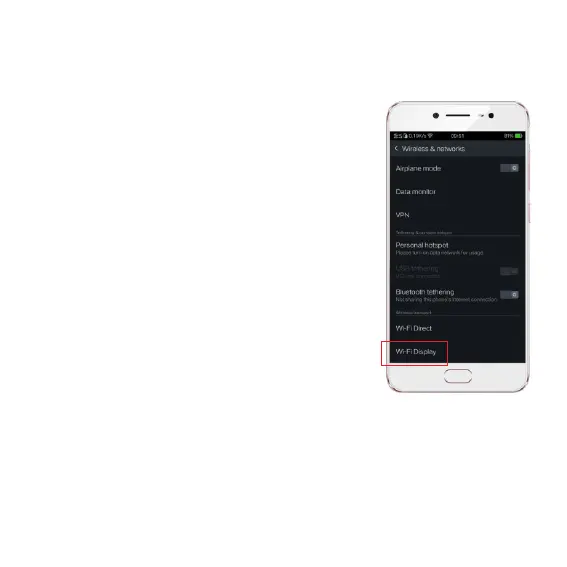
Miracast on Android
On the projector, enter the Miracast app from
the the home screen.
• On the Android device (Android phone or or
tablet), go to settings > Display > Cast.
• On the top left screen, click
‘More Settings’ and and
select ‘Enable wireless display’.
• Select ‘CUBE480’ on the list and the
screen will be mirrored to the projector.
Note: Settings mentioned here are
according to Android version 7.0. The cast
setting may vary (or not be supported) for
dierent versions of the Android system.
The Mac airplay, iOS airplay and Android Cast function might be
aected by the network status and some versions of devices might not
be compatible.


 To Next Page