17
Connecting (Cont.)
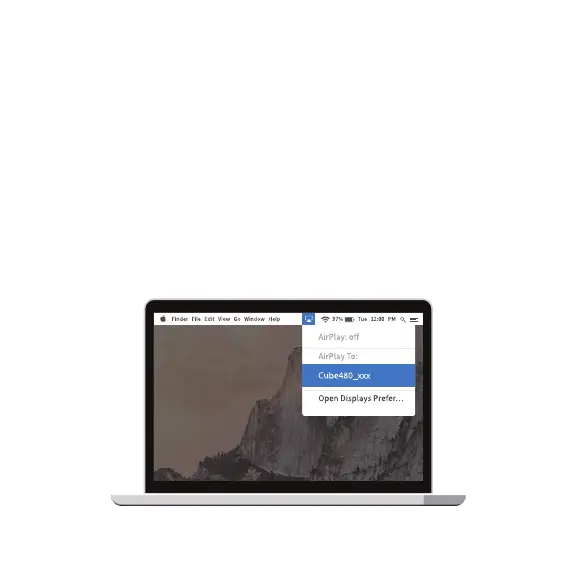
Airplay on macOS
Make sure your Mac and the projector are both connected to the same
Wi-Fi network.
• On the projector, enter the Airplay app by clicking on the ‘iOS
Cast’ icon on the home page, then select ‘Mac’.
• On the Mac, turn on the Airplay function. From the top taskbar,
click on the screen mirroring icon and select ‘CUBE480’; the
screen will be mirrored to the projector.


 To Next Page