Guitar Care and Maintenance
Keep your instrument in a case or carrying bag when transporting or storing it.
Do not place any objects on the top of your instrument.
Regularly clean your guitar, including the finger board, with a clean, dry, soft cloth.
Polish the finished surface with an appropriate guitar polish.
Humidity and temperature affect your guitar. Avoid exposing it to extreme temperatures, high humidity, and excessively
dry environments.
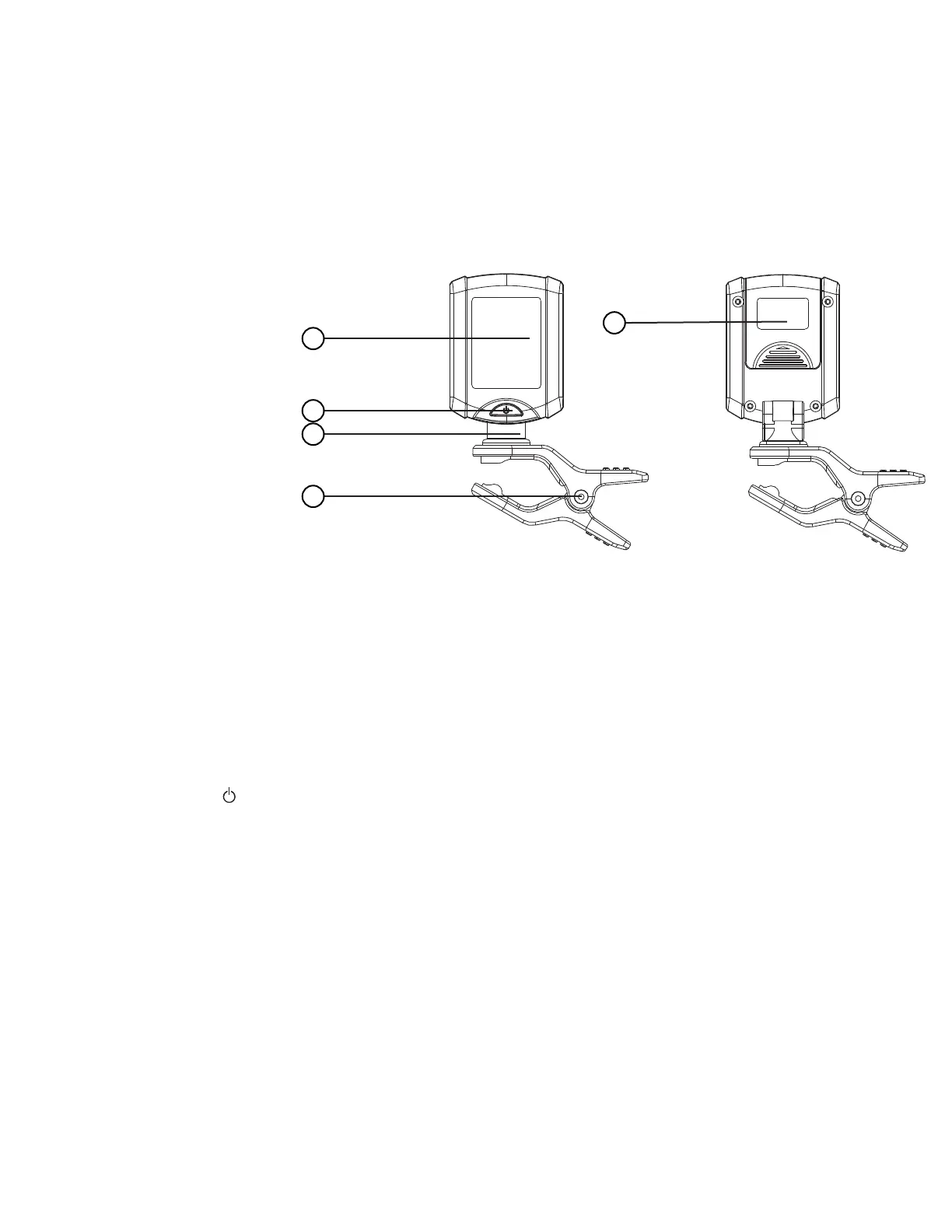
Digital Mini Clip-On Tuner Parts:
1. LCD screen
2. Function button
3. Axis
4. Rotating clip
5. Battery compartment
Inserting the Battery
Before using your new tuner, you must insert the battery included with the device.
1. Remove battery cover: Press the front of the battery cover and then slide it back.
2. Place the battery into the compartment with the negative (-) pole facing inward. Replace the cover and press down to
lock it in place.
3. Once done, the tuner will be on and ready to use.
4. The tuner will power off after 3 minutes of inactivity.
To Use
Tuner must be clipped onto your guitar to work.
Press the power button to turn the unit on. Press and hold for 2 seconds to turn the unit off. The tuner will automatically
power off after 3 minutes of inactivity.
Press once for each setting: (c) chromatic, (g) guitar, (b) bass, (v) violin and (u) ukulele.
When a string is plucked, the LCD screen will display whether the note is flat, sharp, or in tune. You can then tighten or
slacken the string by turning the tuning peg to change the pitch until that string is in tune.
Tuning your Guitar
1. Clip the tuner onto the headstock of your guitar and adjust for easy viewing.
2. Tune from the thickest string to the thinnest string.
3. Pluck the string and look at the digital readout. The LCD will display the name of the note. Look for one of three things:
a. Flat note: The indicator bar on the screen points left. Readout is white.
b. Sharp note: The indicator bar on the screen points right. Readout is white.
c. In tune: The indicator bar points straight up in the center of the screen. Readout is green.
4. If the note registers as sharp or flat, tighten or loosen the string to change the pitch until it is in tune.
5
1
5
2
3
4



 To Next Page
 Loading...