User Guide ♦ 36
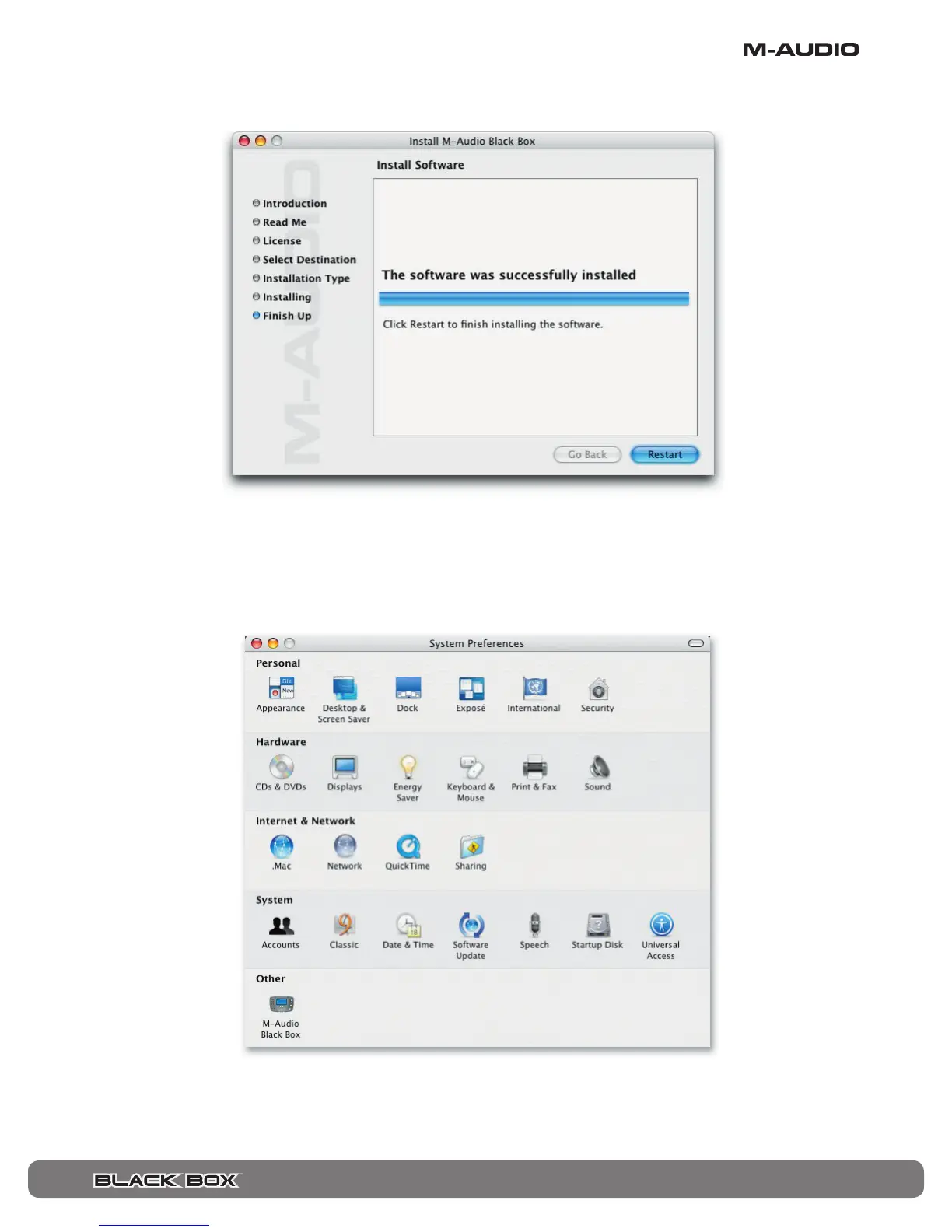
Your M-Audio drivers will install. You will then see that the software was successfully installed. Click Restart.
After the computer has restarted, connect the Black Box to your computer via USB.
The Black Box will now be available in your Audio MIDI Setup. Be sure that the device is shown as “M-Audio Black Box.” If it is only
listed as “Black Box,” the unit is still being recognized only as a class-compliant device. Try reinstalling the driver if this happens.
Go to “System Preferences” in the Apple Menu. You will find the Black Box icon listed under “Other.” Click on the icon to see the
Black Box control panels.







 To Next Page