
 Need help?
Do you have a question about the M-Audio Evolution UC-33e and is the answer not in the manual?
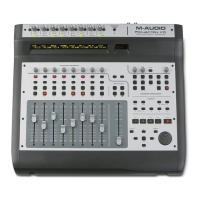
Details the primary ports, power options, controllers, and MIDI data capabilities of the UC-33e.
Lists all items included in the UC-33e product package.
Explains the structure and content of the user manual and related software.
Guides on connecting the UC-33e via USB or external power adapter.
Instructions for connecting and using UC-33e with Windows XP and Mac OS X.
Step-by-step guide for installing UC-33e drivers on Windows 98/ME.
Step-by-step guide for installing UC-33e drivers on Windows 2000.
Instructions for installing UC-33e drivers and OMS on Apple Mac OS 9.x.
Details the process for installing the UC-33e OMS driver on Mac systems.
Guides on configuring the OMS (Open Music System) for UC-33e compatibility.
Explains how to use an external power adapter for the UC-33e.
Provides a summary of the UC-33e's controllers, functions, and display.
Method to test if the UC-33e is communicating with software.
Instructions on how to select and use the 33 pre-programmed presets.
Guide to using the UC-33e with Native Instruments B4 software.
Guide to using the UC-33e with Reason Subtractor software.
Guide to using the UC-33e with Native Instruments FM7 software.
Explains how to utilize the UC-33e with Sound Blaster audio cards.
Instructions for controlling Cubase VST/SL/SX and Nuendo with UC-33e.
Guide to controlling Emagic Logic mixing functions with the UC-33e.
Instructions for using UC-33e with Evolution Sound Studio Pro II.
Learn to save, move, and manage presets on the UC-33e.
How to use the controller mute function to avoid parameter jumps.
Fundamental steps for programming custom controller assignments and settings.
Demonstrates connecting UC-33e to sound modules and lighting equipment without a computer.
Shows controlling MIDI synthesizers and hard disk recorders with UC-33e.
Warnings and precautions for safe operation and handling of the UC-33e.
Details the warranty period and conditions for the UC-33e product.
Provides the address for sending the product for repair or inquiries.
Information on how to register your UC-33e product for support.
Guidance on what information to provide when contacting technical support.
Links and contact details for technical assistance and FAQs.
 General
| Type | MIDI Controller |
|---|---|
| Number of Faders | 9 |
| Number of Knobs | 24 |
| Number of Buttons | 16 |
| Trigger Pads | No |
| MIDI Channels | 16 |
| MIDI I/O | In/Out |
| Connectivity | USB, MIDI |
| Power Supply | USB bus-powered |
| Compatibility | PC, Mac |
| Weight | 1.8 kg |
| Number of Keys | 0 |






 To Next Page