Wizard & Markers
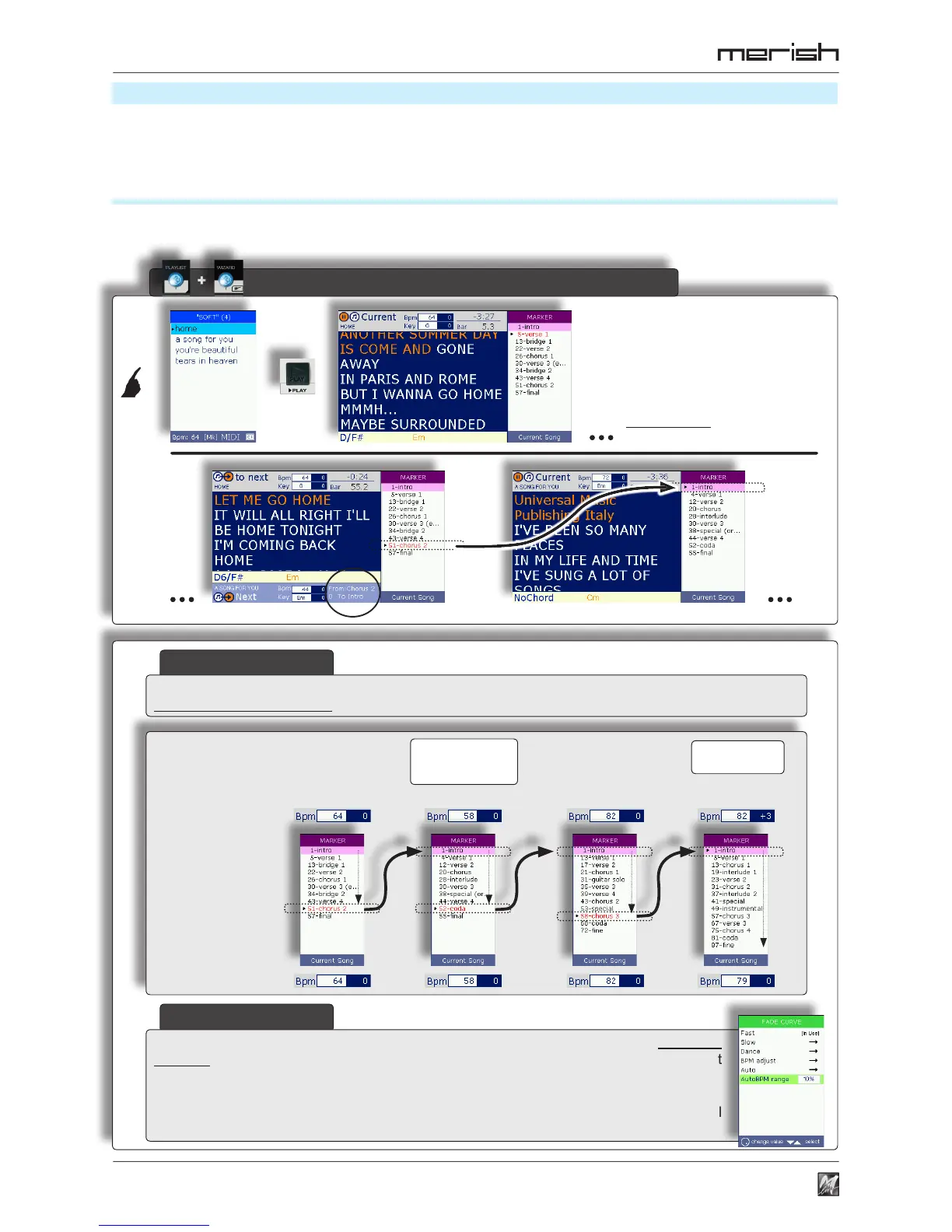
AutoBPM
home
starting/wizard bpm
nal/original bpm
a song for you you’re beautiful tears in heaven
(example)
AutoBPM range = 10%
+ Playlist + Wizard + (AutoBPM)
28
Playlist
Advanced Playlists
The various functions of Merish can be used in various combinations, allowing to apply a series of playing
variations. In particular, these combinations allow to instantly create advanced forms of Playlists, which are
considerably effective from a musical point of view.
Playlist + Wizard + AutoBPM
With Wizard enabled, the linking and mixing of the songs in the Playlists are controlled by algorithms that take the
songs’ musical properties into consideration.
Playlists’ playing procedure
and commands don’t change
when Wizard is enabled • see
“Playing a Playlist” (pag. 23).
On the o t her ha n d, the
m e t h o d s o f l i n k i n g
automatically change.
With Wizard enabled, the changeover from one song to another automatically takes place between
musically coherent markers (so not necessarily between “end of current song” and “beginning of next song”).
In Playlist (and/or Crossfade) mode, if the current song and next song have a difference
in tempo that is less than that set with MENU > Fade Curve > AutoBPM range, the next
song begins with the same tempo as the Current Song, then gradually returns to its own
original tempo during the performance.
If the difference in tempo is greater, the next song is begun with the respective original
tempo, to avoid spoiling its musical sense.
The Intro of this song
contains a Rallentando,
which is respected.
automatic adaptation
of the BPM.



 To Next Page