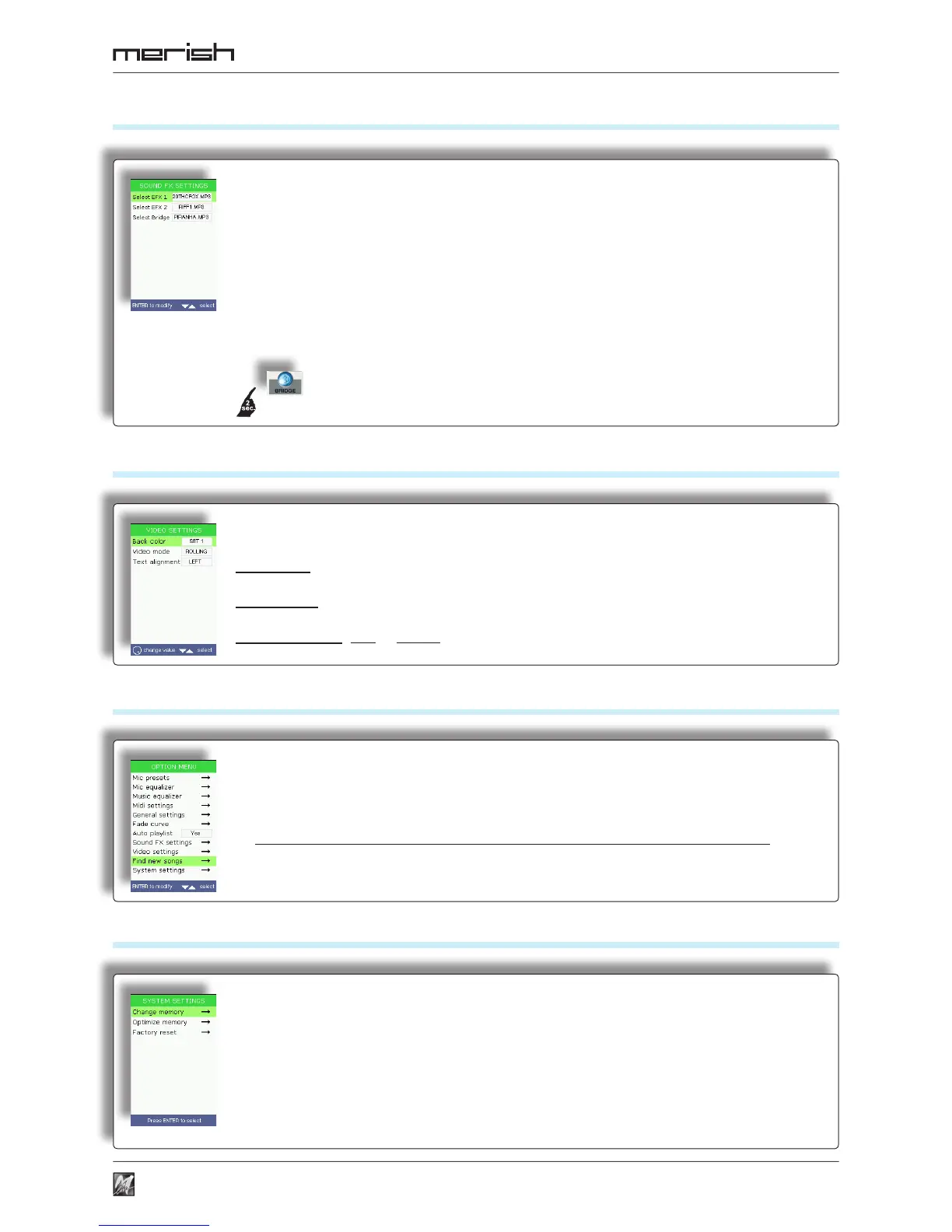
Sound FX settings
Video settings
Find new songs
System settings
39
Option Menu
Selection of the sound effects of the SOUND FX buttons and the le of the Bridge button.
Select FX-1 FX-2 FX-3 FX-4 (Merish) • FX-1 FX-2 (Merish Plus & Merish Gold):
Sound effects that can be used as comments, announcements, attention tones, etc.
NB: playback of sound effects is blocked when MP3 songs are being played .
The support CD contains a collection of (MP3) sound effects that can be chosen at will and put in the “sfx” folder of the USB
pen/Compact Flash card.
Select Bridge: a piece of music that can be used as a bridge between songs or as an
“emergency” song. The support CD contains a collection of pieces of music (MP3 les) that can be chosen at will and
put in the “bridge” folder of the USB pen/Compact Flash.
Option also accessible by keeping the Bridge button pressed down for a couple of seconds.
Settings of the display on TV/ video monitor of the lyrics and chords.
Back color: four different color combinations.
Video mode: lyrics scroll mode: Normal or Rolling (as if on a reel).
Text alignment: Left or Center
Search and indexing of new songs added to the USB pen/CompactFlash card
currently in use.
This operation updates the les that allow to manage the songs and carry out a rapid search,
so must be carried out after songs have been added to or removed from a memory.
Before proceeding, a conrmation of the operation is required (Enter to proceed, Esc to cancel).
System functions and settings.
Change memory: changeover from one memory to another (only works when both a USB
pen and a Compact Flash card are inserted).
Optimize memory: optimization of the memory, can be carried out in the event of faulty
operation of a USB pen or a Compact ash card.
Factory reset: resets Merish default factory settings
Before proceeding, a conrmation of the operation is required (Enter to proceed, Esc to cancel).



 To Next Page