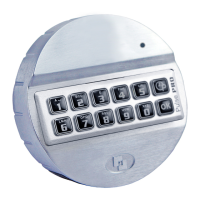
For example!
9
8
7
6
5
4
• Enter your personal Manager Code
1
• Enter User ID of the user that has to be deleted
The user has been deleted. To activate user again please refer to function “activate user”.
14
SETTING THE TIME DELAY AND OPEN WINDOW TIME
Time delay: The time between the first and second code entry in minutes.
Open window time: The period of time in minutes during which the code can be entered a second
time and the lock can be opened.
Changing or deleting the time delay values can only be done in open window time.
9
Press and hold ‘9’ until a double signal sounds. The LED will illuminate when performing the following
actions:
For example!
9
8
7
6
5
4
• Enter the Manager Code
2
6
0
2
• Enter the delay setting and open window time. Time delay min. 01 - max. 99 minutes.
Open window time min. 01 - max. 19 minutes.
In this example: 2602 for a delay of 26 minutes and an open window time of 2 minutes
2
6
0
2
• Enter the delay setting and open window time again
The time delay and open window values are directly activated for all codes.
15
CHANGING THE DELAY SETTING AND OPEN WINDOW
The delay setting can only be changed or deleted during the open window time.


 To Next Page