MT-500 29
the microphone keys 0~9 toggle the a/p setting. If neither a or p appear
in the Time line, enter your local time, hours and minutes, in 24 hour
format.
• When Lat/Lon and Time values are correct, press and hold the
CALL
key to return to the MANUAL LL menu page.
To turn Manual Lat/Lon On or Off:
• Use the SELECT/ENT knob to select either On or Off on the MANUAL LL
page.
• Push the SELECT/ENT knob to store the selection.
• Press the
16
key. The Main display appears. If Manual Lat/Lon is
turned On, and manually entered values are stored, the Lat/Lon values
appear in the lower two lines of the display. The M appearing at the end
of the Longitude line indicates that Manual Lat/Lon is turned On. When
Manual Lat/Lon is turned On, the manually entered position overrides
any Lat/Lon position from a navigation receiver.
MMSID SET
Provides for entry of the 9 digit MMSI for your vessel which must be entered in
order to make DSC calls. MMSI must be obtained from government communi-
cation authorities or authorized agents.
CAUTION NOTE
Only one entry attempt is permitted. A warning is displayed after the first
attempt and MMSID entry is blocked. CALL YOUR DEALER FOR ASSIS-
TANCE.
To enter your MMSI number:
• Press and hold the
CALL
key. Menu topics appear in the display.
• Use the SELECT/ENT knob to position the cursor on the MMSID SET
topic.
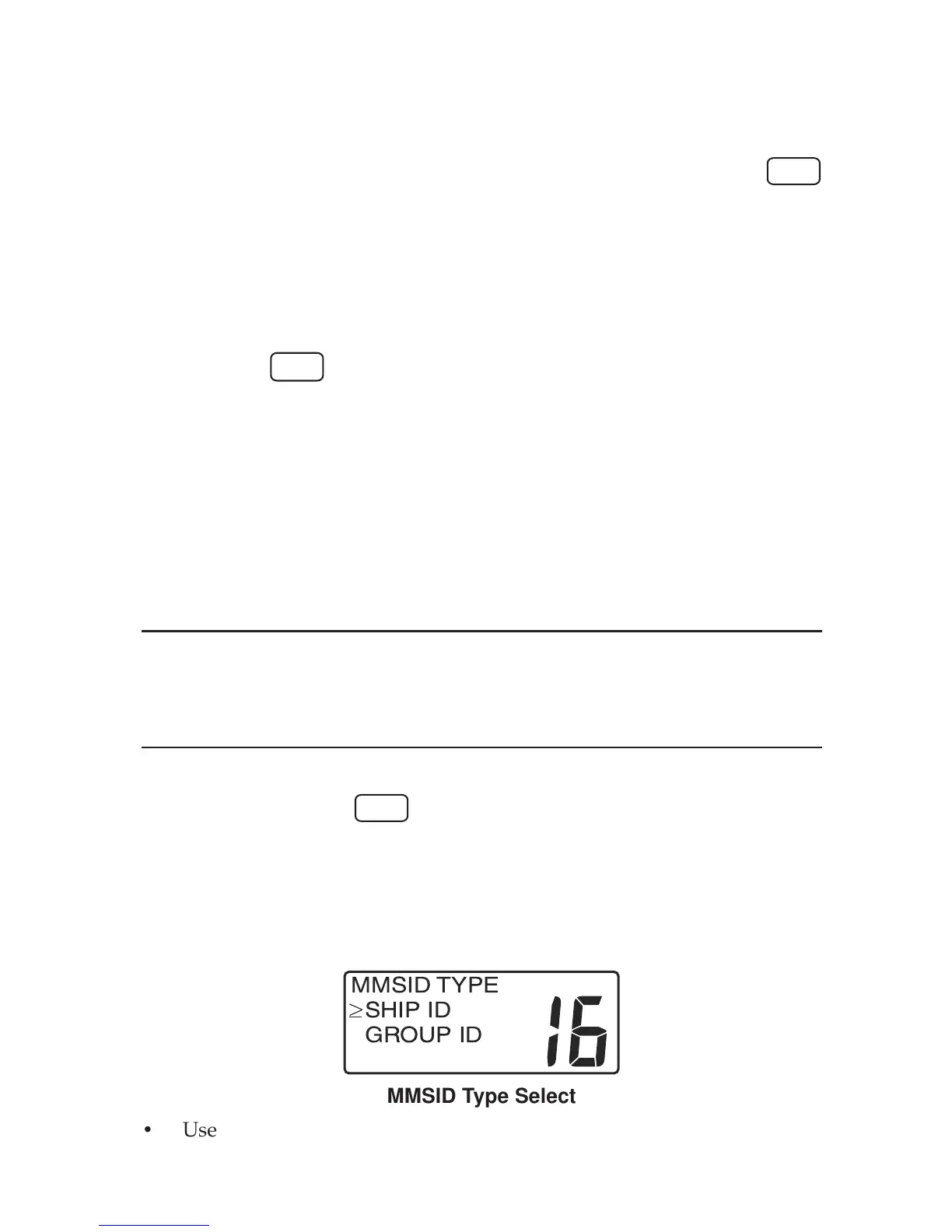
• Push the SELECT/ENT knob. The MMSID TYPE menu appears in the
display.
USA INT
MMSID TYPE
SHIP ID
GROUP ID
MMSID Type Select
• Use the SELECT/ENT knob to select SHIP ID on the menu.


 To Next Page