7
Eectors module
EN
Ⅰ:FX Module
1.Noise Gate
● Gate parameter,Adjust the threshold of Noise Gate, When set
to 0, the eect is turned o.
2.Boost(Noise Gate can be added)
● Gate parameter,Adjust the threshold of Noise Gate, When set
to 0, the eect is turned o.
● Gain parameter,Adjust the gain of the Boost.
3.Compress(Noise Gate can beadded)
● Gate parameter,Adjust the threshold of Noise Gate, When set
to 0, the eect is turned o.
● Intense parameter,The intensity of wet sound of Compress, the
d sound is reduced when the parameter is increased, at this time,
the Lvl parameter is appropriately increased to obtain a better
timbre.
● Sustain parameter, If you turn the Sustain parameter down and
the Intense parameter up, you can get better timbre.
● Level parameter, Use this parameter to adjust the output volume
of this Module again.
Ⅱ:AMP Module (1-15 is guitar preamp, 16-20 for bass
preamp)
● Gain
● Level
● Bass
● Mid
● Treble
Ref
440Hz
Turner
Mode
Bypass
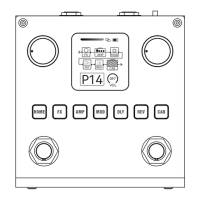
Tips: The tuning inteace is shown in the picture.
There are two items to choose from in this inteace,
the "refer to" item is to select the standard A's
frequency 430-450Hz, the "Mode" item is to select
the voice output status Bypass or Mute.


 To Next Page