EasyManua.ls Logo

M2I TOPRW0500WD - User Manual

Default Icon
23 pages
Print Icon
To Next Page IconTo Next Page
Loading...
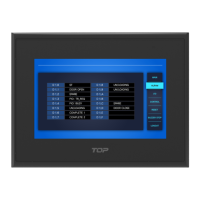
M2I Corporation Industrial HMI Touch Panel HW Installation Manual
M2I Corporation
M2I Bldg, 35-11, Jeonpa-ro 24beon-gil, Manan-gu, Anyang-si, Gyeonggi-do, 430-857, Korea. Tel :+82-70-465-3366,Fax:+82-31-465-3355 www.m2i.co.kr
1 / 23
M2I Corporation
Industrial HMI Touch Panel
TOPRW
HW Installation Manual
Thank you for purchasing the industrial HMI touch panel series of M2I corporation.
Please read this manual carefully to know installing, wiring, operating this equipment for safe use of
this product.
Chapter1. Safety Precautions
Chapter2. Overview
Chapter3. General Specifications
Chapter4. Part Names and General Specifications
Chapter5. Interface
Chapter6. Installation
Chapter7. Wiring
Chapter8. Maintenance
Chapter9. Warning Label
Chapter10. Products Label
Question and Answer IconNeed help?

Do you have a question about the M2I TOPRW0500WD and is the answer not in the manual?

Summary

Chapter 1. Safety Precautions

General Safety Precautions

General guidelines for safe operation and handling, including warnings against misuse and environmental factors.

Design, Wiring, and Disposal Precautions

Precautions for product design, installation, wiring, and disposal to ensure safety and prevent damage.

Chapter 3. General Specifications

Chapter 4. Part Names and General Specifications

Chapter 5. External Device Interface

Chapter 6. Installation

Installation Requirements and Procedures

Guidelines for proper installation, including environmental conditions, mounting, and panel cut-out dimensions.

Chapter 7. Wiring

Power and Ground Wiring

Instructions for correct power cable specifications, bolt tightening, and ground wiring methods for safe operation.

Chapter 8. Maintenance

Cleaning, Periodic Checks, and Troubleshooting

Procedures for cleaning the display, periodic checks, and guidance on handling device problems.

System Recovery Mode Setup

Steps for setting the system recovery mode to restore factory defaults or perform updates.

M2I TOPRW0500WD Specifications

General IconGeneral
BrandM2I
ModelTOPRW0500WD
CategoryTouch Panel
LanguageEnglish

Related product manuals