EasyManua.ls Logo

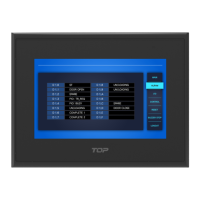
M2I XTOP Series - User Manual

Default Icon
15 pages
Print Icon
To Next Page IconTo Next Page
Loading...
1
Package Contents
Package contents of XTOP are below. Before using XTOP, please make sure that all of components
are in the package.
* Protection sheet is option content in XTOP04TW.
XTOP Series Model Description
XTOP 08 T V - E D - E
Series Display Size LCD type Resolution S : S type A : AC power E : Ethernet
04 : 4.3 T : TFT Color LCD Q : QVGA(320*240) E : E type D : DC power + CF Card
05 : 5.7 S : STN Color LCD V : VGA(640*480) U : U type
08 : 8.4 M : STN Mono LCD S : SVGA(800*600)
10 : 10.4 X : XGA(1024*768)
12 : 12.1 W: WQVGA(480*272)
15 : 15 WVGA(800*480)
Safety Precautions
Products to safely and efficiently use it, please read through the contents of this manuals.
Precautions for the safety of using the products safely and properly will prevent accidents and risk
in advance, so please just do it.
Precautions on Disposal
When you dispose of product and battery, please treat it as industrial wastes. It can create
poisonous substances or explosion.
XTOP SERIES Installation Manual
XTOP04/07 Only
Question and Answer IconNeed help?

Do you have a question about the M2I XTOP Series and is the answer not in the manual?

Summary

Package Contents

Options(sold Separately)

Lists optional accessories available for purchase.

XTOP Series Model Description

Safety Precautions

Precautions on Disposal

Design Precautions

Precautions on Wiring

Precautions on Install

General Precautions

Specification and Exchanging on Battery

Specification of Battery

Details battery voltage, model, lifetime, and rechargeable battery specs.

Serial Interface (RS-232 C)

COM1 Connector Pins and Signals (RS-232 C)

COM2 Connector Pins and Signals (15-Pin, RS-232 C)

COM2 Connector Pins and Signals (9-Pin, RS-232 C)

COM2 Connector Pins and Signals (9-Pin, RS-422 Terminal)

Serial Interface RS-422;485

COM2 Connector Pins and Signals (15-Pin, RS-422;485)

COM2 Connector Pins and Signals (9-Pin, RS-422;485)

Ethernet Communication and Connection

Ethernet Specification

Provides specifications for Ethernet connection, speed, and cable type.

RJ 45 Pin Layout

Diagram showing the pinout and color coding for RJ-45 Ethernet connectors.

HUB Usage Instructions

Guidelines for using straight and crossover cables with or without a HUB.

USB Hardware Specification

USB Host Hardware

Specifications for USB Host interface, communication, and transfer speed.

USB Device Hardware

Specifications for USB Device interface, supporting OS, and cable length.

Part Names and General Specifications

XTOP05;08 Series Outer Dimensions

Identifies part names and provides outer dimension specifications for XTOP05/08.

Front Part Names and Specifications (XTOP05;08 Series)

LCD Specifications (XTOP05;08 Series)

Details LCD type, brightness, screen size, and resolution for XTOP05/08.

Rear Part Names and Specifications (XTOP05;08 Series)

Front Part Names and Specifications (XTOP10;12;15 Series)

LCD Specifications (XTOP10;12;15 Series)

Details LCD type, brightness, screen size, and resolution for XTOP10/12/15.

Rear Part Names and Specifications (XTOP10;12;15 Series)

XTOP04 TW-UD and XTOP07 TW-UD Specifications

Outer Dimensions

Provides outer dimension specifications for XTOP04TW-UD and XTOP07TW-UD.

Front Part Names and Specifications

Details LCD type, brightness, screen size, and resolution for XTOP04TW/07TW.

Rear Part Names and Specifications

Installation and Panel Cut Size

Panel Cut Size Details

Main Menu (SETUP MENU)

Main Menu Overview

Displays TOP type, communication level, version, language, and time settings.

Communication Setup

Sets parameters for COM1/COM2 ports, 2-way communication, and Ethernet.

Setup Options

Configures power-on mode, screen save, buzzer, password, and display settings.

Diagnosis Functions

Communication Diagnosis

Tests communication status with PLC, setup suitability, and parameter matching.

COM Port Self Diagnosis

Checks the status of COM1 and COM2 ports for proper functionality.

COM Port Wiring

COM1 Port Wiring

Illustrates the pinout and connection for the COM1 port.

COM2 Port Wiring (RS-232 C)

Shows the pinout for the COM2 port when configured for RS-232C.

COM2 Port Wiring (RS-422;485)

Shows the pinout for the COM2 port when configured for RS-422/485.

Mode Shifting and Screen Calibration

Method of Shifting to Main Menu Mode

Procedure to access the Main Menu mode from RUN mode on XTOP modules.

Screen Calibration Steps

Guide to calibrate the analog touch glass when it does not work properly.

M2I XTOP Series Specifications

General IconGeneral
Display TypeTFT LCD
BacklightLED
DimensionsVaries by model
WeightVaries by model
Communication InterfaceEthernet
Display Size7" to 15"
ProcessorARM Cortex
StorageVaries by model
ConnectivityEthernet

Related product manuals