11
Rear Part Names and Specifications
Shock Absorber for Panel Mounting
Contrast Adjust
In this model, Contrast Adjust is possible in [Setup]
in Menu mode
XTOP04: 9 pin, XTOP07: 15 pin
For Download/Upload, Serial or USB comm.
In USB, it needs USB to Serial converter[Optional]
Input Voltage 24VDC Typical
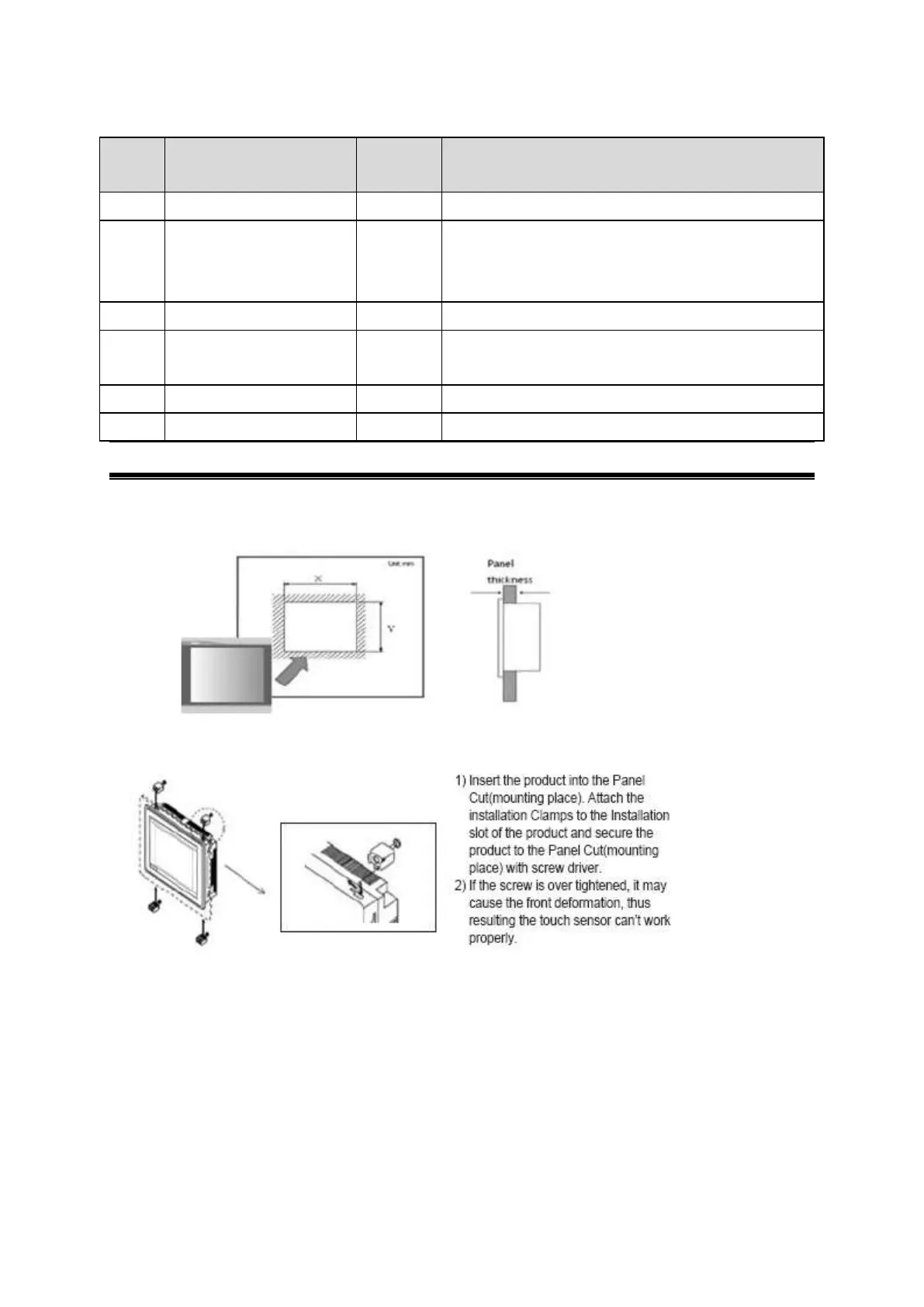
Installation and Panel Cut Size
For mounting product to the control panel, It should be recommended following below items.
Make a panel cut which product is mounted and insert product to the panel form the front side.
Installation methods should be following by using the supplied installation Clamp 4PCS.



 To Next Page