YOUNG
384
k
H
z
/32bit digital-TO-ANALOG CONVERTER
REVISION 1.o – NOVEMBER 2010
Copyright © 2010, M2Tech Snc di Manunta & Marino
11
M2Tech
www.m2tech.biz
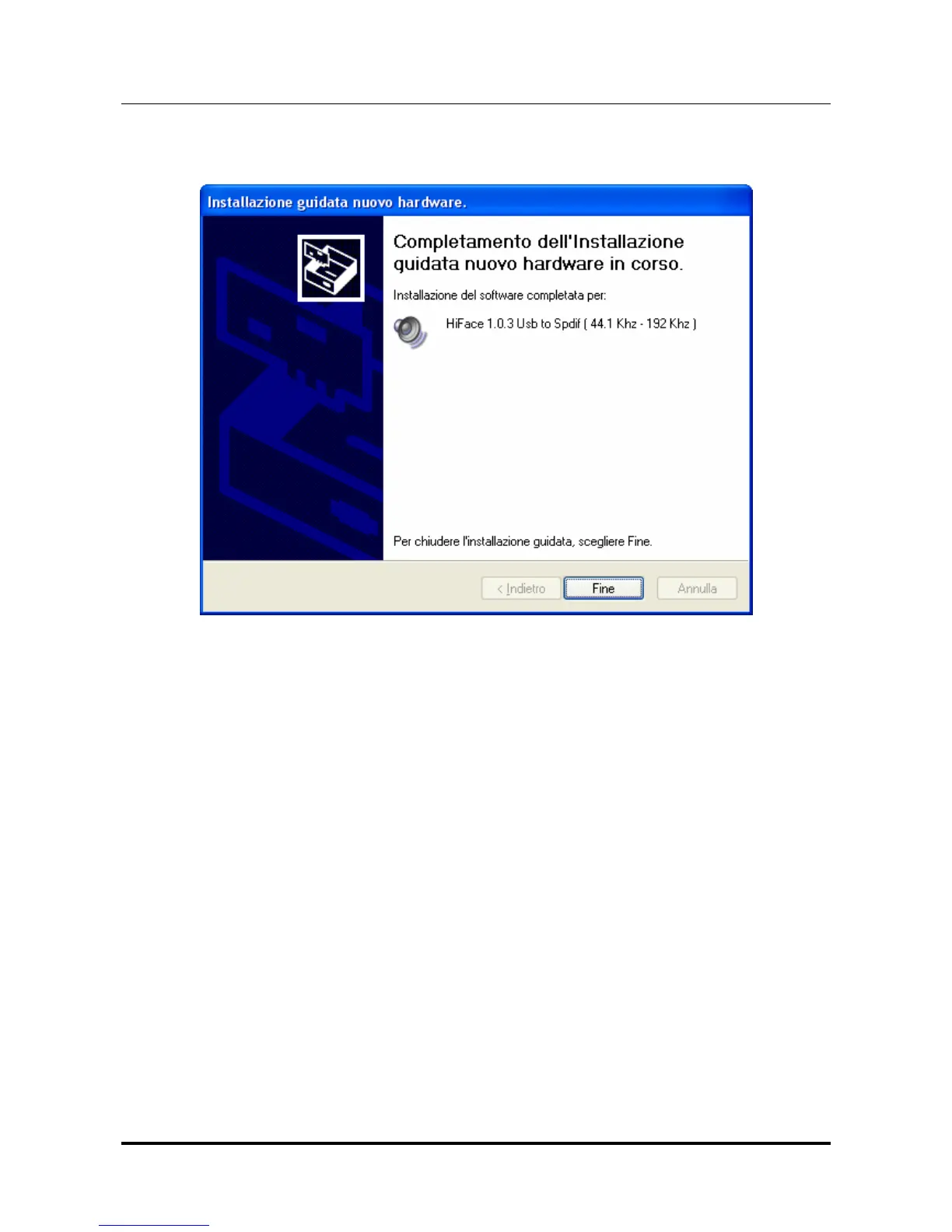
Click on Continue. The installation will proceed to the end. The window shown in figure 6
will appear. Click on Finish to complete the driver installation.
Figure 6
Note: the wizard appearance and the guided installation procedure may slightly vary
from XP to Vista to Windows 7.
5.2.2. Manual installation
Sometimes it’s necessary or advisable to install the driver manually. The installation
package offers two installation utilities, “setup32.exe” and “setup64.exe”. The former is for
32 bits operating systems, while the latter is for 64 bits operating systems. Without
connecting the Young to the PC, double-click on either “setup64.exe” or “setup32.exe”,
depending on your operating system: the driver will be installed in your PC.


 To Next Page