Camera is an optional module.
How to launch
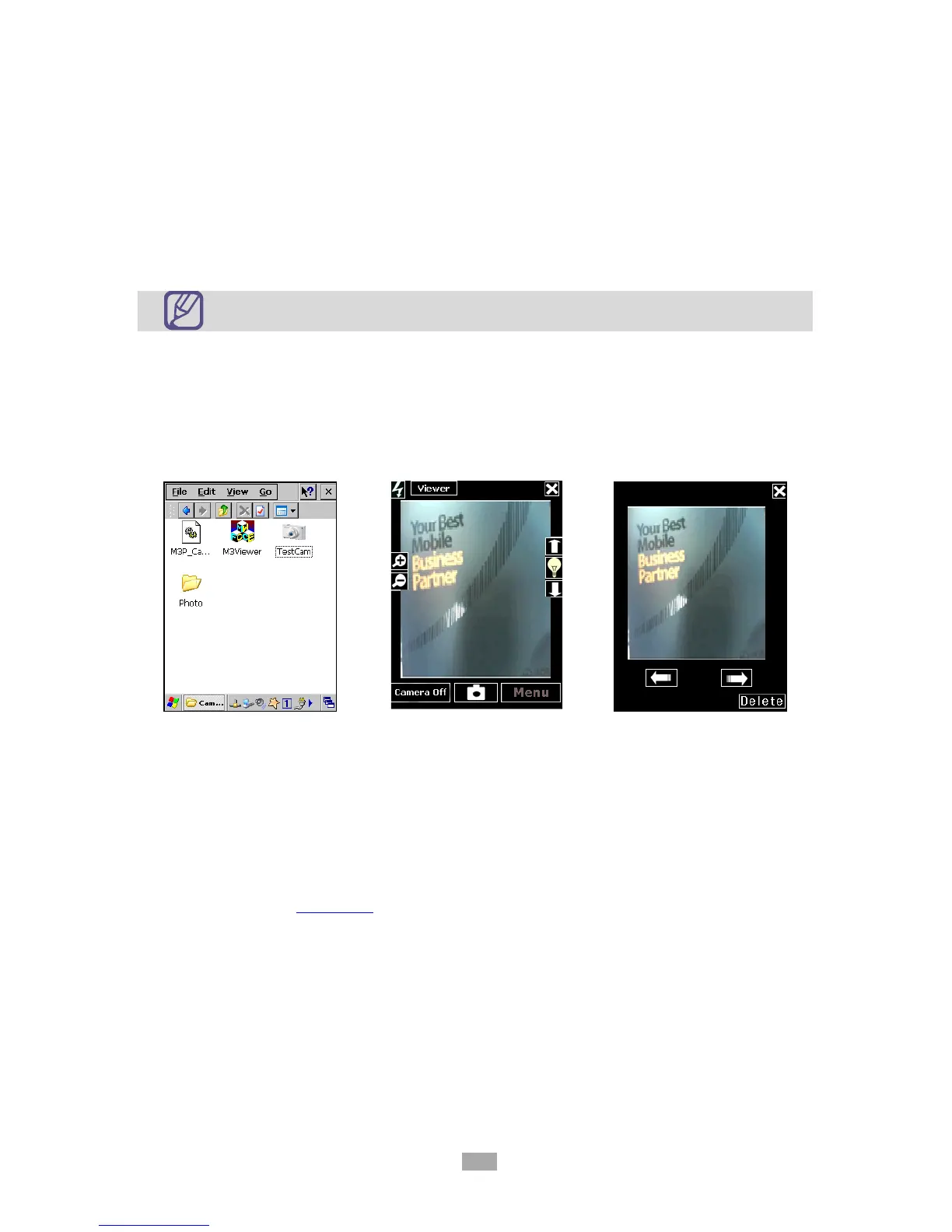
M3 camera application is located at \Flash Disk\Camera folder. To launch, click on
Camera.exe in the folder.
While the camera application is running, click on Capture button or press ‘C’ button
(right-up side key) to capture the image. You should be able to check the result
straight after the capture. Captured image is saved in the same folder (default path)
as the camera application.
For detailed description of camera application, please refer to Application Manual.
Application Manual Download



 To Next Page