
 Need help?
Do you have a question about the M3 Mobile SM20 Series and is the answer not in the manual?
Explains the terms and conditions for using the M3 SM20 device.
Details the copyright notice and usage restrictions for the manual.
Lists registered trademarks associated with M3 Mobile and its products.
Crucial safety guidelines to prevent accidents and damage during device operation.
Explains the meaning of icons used throughout the manual for warnings and notes.
Lists all items included in the M3 SM20 package.
Instructions on inserting, removing, and charging the device battery safely.
Procedures for turning the device on, off, and utilizing standby mode.
Guides on inserting external memory cards and SIM cards into the device.
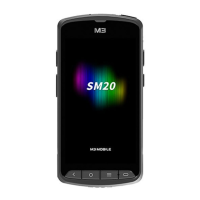
Overview of the device's physical components and their functions.
Explanation of the device's buttons and their primary functions.
Guides users through navigating the device's home screen interface and its elements.
Details on how to input data using the virtual keyboard.
Procedures for soft and factory resets to troubleshoot device issues.
How to use the basic phone calling features and call history.
Steps to connect to and manage Wi-Fi networks on the device.
Instructions for operating the device's barcode scanner functionality.
Guide to activating, pairing, and connecting Bluetooth devices.
Procedures for activating and using the Near Field Communication feature.
Information on how to update the device's operating system.
How to change and customize physical button settings for convenience.
Guides on swapping batteries without rebooting and using fast charging.
Detailed technical specifications of the M3 SM20 device.
Information on how to contact M3 Mobile for support and service.
 General
| Wi-Fi | 802.11 a/b/g/n/ac |
|---|---|
| Operating System | Android |
| Display | IPS |
| Touch Panel | Capacitive |
| Barcode Scanner | 1D/2D Imager |
| Wireless LAN | 802.11 a/b/g/n/ac |
| WWAN | GSM, GPRS, EDGE, UMTS, HSDPA, HSPA+, LTE |
| GPS | Yes |
| NFC | Yes |
| Processor | Quad-core 1.3 GHz |
| Expandable Storage | MicroSD |
| Android Version | 9.0 |
| Battery Capacity | 4000 mAh |
| Network | GSM, GPRS, EDGE, UMTS, HSDPA, HSPA+, LTE |

 To Next Page
