SM20 Series
User Manual
14
1.3.3 Standby Mode
If the device is not used for a long time, M3 SM20 automatically shifts to standby mode to
decrease battery consumption. To manually set the device in standby mode, lightly press the
Power button.
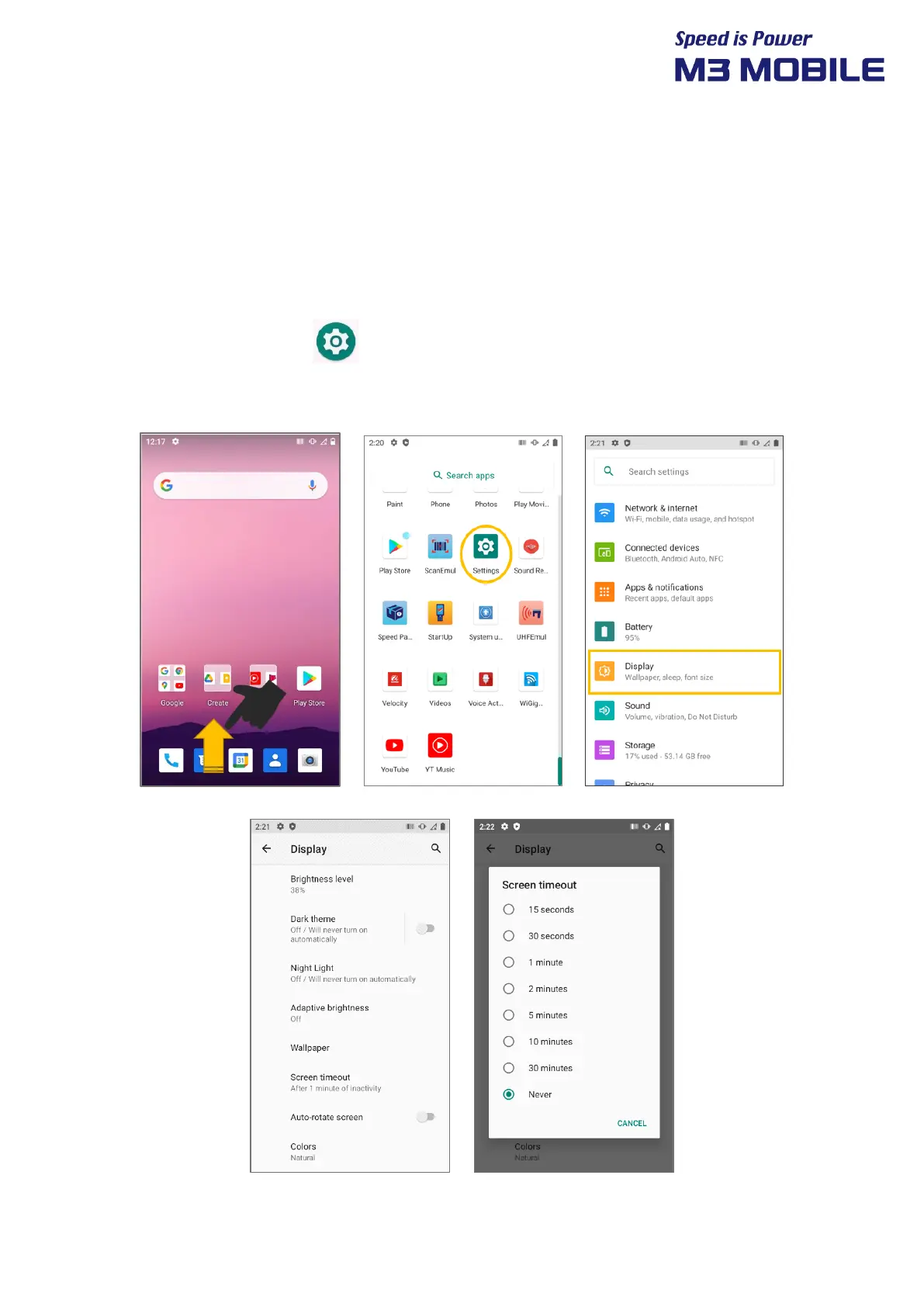
By default, if the device is not used for 30 seconds or longer, it shifts to standby mode. The time
when the device shifts to standby mode can be set by the user.
Swipe the bottom Click Settings Display Sleep to change time that the device
will shift to standby mode.


 To Next Page
 Loading...